
Sign in with Google
Learn how to sign in to GenZform using your Google account. Fast, secure, and no password required.
Sign in with Google
The fastest way to sign in to GenZform is using your Google account. This method is secure, doesn't require you to remember a password, and creates your account automatically on first sign-in.
Google sign-in uses OAuth 2.0, which means GenZform never sees your Google password. We only receive your name and email address.
How to Sign in with Google
Go to the sign in page
Navigate to genzform.com/auth/signin
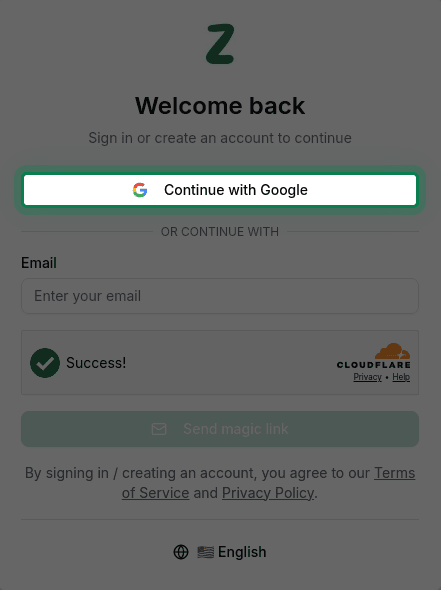
Click Continue with Google
Click the Continue with Google button to start the authentication process.
Select your Google account
A popup window will appear. Select your Google account from the list.
Grant permission
Grant GenZform permission to access your basic profile information (name and email).
Access your dashboard
You'll be automatically redirected to your dashboard where you can start creating forms.
If you have multiple Google accounts, make sure to select the one you want to use for GenZform.
Benefits of Google Sign-in
- Fast: Sign in with just two clicks
- Secure: No password to remember or manage
- Automatic account creation: Your GenZform account is created on first sign-in
- Trusted: Uses Google's industry-standard OAuth 2.0 security
Troubleshooting
Google sign-in popup isn't appearing
- Make sure pop-ups are enabled in your browser for genzform.com
- Try clearing your browser cache and cookies
- Disable any browser extensions that might block pop-ups
- Try using a different browser
I selected the wrong Google account
- Sign out of GenZform
- Click "Continue with Google" again
- In the Google popup, click on a different account or "Use another account"
I want to use a different email address
If you signed up with Google but want to use a different email:
- Sign out of your current account
- Use the magic link option with your preferred email address
- A new account will be created for that email
Need More Help?
If you're still having trouble signing in with Google, please contact our support team. We're here to help!