
Start with a Template
Learn how to browse, preview, and use GenZform's professionally designed templates to quickly create forms, surveys, quizzes, and more.
GenZform offers a library of professionally designed templates that give you a head start on creating your forms. Browse by type or category, preview the template, and start customizing in seconds.
All templates are free to use and fully customizable with AI chat after you start using them.
Browse the Template Gallery
Visit genzform.com/templates to explore all available templates.
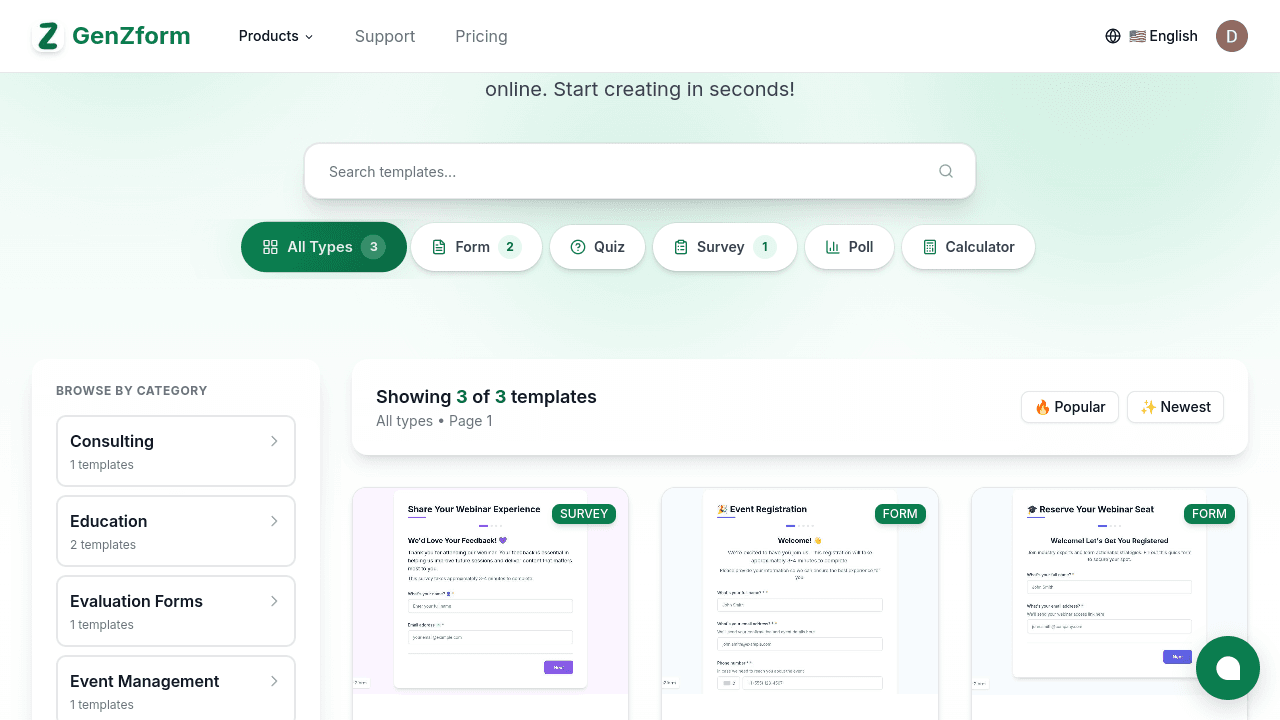
Filter by Type
Use the filter buttons at the top to narrow down templates:
- Forms - Contact forms, registration forms, lead capture
- Quizzes - Knowledge tests, assessments, trivia
- Surveys - Feedback surveys, NPS, customer satisfaction
- Polls - Quick votes and opinion gathering
- Calculators - ROI calculators, pricing tools, estimators
Browse by Category
The sidebar shows templates organized by use case:
- Consulting
- Education
- Event Management
- Feedback Forms
- Lead Capture Forms
- Registration Forms
- Survey Forms
- And more...
Sort Templates
Sort the template list by:
- Popular - Most used templates
- Newest - Recently added templates
Using a Template
Go to the Templates page
Navigate to genzform.com/templates to browse available templates.
Find a template
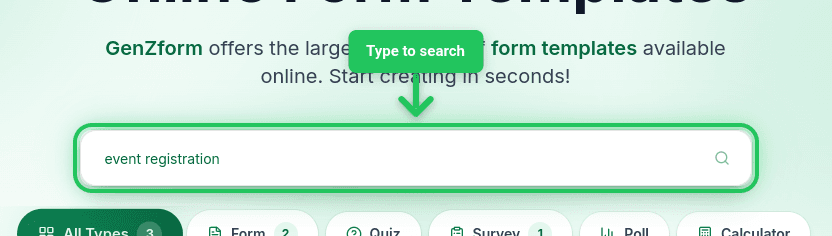
Use the search bar to find templates by keyword, or browse using the type filters and category sidebar. Each template card shows:
- Template preview image
- Template type (Form, Survey, Quiz, etc.)
- Template name and description
Preview the template
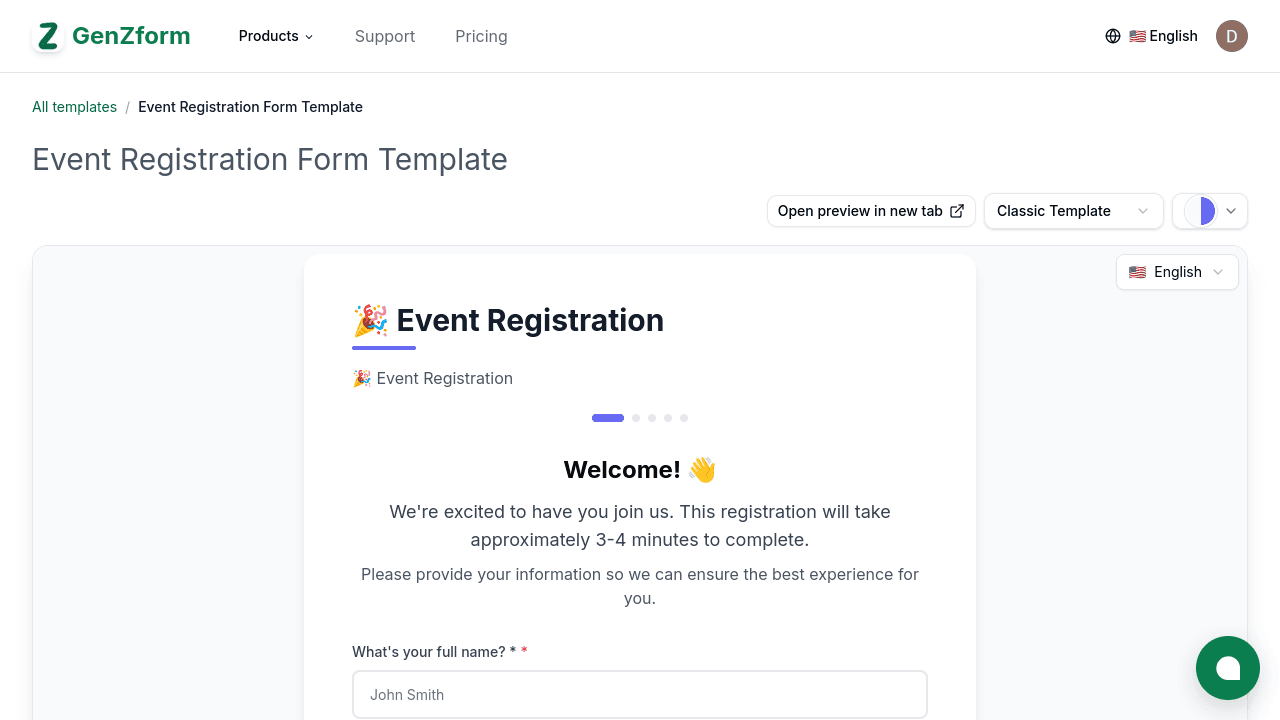
Click on a template card to open the detail page. Here you can:
- See a live preview of the form
- Switch between template styles (Classic, Focused, etc.)
- Change the preview language
- Read the template description and FAQ
Use the template
Click the Use this template button to create your own copy. This opens the template in the form editor where you can customize it.
Customize with AI
Once in the editor, use the AI chat to make any changes:
- "Change the title to 'Workshop Registration'"
- "Add a question about dietary preferences"
- "Remove the phone number field"
- "Make the company name field optional"
Template Preview Features
On the template detail page, you can customize the preview before using it:
Template Style
Switch between different form styles using the dropdown:
- Classic Template - Traditional multi-field layout
- Focused Style - One question at a time
Language Preview
See how the template looks in different languages using the language selector.
Color Theme
Some templates let you preview different color schemes before using them.
Available Template Categories
| Category | Best For |
|---|---|
| Event Management | Conferences, workshops, webinars |
| Registration Forms | Sign-ups, enrollments, memberships |
| Feedback Forms | Customer feedback, reviews, ratings |
| Survey Forms | Research, opinions, data collection |
| Lead Capture Forms | Marketing, sales leads, inquiries |
| Education | Quizzes, assessments, course evaluations |
Template vs. AI-Generated Forms
| Approach | Best For |
|---|---|
| Templates | Common use cases with proven layouts |
| AI Generation | Unique or custom requirements |
Both approaches end up in the same editor where you can customize everything with AI chat. Templates just give you a professionally designed starting point.
Template FAQ
Are templates free to use?
Yes! All templates are available for free. Some advanced features may require a Pro subscription, but the templates themselves are free.
Can I customize a template after using it?
Absolutely. Once you click "Use this template," it opens in the editor where you can modify anything using the AI chat - add fields, remove questions, change text, adjust styling, and more.
What's the difference between template styles?
Template styles change how the form is displayed to respondents. "Classic" shows multiple fields per page, while "Focused" shows one question at a time. You can switch styles from the template detail page.
Can I request a new template?
Yes! If you have a specific use case that isn't covered, contact our support team with your suggestion. We regularly add new templates based on user feedback.
Need More Help?
If you need help finding or using a template, please contact our support team. We're here to help!
Create Your First Form
Learn how to create a professional form with GenZform's AI-powered form builder in under a minute. No coding required.
How to Create a Thank You Page
Learn how to customize the thank you page that appears after form submission, including personalized messages, redirect options, and restart buttons.