
How to Create a Thank You Page
Learn how to customize the thank you page that appears after form submission, including personalized messages, redirect options, and restart buttons.
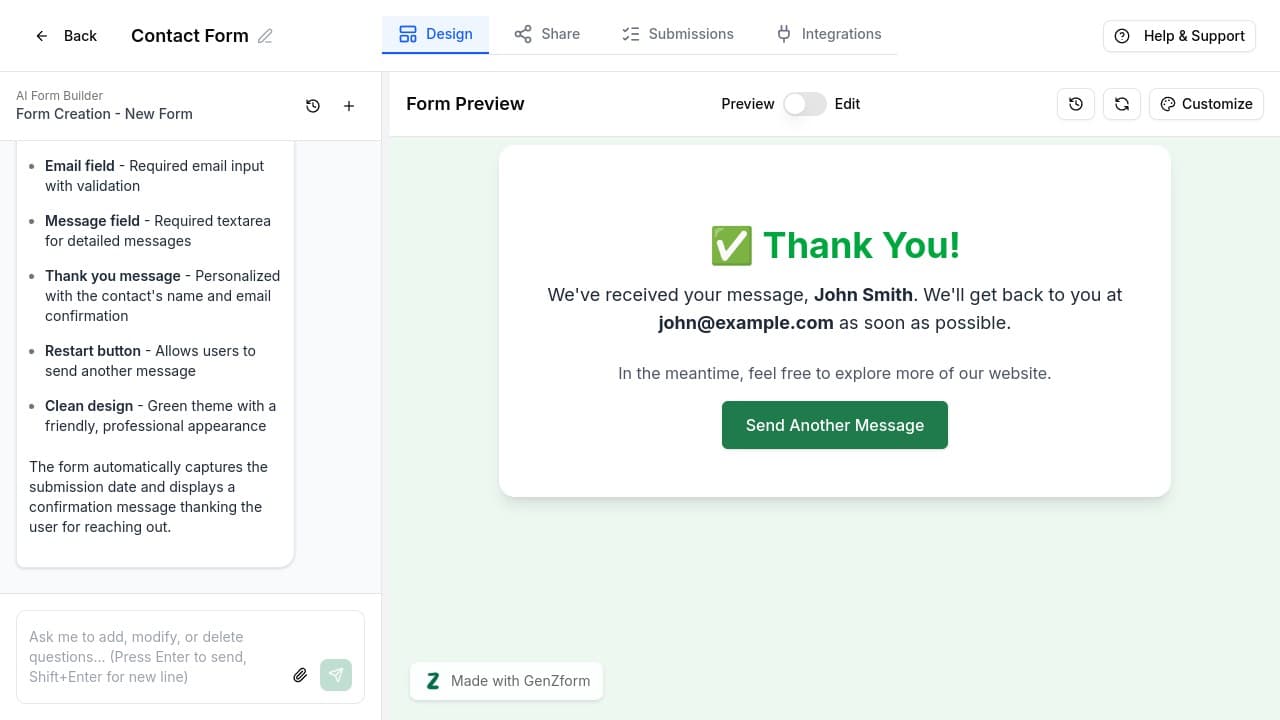
The thank you page is what your respondents see after submitting your form. GenZform automatically creates a thank you page for every form, and you can customize it to match your brand and messaging.
Thank you pages are created automatically when you generate a form. You can personalize them with the respondent's name, email, or other submitted data.
What's on a Thank You Page?
Every GenZform thank you page can include:
- Custom title and message - Thank respondents in your own words
- Personalized content - Display the respondent's name, email, or other submitted data
- Restart button - Let users submit another response
- Custom styling - Match your form's color theme
How to Customize Your Thank You Page
Open your form in the editor
Go to your dashboard and click on the form you want to edit. This opens the form editor with the AI chat panel.
Use AI chat to modify the thank you page
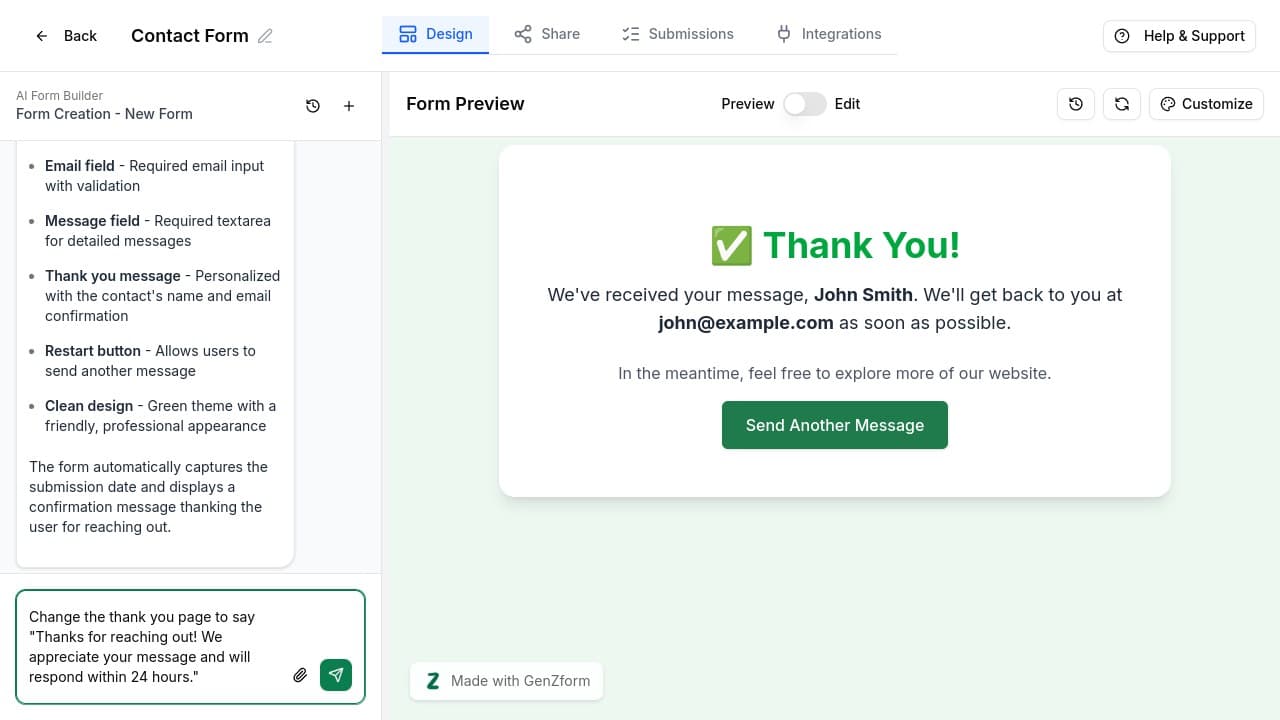
In the AI chat panel, describe the changes you want to make to your thank you page. Be specific about the message and any personalization you want.
Example prompts:
- "Change the thank you message to say 'Thanks for reaching out! We'll respond within 24 hours.'"
- "Add a personalized greeting with the user's name on the thank you page"
- "Remove the restart button from the thank you page"
- "Add a link to our FAQ page on the thank you page"
Preview your changes
Fill out your form in the preview panel and submit it to see your updated thank you page. Make sure the personalization and message look correct.
Personalization Options
You can personalize your thank you page with any data the respondent submitted:
| Personalization | Example |
|---|---|
| Name | "Thanks, John!" |
| "We'll email you at [email protected]" | |
| Company | "Welcome aboard, Acme Corp!" |
| Any field | Reference any submitted value |
Ask the AI to "personalize the thank you message with the user's name and email" to automatically include submitted data.
Thank You Page Ideas
Contact Form
"Thanks for reaching out, [Name]! We've received your message
and will get back to you at [Email] within 24 hours."
Event Registration
"You're registered for [Event Name]! Check your inbox at [Email]
for your confirmation and calendar invite."
Quiz or Assessment
"Great job, [Name]! You scored [Score]%. Check your email
for a detailed breakdown of your results."
Lead Capture
"Thanks for your interest! Your free guide is on its way
to [Email]. Check your inbox in the next few minutes."
Advanced Options
Redirect to Another Page
Ask the AI to redirect users after form submission:
- "After submission, redirect to our pricing page at /pricing"
- "Send users to a custom thank you URL after they submit"
Conditional Thank You Messages
For quizzes or assessments, you can show different messages based on results:
- "Show a congratulations message if the score is above 80%"
- "Display different thank you messages based on the selected plan"
Adding Social Sharing
Encourage respondents to share:
- "Add social sharing buttons to the thank you page"
- "Include a 'Share your result' button for the quiz"
Thank You Page FAQ
Can I redirect to a different website after submission?
Yes! Ask the AI to "redirect to [URL] after form submission" and it will configure your form to send users to that URL after they submit.
How do I remove the restart button?
Tell the AI "remove the restart button from the thank you page" or "don't show the submit another response button."
Can I show different thank you messages for different responses?
Yes, for quizzes and calculators you can show different messages based on scores or results. Ask the AI to "show different thank you messages based on the score."
How do I add a download link to the thank you page?
Ask the AI to "add a download button for [file name] on the thank you page" - perfect for lead magnets and gated content.
Need More Help?
If you need help customizing your thank you page, please contact our support team. We're here to help!
Start with a Template
Learn how to browse, preview, and use GenZform's professionally designed templates to quickly create forms, surveys, quizzes, and more.
Understanding Form Types
Learn about the different types of interactive content you can create with GenZform - forms, quizzes, surveys, calculators, and polls.