
Zapier Integration
Learn how to connect GenZform to 5,000+ apps using Zapier for powerful automations.
Zapier lets you connect GenZform to over 5,000 apps without writing any code. When someone submits your form, Zapier can automatically trigger actions in other apps.
What You Can Do with Zapier
- Add contacts to CRM - Send leads to Salesforce, HubSpot, etc.
- Send notifications - Post to Slack, send SMS, email alerts
- Create tasks - Add items to Asana, Trello, Notion
- Update databases - Add rows to Airtable, databases
- Trigger emails - Send through Mailchimp, ConvertKit
- And 5,000+ more apps
Zapier acts as a bridge between GenZform and thousands of other apps, enabling powerful automations without code.
How to Connect Zapier
Log in to Zapier
Go to zapier.com and log in to your account. If you don't have an account, create one for free.
Click Create Zap to start building your automation, then search for GenZform in the app search.
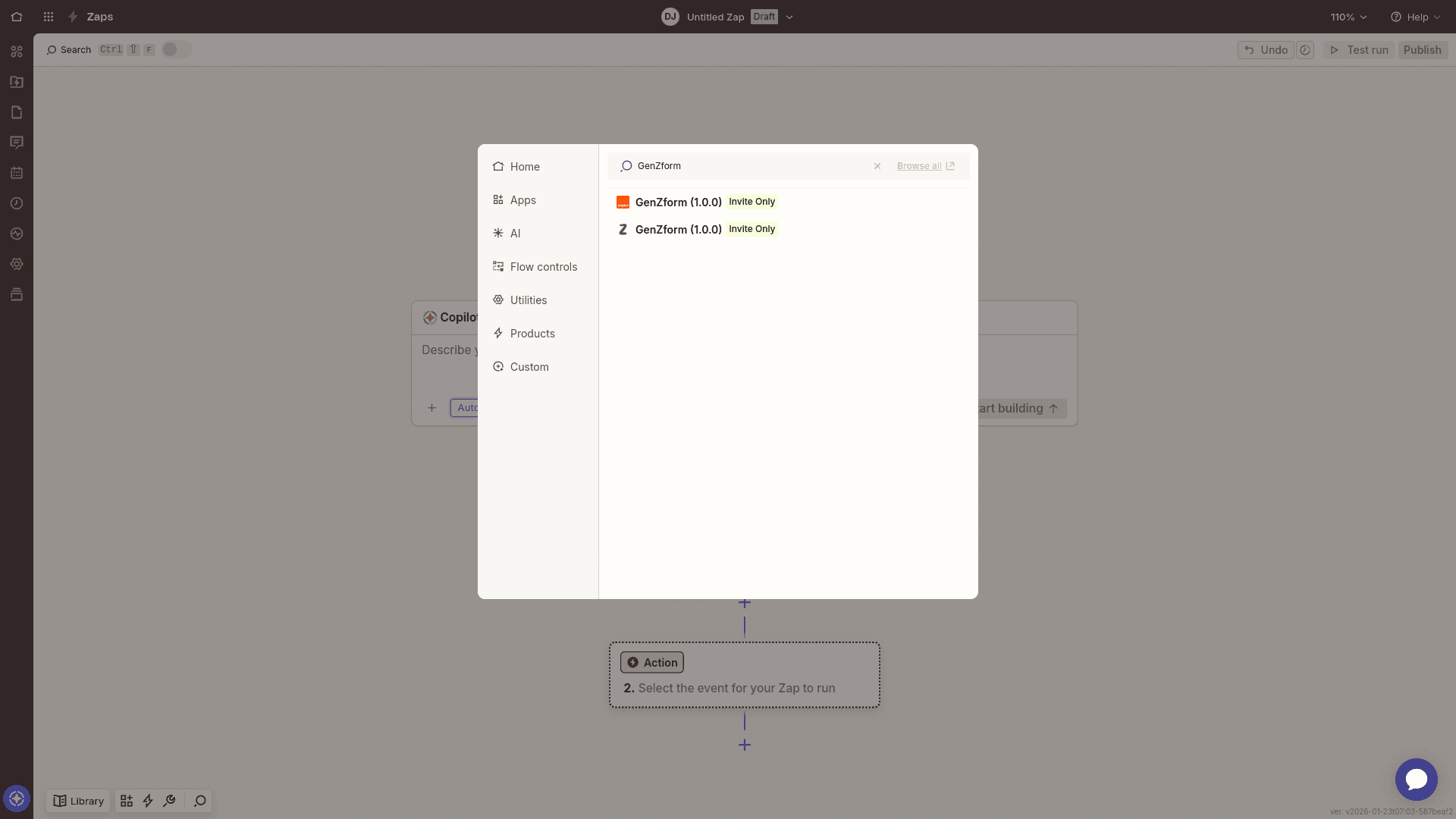
Select GenZform as your trigger app
Select GenZform from the search results. You'll see the GenZform app with the trigger event options.
Click Sign In to connect your GenZform account.
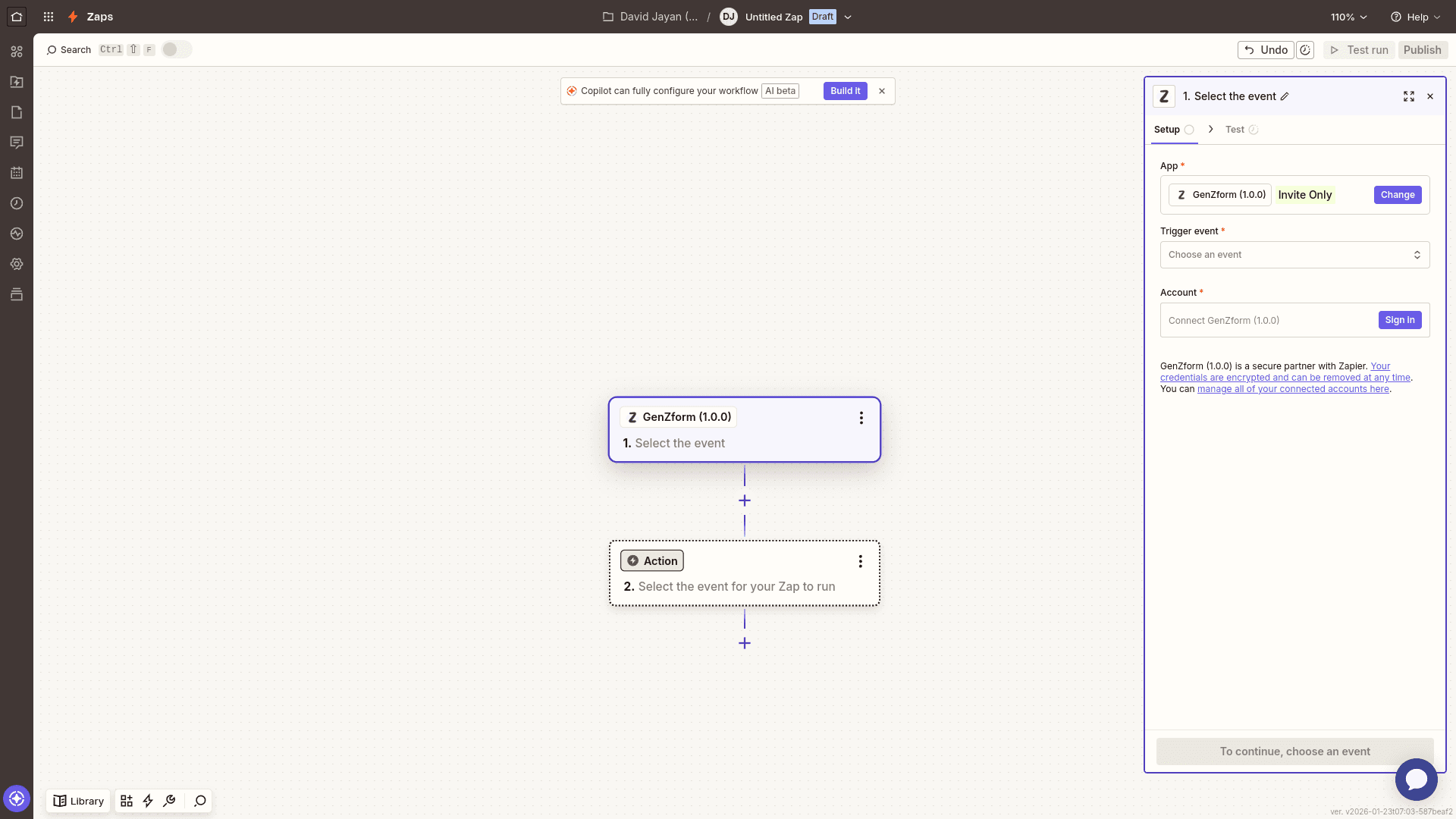
Authorize Zapier to access GenZform
A new window will open asking you to authorize Zapier to access your GenZform account.
Review the permissions and click Allow to grant access. This allows Zapier to:
- View your forms and their settings
- Create and modify your forms
- View form responses and submissions
- Access your account email and name
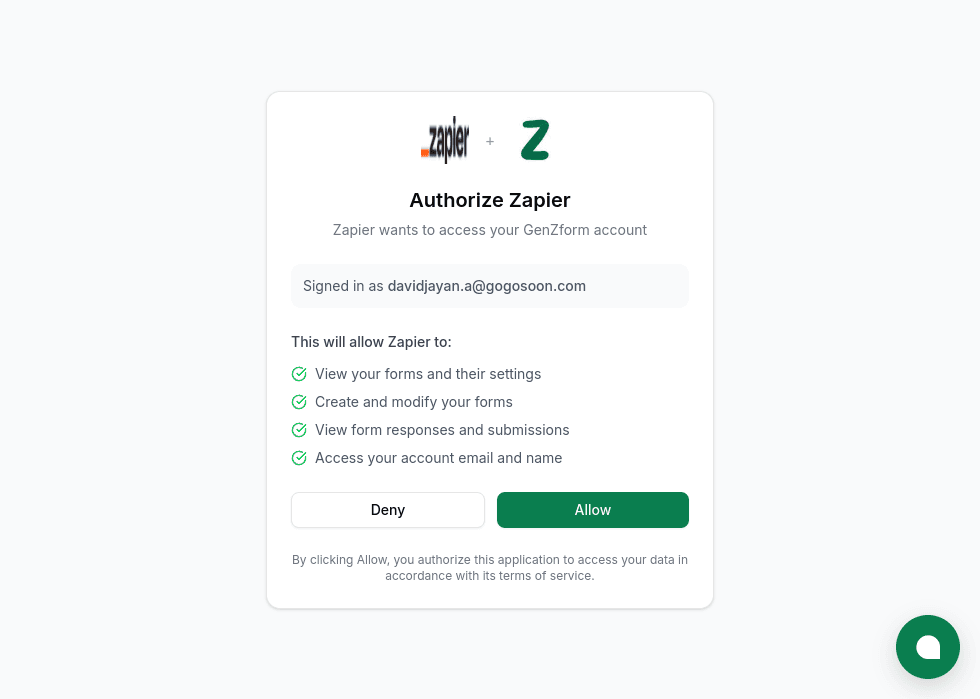
Confirm your account is connected
After authorization, you'll be redirected back to Zapier. Your GenZform account will now be connected.
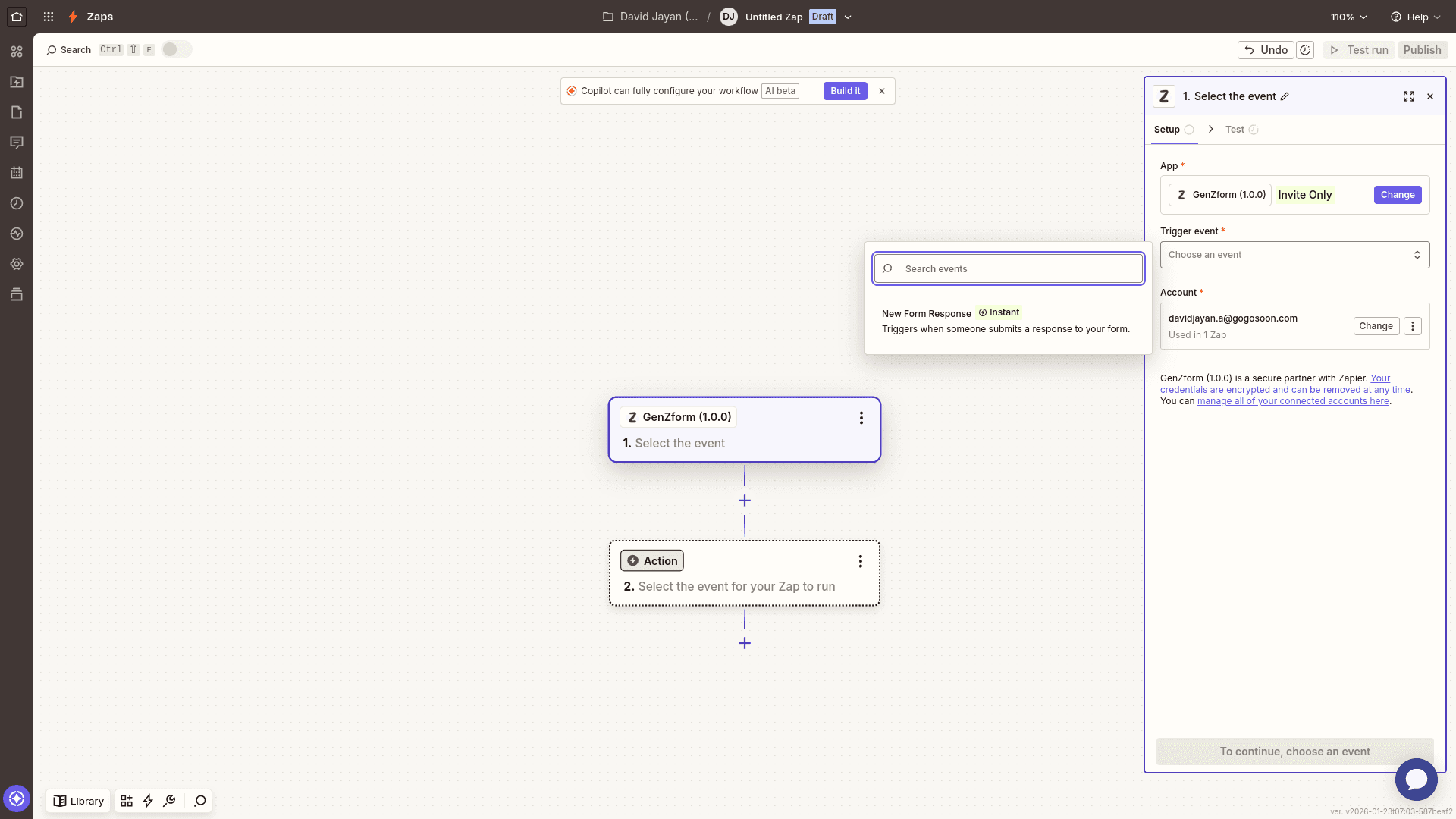
You'll see your email address displayed in the Account section, confirming the connection is successful.
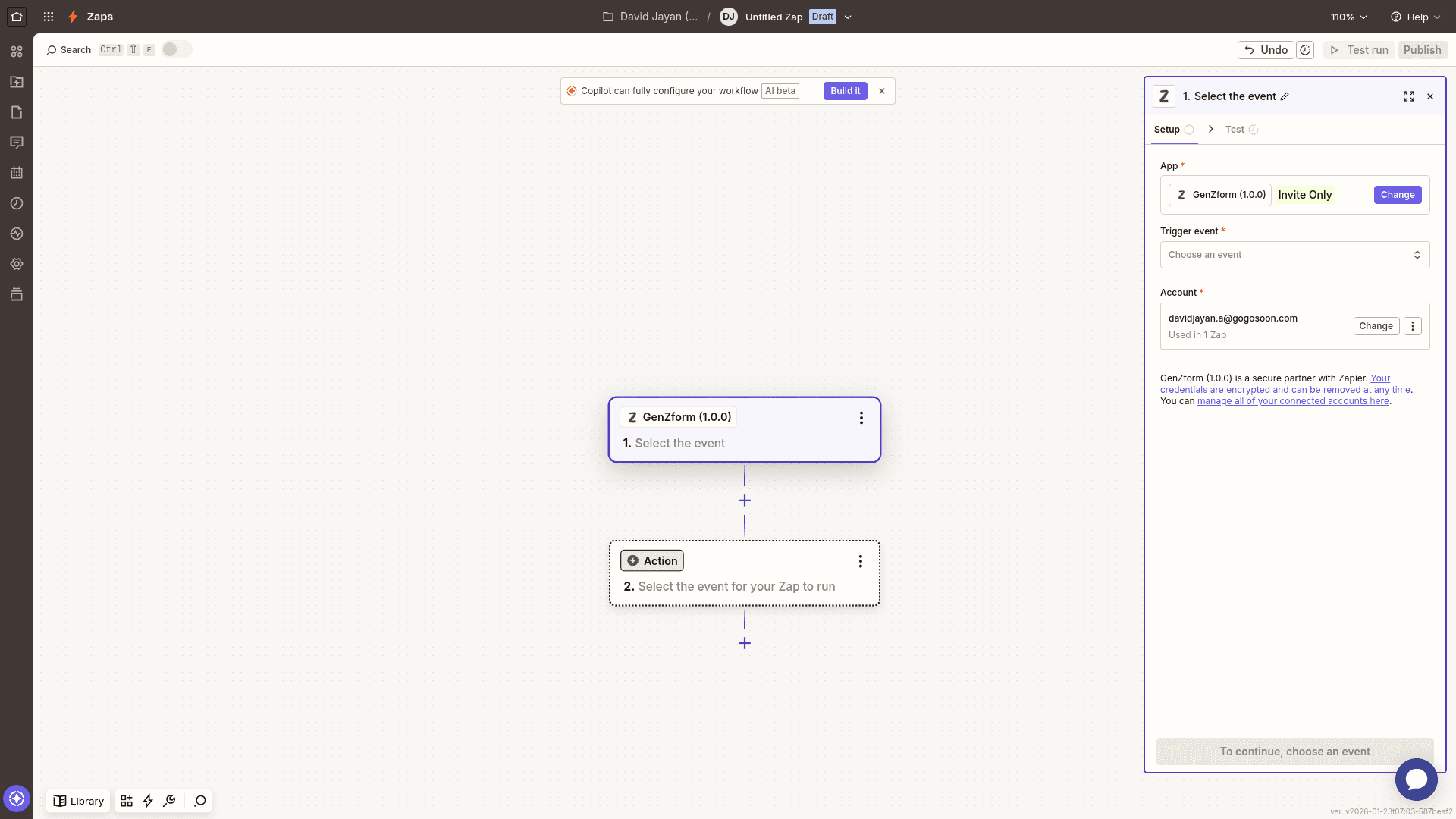
Select a trigger event
Click on Choose an event to see available triggers. Select New Form Response to trigger your Zap when someone submits a response to your form.
Choose your form and add an action
Select which form should trigger the automation, then add an action app (e.g., Google Sheets, Slack, HubSpot) to define what happens when a form is submitted.
Map your form fields to the action app's fields, test your Zap, and turn it on!
Popular Zaps
| Trigger | Action | Use Case |
|---|---|---|
| Form submission | Add Google Sheets row | Data collection |
| Form submission | Create HubSpot contact | Lead capture |
| Form submission | Send Slack message | Team notifications |
| Form submission | Create Trello card | Task creation |
| Form submission | Add Mailchimp subscriber | Email marketing |
Zap Examples
Lead to CRM
Trigger: New GenZform submission → Action: Create contact in HubSpot
Automatically capture leads from your forms and add them as contacts in HubSpot with all their details mapped.
Team Notification
Trigger: New GenZform submission → Action: Post message to Slack channel
Keep your team informed instantly whenever someone submits a form by sending a notification to your Slack channel.
Data Backup
Trigger: New GenZform submission → Action: Add row to Airtable
Automatically back up every form response to an Airtable base for easy tracking and reporting.
Frequently Asked Questions
Is Zapier free?
Zapier offers a free tier with limited Zaps. Paid plans offer more automations and features.
How quickly do Zaps trigger?
Zaps typically trigger within seconds of form submission, though some delays may occur based on your Zapier plan.
Can I use multiple Zaps for one form?
Yes! You can create multiple Zaps that all trigger from the same form submission.
How do I disconnect my GenZform account from Zapier?
Go to Apps in your Zapier dashboard, find GenZform, and click Disconnect to remove the connection.