
How to Upgrade Your Plan
Step-by-step guide to upgrade your GenZform plan from Free to Go or Pro.
Follow these steps to upgrade your GenZform plan and unlock more features.
How to Upgrade
Sign in to your account
Go to genzform.com and sign in to your account.
Go to the Pricing page
Navigate to the Pricing page from the top navigation bar, or look for upgrade prompts in your dashboard.
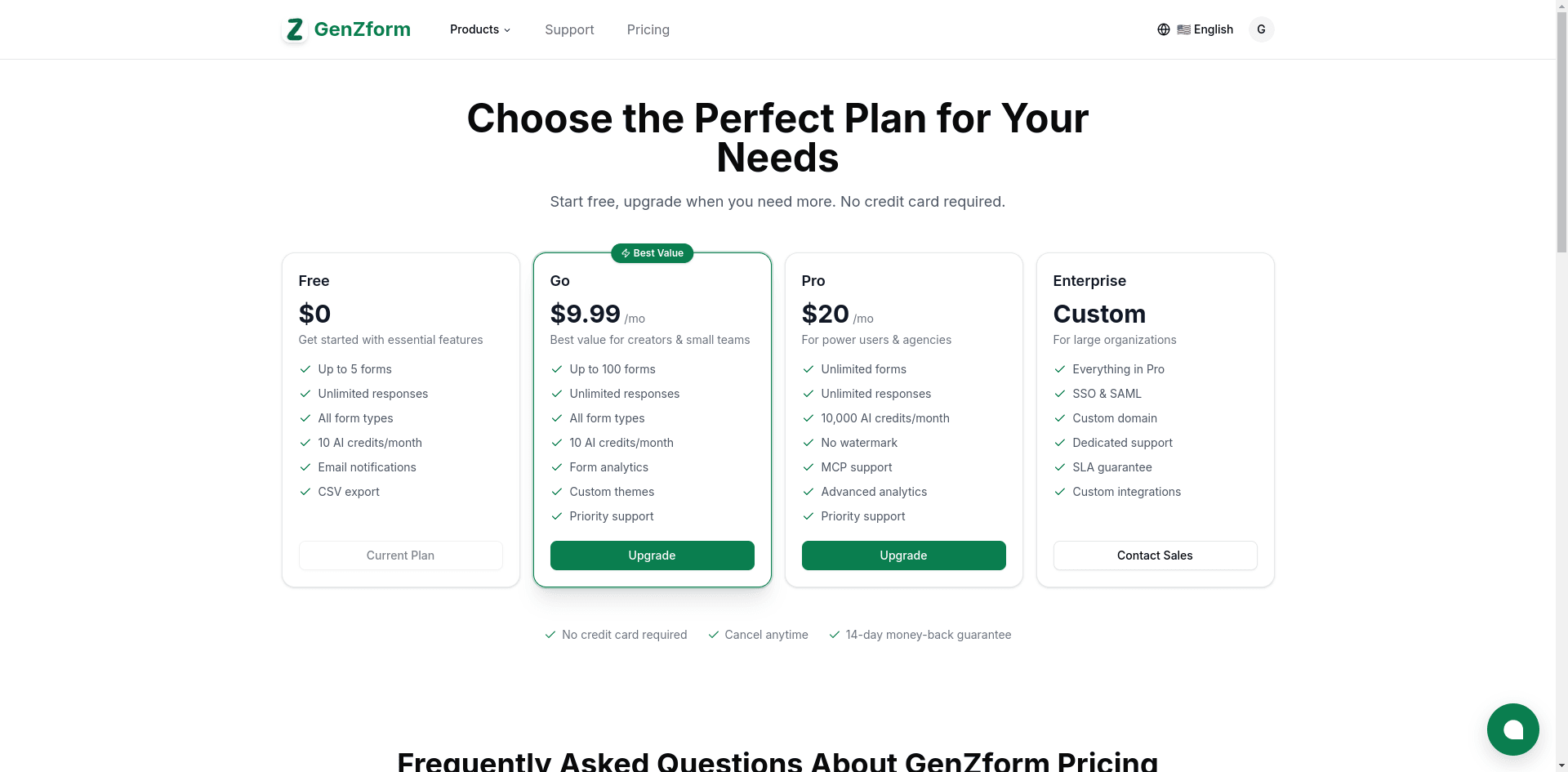
Click Upgrade on your chosen plan
Choose the plan that fits your needs and click the Upgrade button. Your current plan will be marked as "Current Plan".
Complete checkout
You'll be redirected to a secure checkout page powered by Lemon Squeezy. Enter your payment details to complete the purchase.
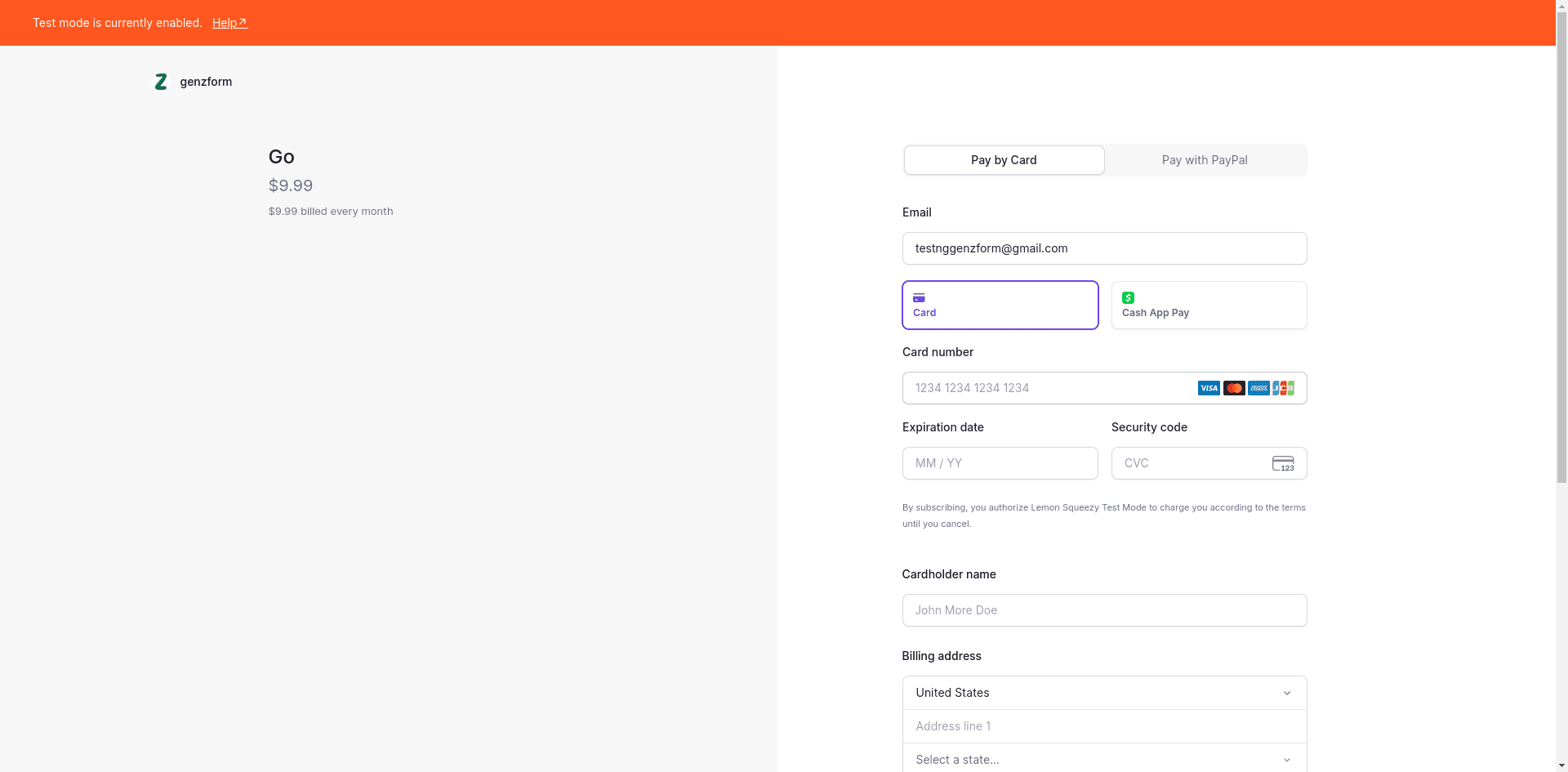
Start using your new features
Your upgraded features activate immediately after checkout. You'll see your new plan reflected in your account right away.
Payment Methods
We accept:
- Credit cards (Visa, Mastercard, American Express)
- Debit cards
- PayPal (in supported regions)
All payments are processed securely through Lemon Squeezy.
Frequently Asked Questions
Will I lose any data when upgrading?
No! All your forms, responses, and settings are preserved.
Can I upgrade mid-month?
Yes. Your billing cycle starts from your upgrade date.
Is there a free plan?
Yes! The Free plan is free forever with no time limits. You can use it as long as you want and upgrade whenever you're ready.
What if I need to downgrade later?
You can downgrade anytime. See Cancel Subscription.