
Embed Your Form on a Website
Learn how to embed GenZform forms on your website using the standard iframe embed code.
Embedding your form directly on your website provides a seamless experience for your visitors. They can fill out the form without leaving your page.
Embedded forms are fully responsive and will adapt to fit any container width on your website.
How to Embed Your Form
Open the Share tab
From the form editor, click the Share tab in the top navigation bar.
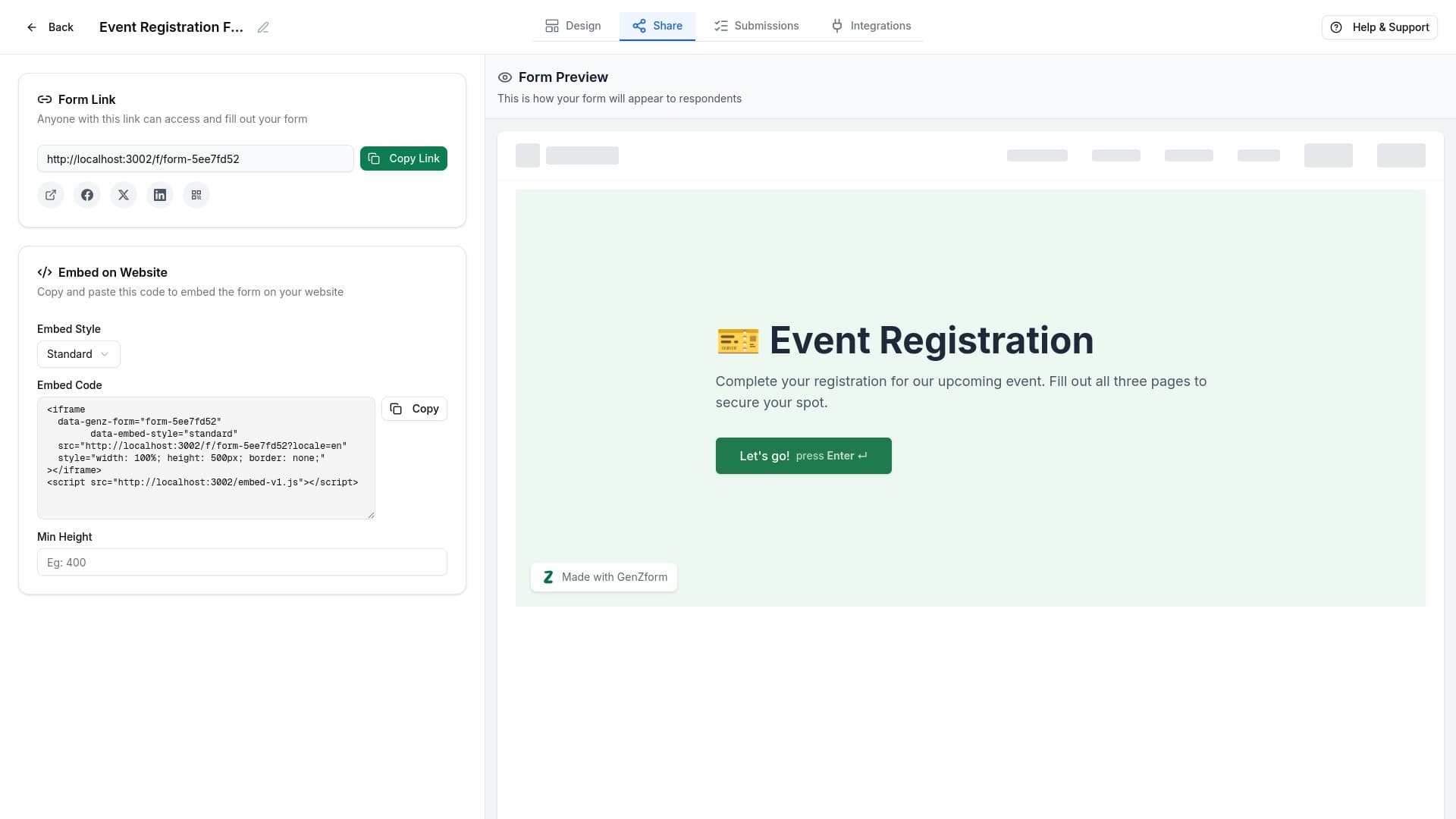
Find the Embed section
Scroll down to the Embed on Website section. Here you'll find the embed code and customization options.
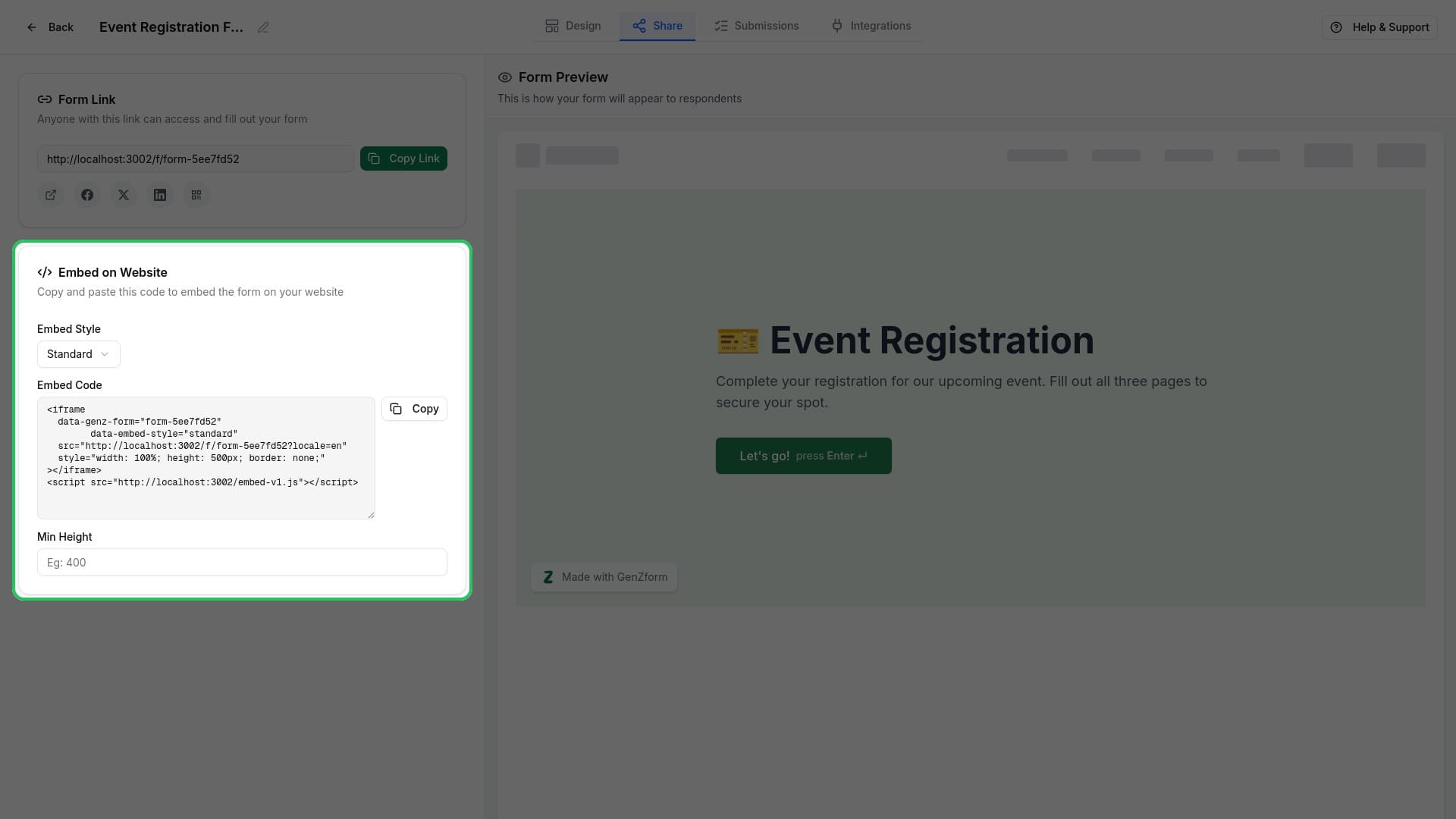
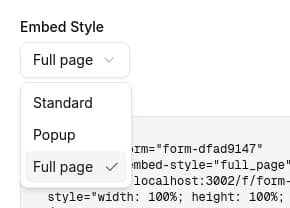
Select Standard embed style
In the Embed Style dropdown, select Standard. This creates an inline iframe that displays your form directly on the page.
Copy the embed code
Click the Copy button next to the embed code textarea to copy the code to your clipboard.
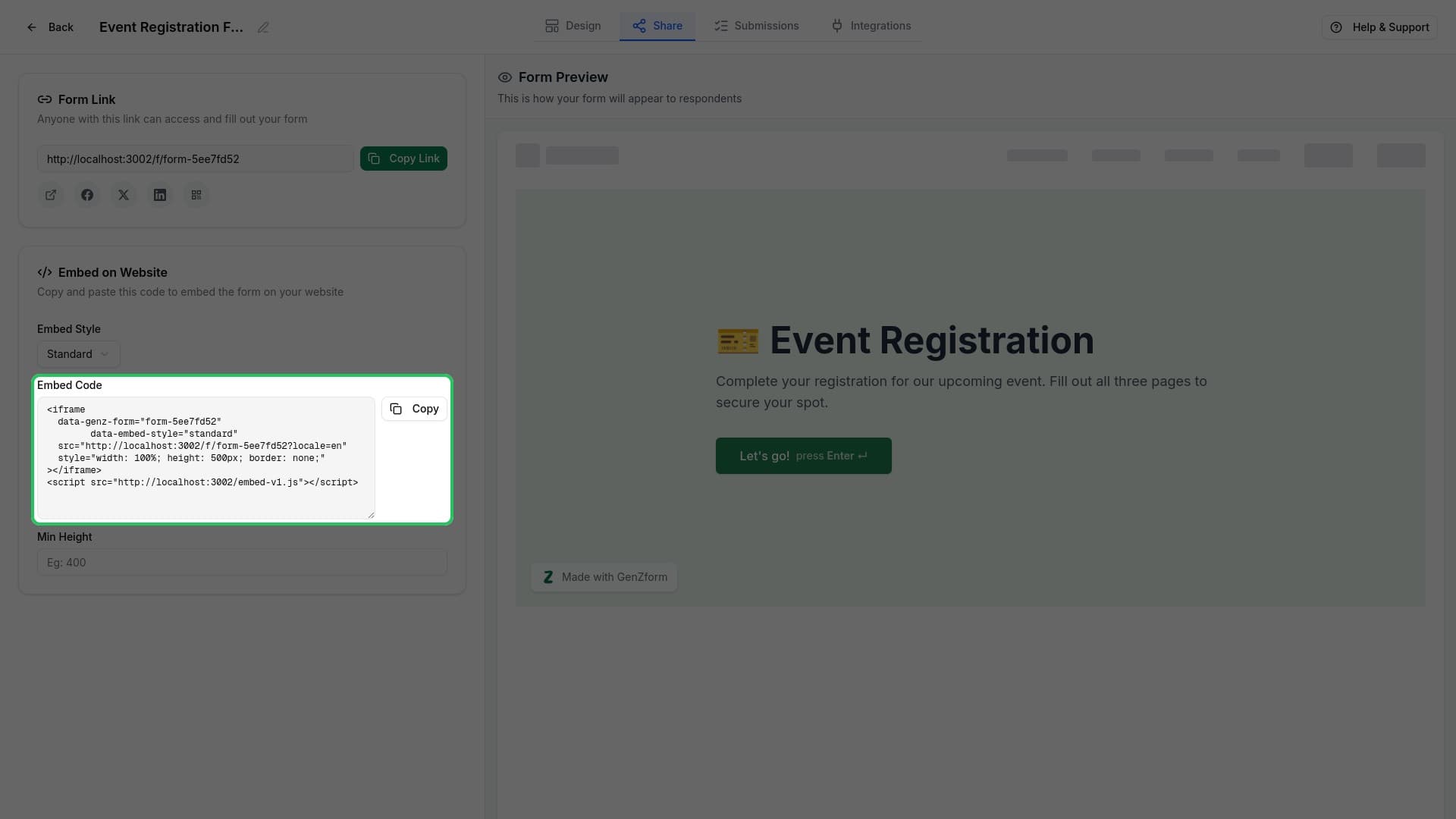
The code looks like this:
<iframe
  data-genz-form="your-form-code"
  data-embed-style="standard"
  src="https://genzform.com/f/your-form-code"
  style="width: 100%; height: 500px; border: none;"
></iframe>
<script src="https://genzform.com/embed-v1.js"></script>
Paste on your website
Paste the embed code into your website's HTML where you want the form to appear. The form will automatically load and display.
Customization Options
Minimum Height
Set a minimum height for your embedded form to prevent layout shifts:
- Enter a pixel value in the Min Height field (e.g.,
600) - The embed code will update automatically with
data-min-height="600"
This is useful when your form has many fields or multiple pages.
Preview Your Embed
The right side of the Share tab shows a live preview of how your embedded form will look. Use this to verify your settings before copying the code.
Troubleshooting
My form isn't showing on my website
Make sure you've included both the iframe element AND the script tag. Both are required for the form to work properly. Also check that your website allows iframes from external sources.
The form is cut off or too short
Increase the minimum height value in the embed settings, or adjust the height in the iframe style directly (e.g., change height: 500px to height: 800px).
Can I style the embed to match my website?
The embedded form uses its own styling. To match your website's look, customize your form's colors and fonts in the Design tab before embedding.