
Create Popup Forms
Learn how to create popup forms that open in a modal overlay when visitors click a button on your website.
Popup forms display your form in a modal overlay, perfect for capturing attention without taking up space on your page. Use them for lead capture, newsletter signups, or any form you want to highlight.
Popup forms can be triggered by a button click or automatically after a delay when the page loads.
How to Create a Popup Form
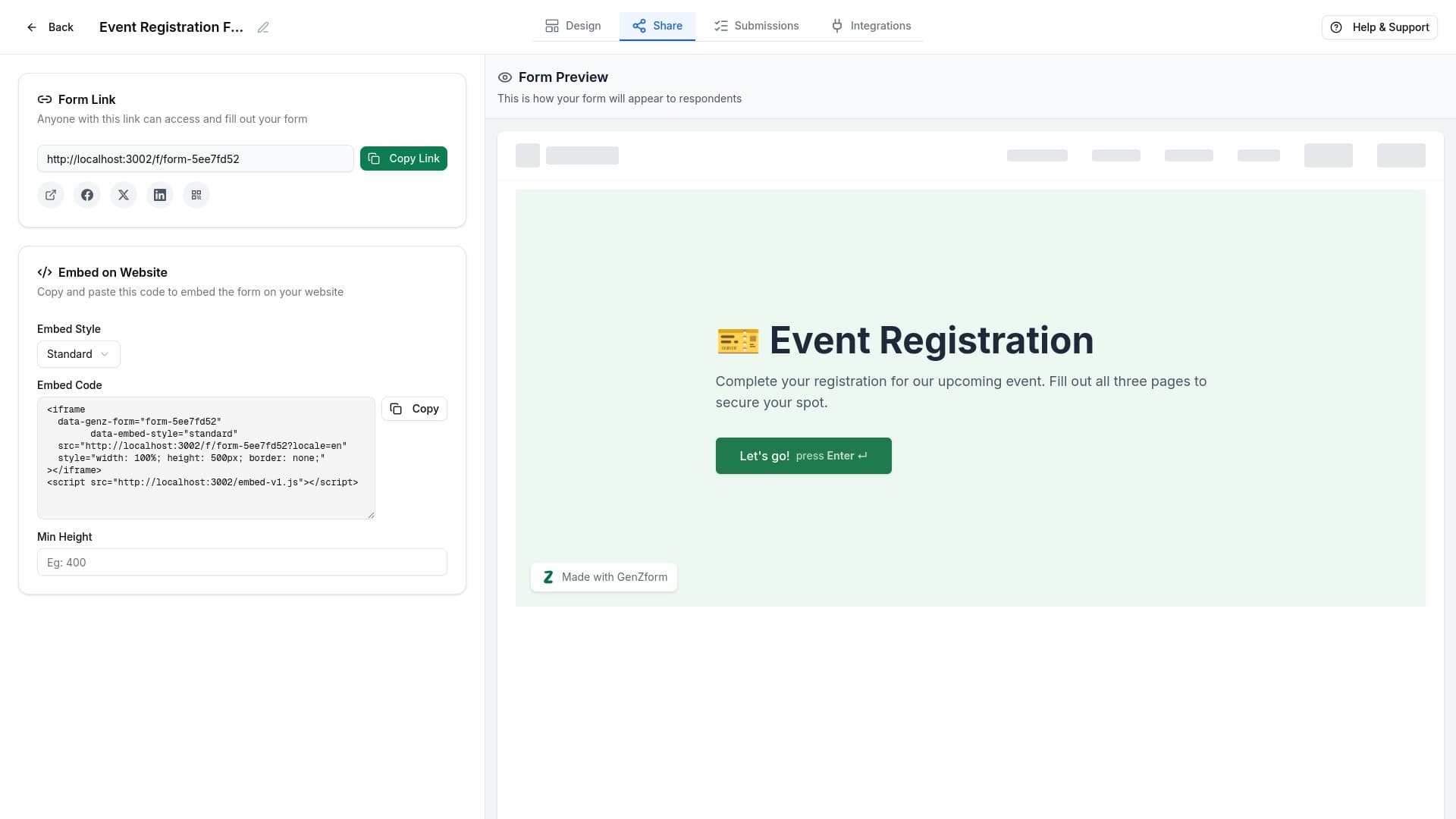
Open the Share tab
From the form editor, click the Share tab in the top navigation bar.
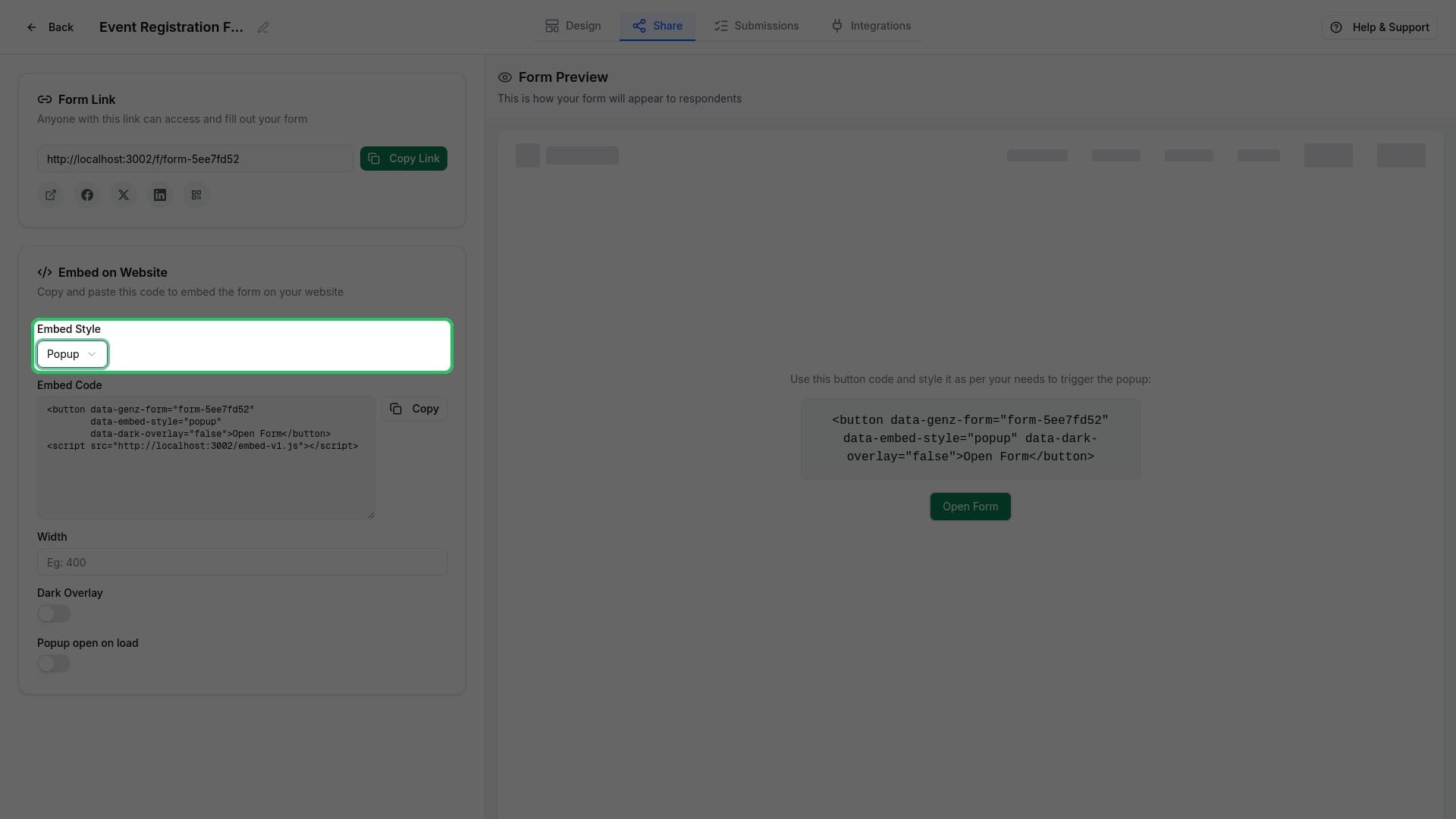
Select Popup embed style
In the Embed on Website section, click the Embed Style dropdown and select Popup.
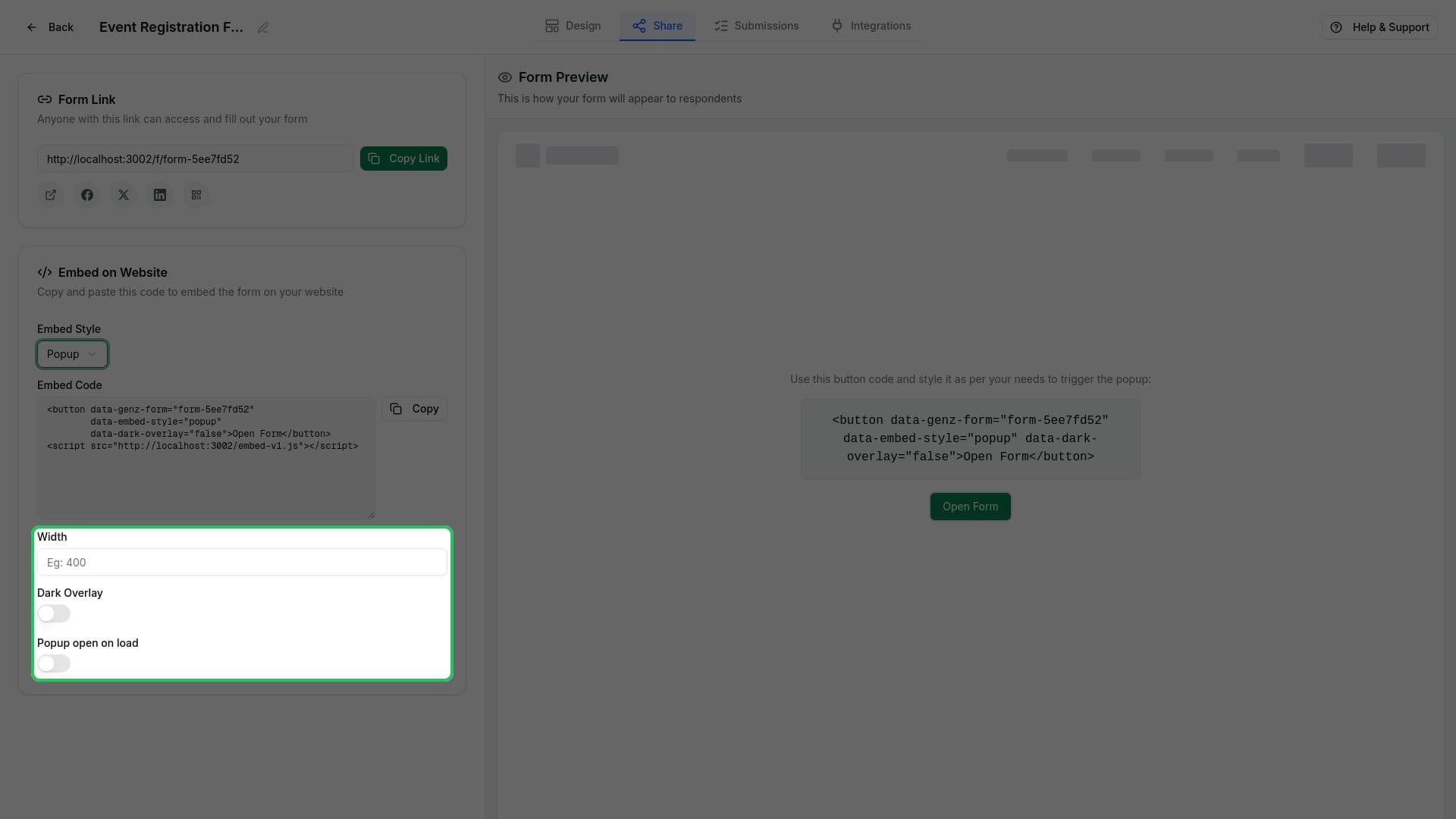
Configure popup options
Customize your popup behavior:
- Width - Set a custom width in pixels (optional)
- Dark Overlay - Enable a dark background behind the popup
- Open on Load - Automatically open the popup when the page loads
- Popup Delay - Set seconds to wait before showing (when Open on Load is enabled)
Copy the embed code
Click Copy to copy the popup code to your clipboard.
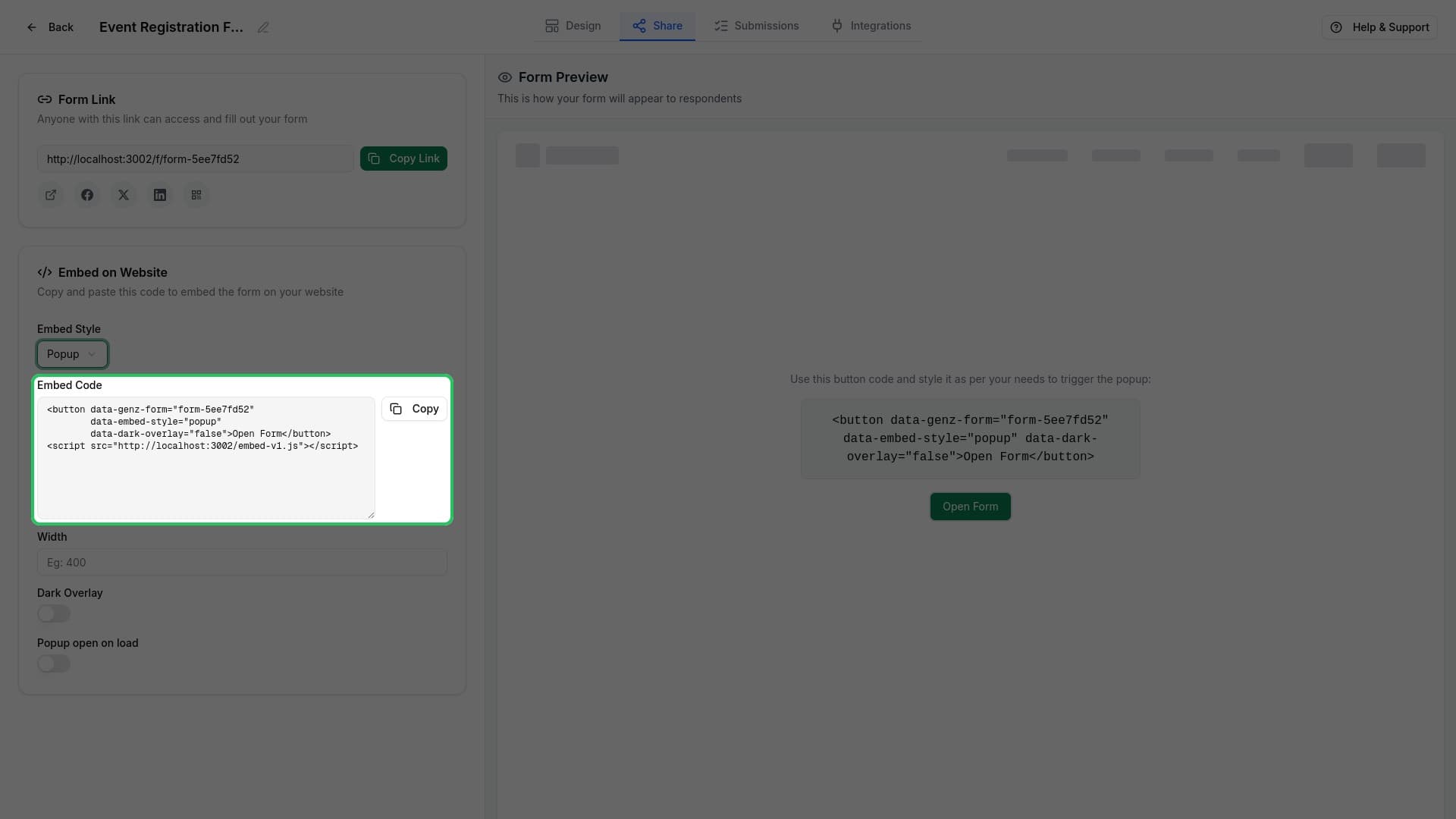
The code creates a button that opens your form:
<button
  data-genz-form="your-form-code"
  data-embed-style="popup"
  data-dark-overlay="true"
>Open Form</button>
<script src="https://genzform.com/embed-v1.js"></script>
Add to your website
Paste the code on your website. The button will automatically work to open your form in a popup when clicked.
Popup Options Explained
Width
By default, the popup uses a responsive width. Set a specific pixel value to control the exact width (e.g., 600 for 600px wide).
Dark Overlay
When enabled, a semi-transparent dark background appears behind the popup, helping focus attention on your form.
Open on Page Load
Enable this to automatically show the popup when visitors arrive on your page. Great for:
- Exit-intent alternatives
- Welcome messages
- Important announcements
Popup Delay
When "Open on Load" is enabled, you can set a delay in seconds before the popup appears. This gives visitors time to see your page content first.
Preview Your Popup
The preview panel on the right shows exactly how your popup will look and behave. Test the button click and see the popup in action before adding it to your site.
Customizing the Button
You can style the trigger button to match your website. The button text "Open Form" can be changed by editing the text between the button tags:
<button data-genz-form="your-form-code" data-embed-style="popup">
  Get Started Today
</button>
Or use your own styled button and add the data attributes:
<button
  class="your-custom-button-class"
  data-genz-form="your-form-code"
  data-embed-style="popup"
>
  Subscribe Now
</button>
Troubleshooting
The popup isn't opening
Make sure you've included the script tag (<script src="https://genzform.com/embed-v1.js"></script>) after your button element. The script is required for the popup functionality.
How do I close the popup?
Users can close the popup by clicking the X button in the corner, clicking outside the popup (on the overlay), or pressing the Escape key.
Can I have multiple popup forms on one page?
Yes, each button with a different data-genz-form value will open its corresponding form. You only need to include the script tag once.