
Share Your Form Link
Learn how to share your GenZform form link directly with respondents via URL, social media, or messaging apps.
Once your form is ready, you can share it with anyone using a direct link. GenZform generates a unique, shareable URL for every form you create.
Form links work on any device - desktop, tablet, or mobile. Your respondents don't need a GenZform account to fill out your form.
How to Get Your Form Link
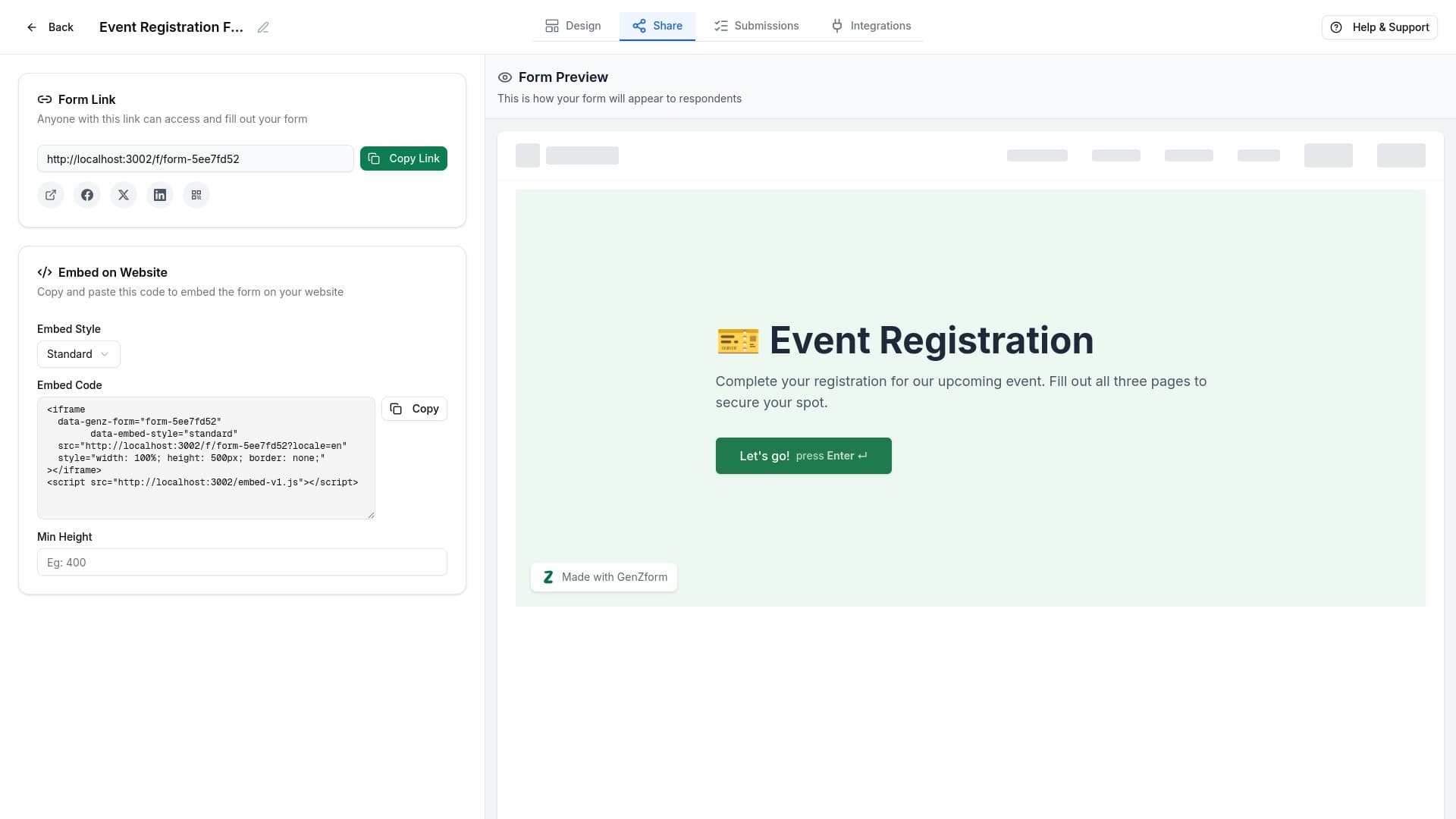
Open the Share tab
From the form editor, click the Share tab in the top navigation bar.
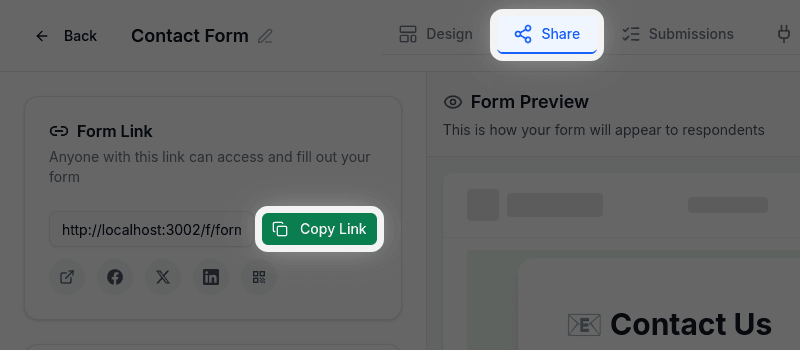
Copy your form link
In the Form Link section, you'll see your unique form URL. Click the Copy Link button to copy it to your clipboard.
Share on social media (optional)
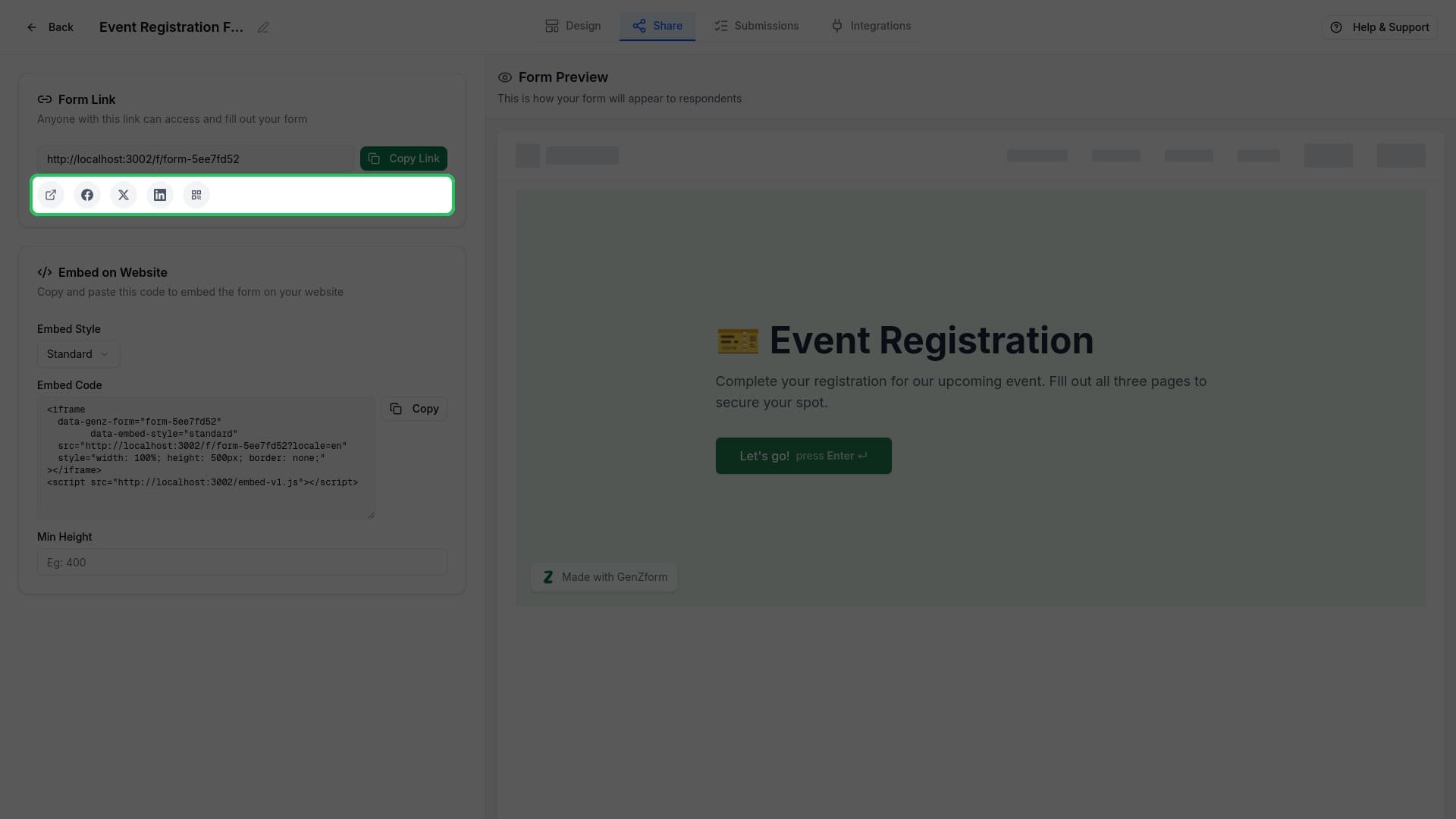
Use the social sharing buttons below the URL to share directly to:
- Open in new tab - Preview your form
- Facebook - Share on Facebook
- X (Twitter) - Post on X
- LinkedIn - Share on LinkedIn
- QR Code - Generate a scannable QR code
Your Form URL Format
Your form URL follows this format:
https://genzform.com/f/your-form-codeThis URL is:
- Permanent - The link won't change unless you delete the form
- Public - Anyone with the link can access and fill out your form
- Mobile-friendly - Works on all devices and browsers
Multi-Language Forms
If you've created a form with multiple languages, you can share language-specific URLs:
https://genzform.com/f/your-form-code?locale=de  (German)
https://genzform.com/f/your-form-code?locale=fr  (French)
Use the language selector in the Share tab to switch between available languages before copying the link.
Frequently Asked Questions
Can I customize my form URL?
Currently, form URLs are automatically generated. The URL code is based on your form name but may include additional characters to ensure uniqueness.
Will the link stop working if I edit my form?
No, your form link remains the same even after editing. Respondents will always see the latest version of your form.
Can I password-protect my form?
Password protection is not currently available. If you need to restrict access, consider sharing the link only with intended respondents.