
Quiz Scoring
Learn how to configure quiz scoring in GenZform including point values, passing scores, and result displays.
Quiz scoring determines how results are calculated and displayed to users. GenZform offers flexible scoring options for knowledge tests, assessments, and personality quizzes.
Scoring Types
| Type | Description | Best For |
|---|---|---|
| Points | Raw point total | Knowledge tests |
| Percentage | Score as % of total | Assessments |
| Grade | Letter grade (A, B, C...) | Academic tests |
| Pass/Fail | Binary result | Certification tests |
| Category | Outcome based on answers | Personality quizzes |
How to Configure Scoring
Ask the AI in the chat panel:
Example prompts:
- "Show the final score as a percentage"
- "Use a pass/fail system with 70% as passing"
- "Calculate personality type based on most common answers"
- "Award 1 point per correct answer"
Score Display Options
Raw Score
"Show score as 8 out of 10"Percentage
"Display score as a percentage"Grade Scale
"Convert score to letter grade: A (90%+), B (80%+), C (70%+)"Pass/Fail
"Show Pass if score is 70% or higher, Fail otherwise"Customizing Point Values
Equal Points
"Each question worth 1 point"Weighted Points
"Hard questions worth 3 points, medium 2 points, easy 1 point"Partial Credit
"Give half points for partially correct answers"Score Variables
Use these variables in your Thank You page to display quiz results:
| Variable | Description | Example Output |
|---|---|---|
{{score}} | Total points earned | 85 |
{{max_score}} | Maximum possible points | 100 |
{{percentage}} | Score as percentage | 85 |
{{name}} | Respondent's name (if collected) | John |
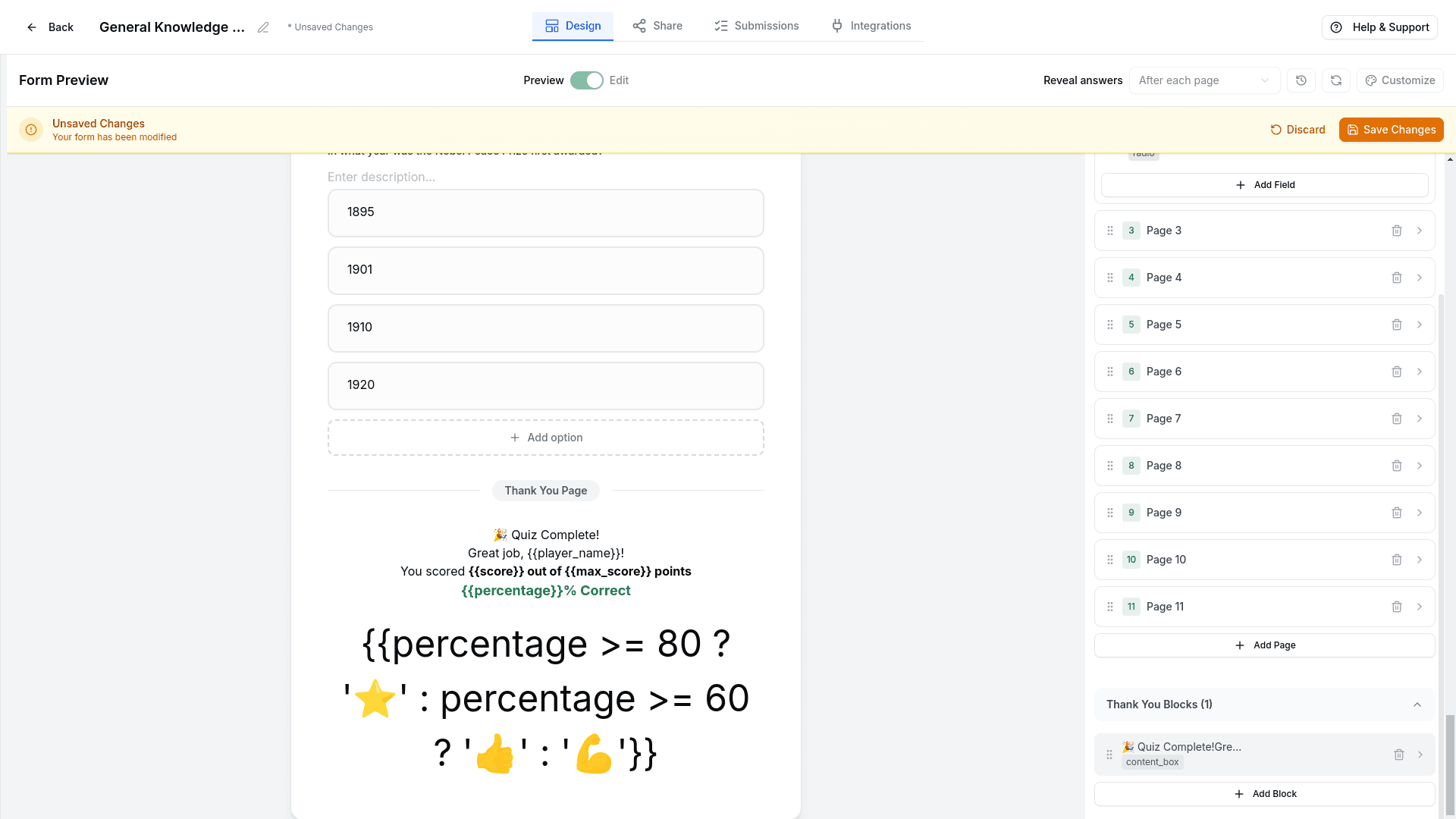
You can also use conditional logic to show different content based on the score:
{{percentage >= 80 ? 'Great job!' : 'Keep practicing!'}}Result Messages
Based on Score
"Show different messages:
- 90-100%: 'Excellent! You're an expert!'
- 70-89%: 'Good job! Room for improvement.'
- Below 70%: 'Keep studying and try again!'"
Personality Results
"Based on answers:
- Mostly A's: 'You're an Explorer'
- Mostly B's: 'You're a Creator'
- Mostly C's: 'You're an Analyzer'"
Additional Options
Show Correct Answers
"Show all correct answers after submission"Retake Option
"Allow users to retake the quiz"Score Threshold Actions
"If score is below 60%, suggest retaking the quiz"Certificate
"Generate a certificate for scores above 80%"Frequently Asked Questions
Can I hide the score from users?
Yes! Ask: "Don't show the score to users" if you only want to see it in submissions.
Can I set different point values for questions?
Yes! Weight questions differently: "Make question 5 worth 5 points instead of 1."
How do personality quiz scores work?
For personality quizzes, answers are mapped to outcomes instead of points. The most frequent answer type determines the result.