
Checkboxes
Learn how to use checkbox fields in GenZform for allowing users to select multiple options from a list.
Checkboxes allow users to select multiple options from a list. Unlike radio buttons, users can check as many options as they want.
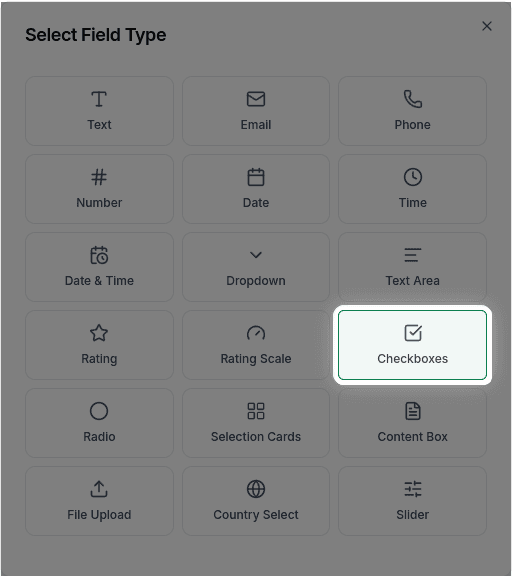
When to Use Checkboxes
Checkboxes are perfect for:
- "Select all that apply" questions
- Multiple interest selections
- Feature preferences
- Agreement to multiple terms
- Multi-select categories
For single-choice questions where only one answer is allowed, use Radio Buttons instead.
How to Add Checkboxes
Ask the AI in the chat panel:
Example prompts:
- "Add checkboxes for selecting interests"
- "Create a multi-select for: Email, SMS, Phone notifications"
- "Add checkbox options for dietary restrictions"
- "Include checkboxes for 'Which features are you interested in?'"
Checkbox Properties
| Property | Description | Example |
|---|---|---|
| Label | The question or prompt | "Select your interests" |
| Options | List of choices | ["Option A", "Option B", "Option C"] |
| Required | Whether at least one must be selected | Yes/No |
Customization Options
With Descriptions
"Add description text under each checkbox option"Single Checkbox (Agreement)
For terms and conditions, you might want just one checkbox:
"Add a checkbox for 'I agree to the terms and conditions'"Common Use Cases
Interest Selection
"What topics interest you?" (Select all that apply)
- Technology
- Business
- Design
- Marketing
- Finance
Notification Preferences
"How would you like to be contacted?"
- Email updates
- SMS alerts
- Phone calls
- Push notifications
Dietary Restrictions
"Any dietary restrictions?"
- Vegetarian
- Vegan
- Gluten-free
- Dairy-free
- Nut allergy
Frequently Asked Questions
What's the difference between checkboxes and radio buttons?
Checkboxes allow MULTIPLE selections. Radio buttons allow only ONE selection. Use checkboxes for "select all that apply" questions.
Can I require a minimum or maximum number of selections?
Min/max selection limits are not currently supported. You can make the field required so that at least one option must be selected.
How do I add a single checkbox for agreements?
Ask: "Add a required checkbox for 'I agree to the terms and conditions'" for single acknowledgment checkboxes.