
Radio Buttons
Learn how to use radio button fields in GenZform for single-choice selections with visible options.
Radio buttons display all options visibly, allowing users to select exactly one option. They're ideal when you want users to see all choices at once.
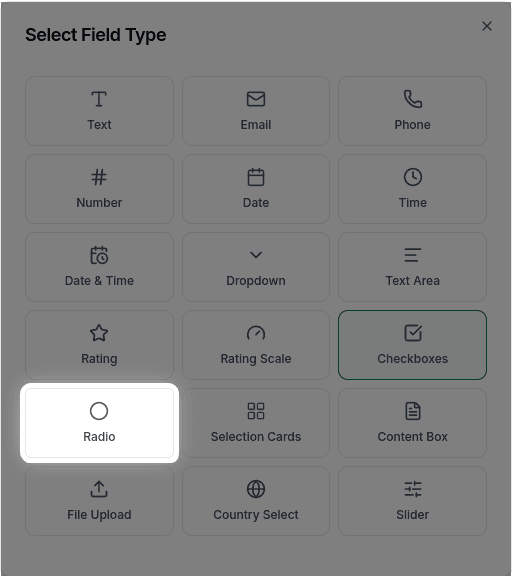
When to Use Radio Buttons
Radio buttons work best when:
- You have 2-5 options
- Options are mutually exclusive (only one can be selected)
- You want all options visible without clicking
- The choice is important and shouldn't be hidden
For more than 5-6 options, consider using a Dropdown to save space.
How to Add Radio Buttons
Ask the AI in the chat panel:
Example prompts:
- "Add radio buttons for Yes/No"
- "Create radio options: Agree, Neutral, Disagree"
- "Add a gender selection with radio buttons"
- "Include radio buttons for subscription plan: Free, Pro, Enterprise"
Radio Button Properties
| Property | Description | Example |
|---|---|---|
| Label | The question or prompt | "Select your plan" |
| Options | List of choices | ["Yes", "No", "Maybe"] |
| Required | Whether selection is required | Yes/No |
| Default | Pre-selected option | None or specific |
Customization Options
Default Selection
"Pre-select 'Yes' as the default"With Descriptions
"Add descriptions under each option explaining what it means"Common Use Cases
Yes/No Questions
"Would you recommend us to a friend?" - Yes, NoRating Scales
"How satisfied are you?" - Very Satisfied, Satisfied, Neutral, Dissatisfied, Very DissatisfiedPlan Selection
"Select your plan:" - Free, Pro ($10/mo), Enterprise (Contact us)Frequently Asked Questions
What's the difference between radio buttons and checkboxes?
Radio buttons allow only ONE selection. Checkboxes allow MULTIPLE selections. Use radio buttons for "choose one" questions.
Can I have a default selection?
Yes, but it's often better to leave no default to ensure users make a conscious choice.
Can I display radio buttons horizontally?
Horizontal layout for radio buttons is not currently supported. Radio buttons are displayed vertically only.
Can I add an 'Other' option with a text field?
An "Other" option that reveals a text input is not currently supported. As an alternative, you can add a separate text field with conditional logic to show it when "Other" is selected.