
Dropdown Field
Learn how to use dropdown select fields in GenZform for letting users choose one option from a list.
The dropdown field (also called select or combobox) displays a list of options in a compact dropdown menu. Users click to open the menu and select one option.
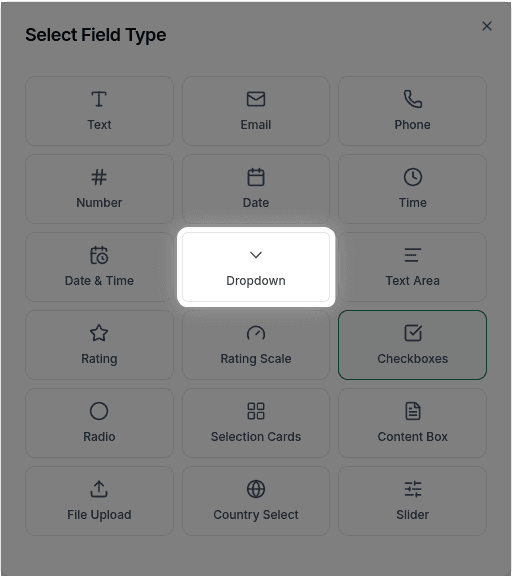
When to Use Dropdowns
Dropdowns work best when:
- You have 5+ options to choose from
- Screen space is limited
- Options are mutually exclusive (only one can be selected)
- The list is too long for radio buttons
For fewer than 5 options, consider using Radio Buttons instead—they're more visible and require fewer clicks.
How to Add a Dropdown
Ask the AI in the chat panel:
Example prompts:
- "Add a dropdown for selecting country"
- "Create a dropdown with options: Small, Medium, Large, XL"
- "Add a department selection dropdown"
- "Include a dropdown for 'How did you hear about us?'"
Dropdown Properties
| Property | Description | Example |
|---|---|---|
| Label | The text shown above the field | "Select Department" |
| Placeholder | Default text before selection | "Choose an option" |
| Required | Whether a selection is required | Yes/No |
| Options | List of choices | ["Option 1", "Option 2"] |
| Default | Pre-selected option | "Option 1" |
Customization Options
Adding Options
"Add options: Sales, Marketing, Engineering, Support, Other"Default Selection
"Set the default selection to 'United States'"Using with Conditional Logic
Dropdowns work great with Conditional Logic:
"Show the 'Specify other' field only when 'Other' is selected""If department is 'Sales', show the sales region dropdown"Frequently Asked Questions
How many options can I have?
There's no strict limit on the number of options you can add to a dropdown.
Can users select multiple options?
No, dropdowns allow only one selection. For multiple selections, use Checkboxes.
Is there a searchable dropdown option?
Searchable dropdown functionality is not currently available. Users must scroll through the options to find their selection.
Can I add an 'Other' option with a text field?
An "Other" option that reveals a text input is not currently supported. As an alternative, you can add a separate text field with conditional logic to show it when needed.