
File Uploads
Learn how to add file upload fields to GenZform forms for collecting documents, images, and other files.
The file upload field allows respondents to upload files such as documents, images, and other attachments with their form submission.
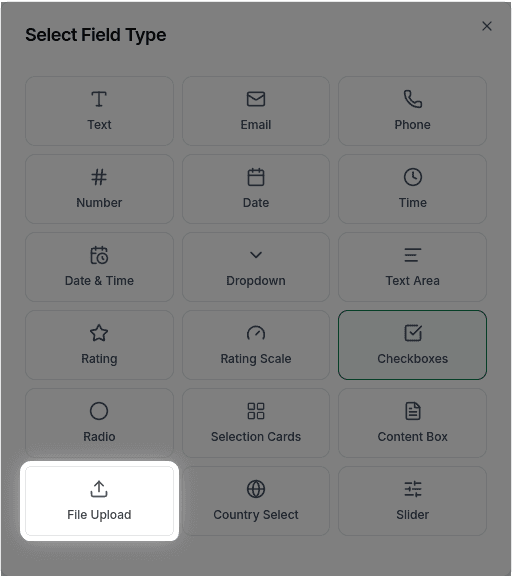
File uploads are available for all users. You can easily collect documents, images, and other files directly through your forms.
When to Use File Uploads
File uploads are perfect for:
- Resume/CV submissions
- Document collection (contracts, forms)
- Image uploads (photos, screenshots)
- Supporting documents
- Portfolio submissions
How to Add a File Upload
Ask the AI in the chat panel:
Example prompts:
- "Add a file upload for resume"
- "Include a field to upload documents"
- "Add an image upload field"
- "Create a file upload for supporting documents"
File Upload Properties
| Property | Description | Example |
|---|---|---|
| Label | The prompt text | "Upload your resume" |
| Accepted Types | Allowed file formats | PDF, DOC, images |
| Max Size | Maximum file size | 10MB, 25MB |
| Required | Whether upload is required | Yes/No |
File uploads currently support single file uploads only. Multiple file upload functionality is planned for a future update.
Customization Options
Specific File Types
"Only accept PDF files""Accept images only (JPG, PNG, GIF)""Allow PDF, DOC, and DOCX files"File Size Limit
"Limit file size to 5MB"Image-Specific
"Only accept images under 2MB"Supported File Types
| Category | Extensions |
|---|---|
| Documents | PDF, DOC, DOCX, TXT, RTF |
| Images | JPG, JPEG, PNG, GIF, WEBP |
| Spreadsheets | XLS, XLSX, CSV |
| Presentations | PPT, PPTX |
| Archives | ZIP, RAR |
Frequently Asked Questions
What's the maximum file size?
The default maximum is 10MB per file. You can adjust this based on your plan limits.
Can users upload multiple files?
Multiple file uploads are not currently supported. Each file upload field accepts one file only. If you need multiple files, add separate file upload fields.
Can I restrict to specific file types?
Yes! Specify allowed types: "Only accept PDF and Word documents."
Where are uploaded files stored?
Files are securely stored and linked to the form submission. You can download them from the Submissions tab.
Is file upload available on the free plan?
Yes, file upload fields are available on the free plan. All users can add file upload fields to their forms.