
FeaturesAdvanced Fields
Slider Field
Learn how to use range slider fields in GenZform for collecting numeric values within a range.
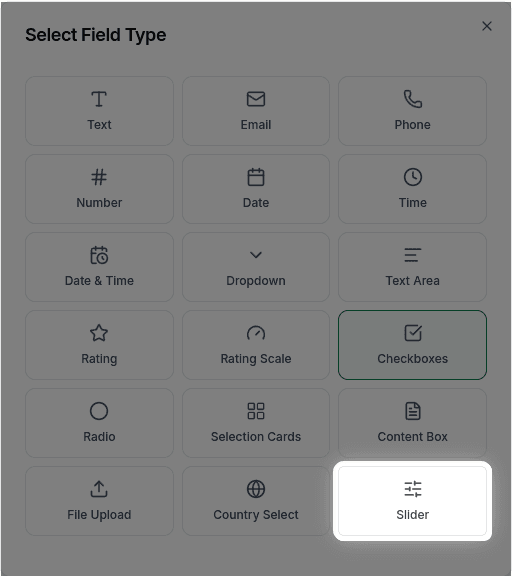
The slider field provides a visual way for users to select a value within a range by dragging a handle. It's intuitive and engaging, especially on mobile devices.
When to Use Sliders
Sliders work best for:
- Budget ranges
- Quantity selection
- Preference intensity
- Age ranges
- Any numeric value within a defined range
Sliders are great when the exact value matters less than the relative position on a scale.
How to Add a Slider
Ask the AI in the chat panel:
Example prompts:
- "Add a budget slider from $0 to $10,000"
- "Include a slider for age range"
- "Add a quantity slider from 1 to 100"
- "Create a slider for rating satisfaction 0-100%"
Slider Properties
| Property | Description | Example |
|---|---|---|
| Label | The question or prompt | "What's your budget?" |
| Min Value | Left end of slider | 0 |
| Max Value | Right end of slider | 10000 |
| Default | Starting position | Middle, specific value |
Customization Options
Range and Steps
"Set slider range from 0 to 1000 with steps of 50"Currency Format
"Display the value as currency ($X,XXX)"Common Use Cases
Budget Selection
"What's your budget?"
$0 ←[====●====]→ $10,000
Current: $5,000
Quantity
"How many units do you need?"
1 ←[●========]→ 100
Current: 10
Percentage
"How satisfied are you?"
0% ←[========●]→ 100%
Current: 85%
Range Selection
"Price range you're looking for"
$100 ←[●===]====●]→ $1,000
Selected: $200 - $600
Frequently Asked Questions
Can I have a range slider with two handles?
No, dual-handle range sliders are not currently supported. The slider has a single handle only.
Can I hide the current value display?
The slider always displays the current value. There is no option to hide it.
Can I add labels at specific points?
No, custom tick marks or labels at specific points are not currently supported.