
Rating Field
Learn how to use star ratings and numeric rating fields in GenZform for collecting satisfaction scores and reviews.
The rating field displays a visual star rating or numeric scale that users can click to rate something. It's perfect for collecting satisfaction scores, reviews, and evaluations.
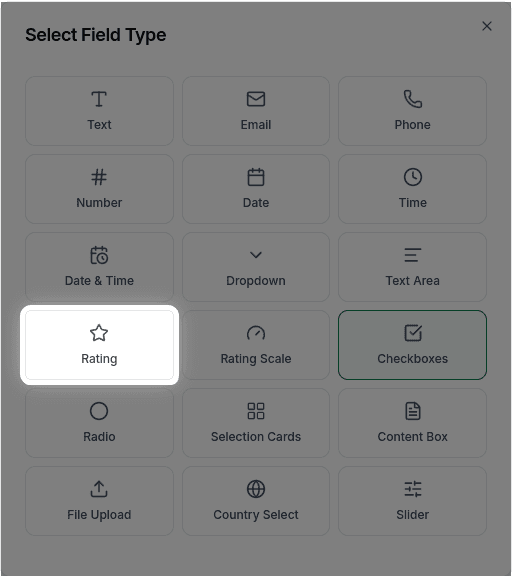
When to Use Rating Fields
Rating fields are ideal for:
- Customer satisfaction surveys
- Product reviews
- Service quality ratings
- Experience feedback
- Employee evaluations
For NPS-style 0-10 scales with labels, use Rating Scale instead.
How to Add a Rating Field
Ask the AI in the chat panel:
Example prompts:
- "Add a 5-star rating for satisfaction"
- "Include a star rating field"
- "Add a rating from 1 to 5 stars"
- "Create a rating field for product quality"
Rating Field Properties
| Property | Description | Example |
|---|---|---|
| Label | The question or prompt | "Rate your experience" |
| Stars | Number of stars | 5 (fixed) |
| Required | Whether rating is required | Yes/No |
The rating field uses a standard 5-star format. Custom star counts, icons, and half-star ratings are not currently available.
Common Use Cases
Product Review
"How would you rate this product?"
★★★★★ (5 stars)
Service Quality
"Rate the quality of service you received"
★★★★☆ (4/5)
Frequently Asked Questions
Can I change the number of stars?
The rating field uses 5 stars only. Custom star counts (like 10 stars) are not currently available.
Can I use different icons (hearts, thumbs)?
Custom icons are not currently supported. The rating field displays star icons only.
Can users give half ratings?
Half-star ratings are not currently supported. Users can only select whole star values.