
Content Box
Learn how to use content boxes in GenZform to add informational text, instructions, and media to your forms.
Content boxes let you add non-input content to your forms, such as styled instructions, explanations, or any informational text that doesn't require a response.
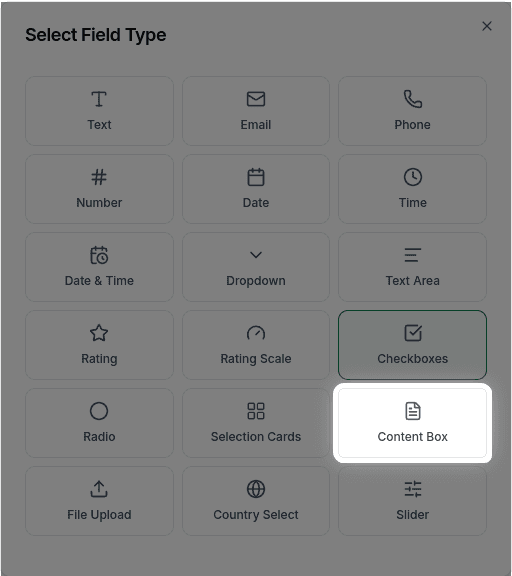
When to Use Content Boxes
Content boxes are perfect for:
- Form instructions and guidance
- Section introductions
- Important notices or warnings
- Legal disclaimers
- Styled text content
Content boxes support text styling only. Images, videos, and other media cannot be added to content boxes at this time.
How to Add a Content Box
Ask the AI in the chat panel:
Example prompts:
- "Add instructions at the top of the form"
- "Include a content section explaining the next steps"
- "Add a welcome message before the questions"
- "Add a styled notice about required fields"
Content Box Types
| Type | Description | Example |
|---|---|---|
| Text | Plain or formatted text | Instructions, disclaimers |
| Heading | Section titles | "Personal Information" |
| Notice | Highlighted information | Warnings, tips |
Customization Options
Text Formatting
"Make the instruction text bold""Add a bulleted list of requirements"Styled Notices
"Add a blue info box with instructions""Add a warning notice about required documents"Section Headers
"Add a section heading 'Contact Information'"Common Use Cases
Form Introduction
"Welcome! Please fill out this form to register for the event.
All fields marked with * are required."
Section Divider
"── Section 2: Employment History ──"Instructions
"Upload a clear photo of your ID.
Accepted formats: JPG, PNG. Max size: 5MB"
Legal Notice
"By submitting this form, you agree to our Terms of Service
and Privacy Policy."
Frequently Asked Questions
Can I add images to content boxes?
Images are not currently supported in content boxes. Content boxes can only display styled text content.
Can I embed videos?
Video embedding is not currently supported in content boxes. Content boxes are for text styling only.
Do content boxes affect form submissions?
No, content boxes are informational only. They don't create form fields or collect data.