
Number Field
Learn how to use number input fields in GenZform for collecting numeric values like quantities, amounts, and measurements.
The number field is designed for collecting numeric values. It ensures users can only enter numbers and supports minimum/maximum limits.
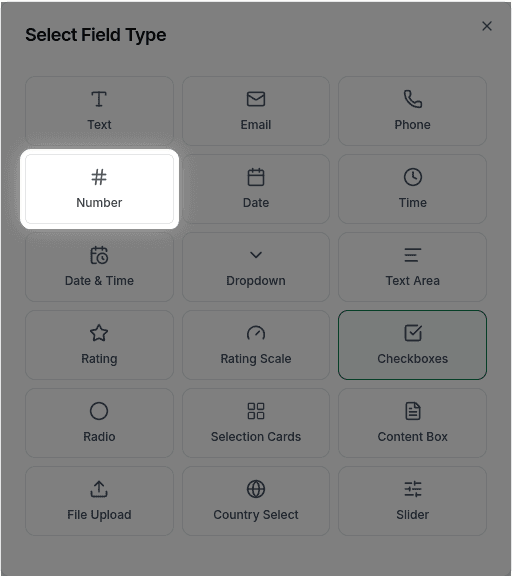
When to Use Number Fields
Number fields work best for:
- Quantities (number of items, attendees)
- Ages
- Prices and amounts
- Measurements (height, weight)
- Ratings and scores
- Any numeric input
For visual numeric selection, consider using a Slider or Rating Field instead.
How to Add a Number Field
Ask the AI in the chat panel:
Example prompts:
- "Add a number field for quantity"
- "Include an age field that only accepts numbers"
- "Add a number input for budget with min 0 and max 10000"
- "Create a numeric field for number of attendees"
Number Field Properties
| Property | Description | Example |
|---|---|---|
| Label | The text shown above the field | "Quantity" |
| Placeholder | Hint text inside the field | "Enter amount" |
| Required | Whether the field must be filled | Yes/No |
| Minimum | Lowest allowed value | 0, 1, -100 |
| Maximum | Highest allowed value | 100, 1000, 10000 |
Customization Options
Setting Min/Max Limits
"Set the quantity field minimum to 1 and maximum to 100"Decimal Numbers
"Allow decimal numbers in the price field with 2 decimal places"Default Value
"Set the default value of quantity to 1"Using in Calculations
Number fields are essential for Calculated Fields. You can use number inputs to:
- Calculate totals (quantity × price)
- Compute scores
- Generate dynamic results
Example:
"Calculate the total as quantity × unit_price and display it"Frequently Asked Questions
Can users enter negative numbers?
By default, yes. To prevent this, set a minimum value of 0: "Set minimum to 0 for the quantity field."
How do I allow decimal numbers?
Ask the AI: "Allow decimal numbers in the price field" or "Accept numbers with 2 decimal places."
Can I use numbers in calculations?
Yes! Number fields work with Calculated Fields to perform math operations.