
Embed in Squarespace
Add GenZform forms to your Squarespace website using Code Blocks or Code Injection for standard, popup, and full page embeds.
Add GenZform forms to your Squarespace site using Code Blocks for individual pages or Code Injection for site-wide forms. This guide covers standard embeds, popup triggers, and full page layouts.
Code Blocks require a Squarespace Business plan or higher. On Personal plans, use Code Injection in site settings instead.
Standard Embed (Code Block)
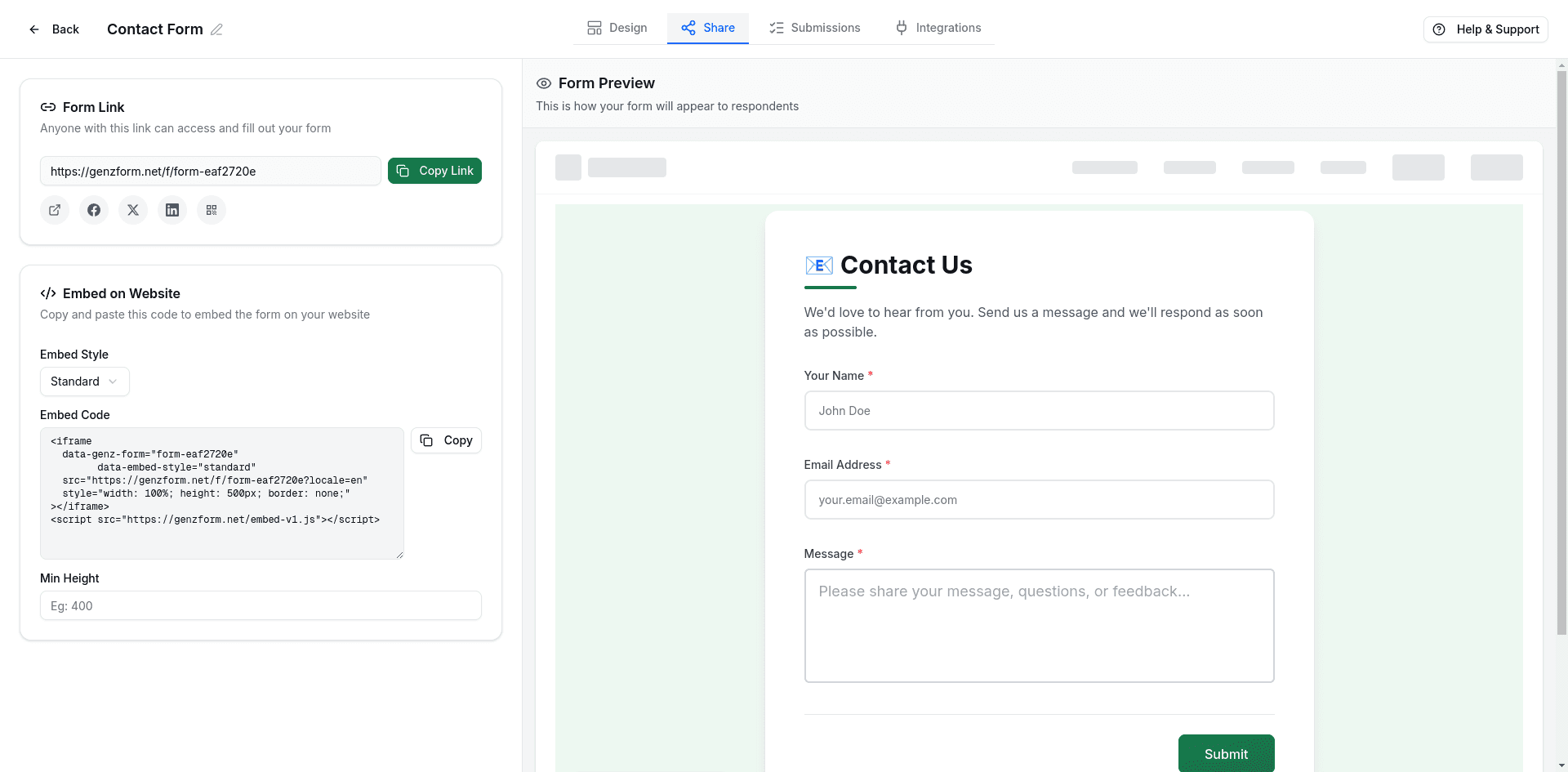
Get your embed code
- Open your form in the GenZform dashboard
- Go to the Share tab
- Select Standard embed style
- Click Copy to copy the embed code
Edit your page
In Squarespace, go to Pages and click Edit on the page where you want the form.
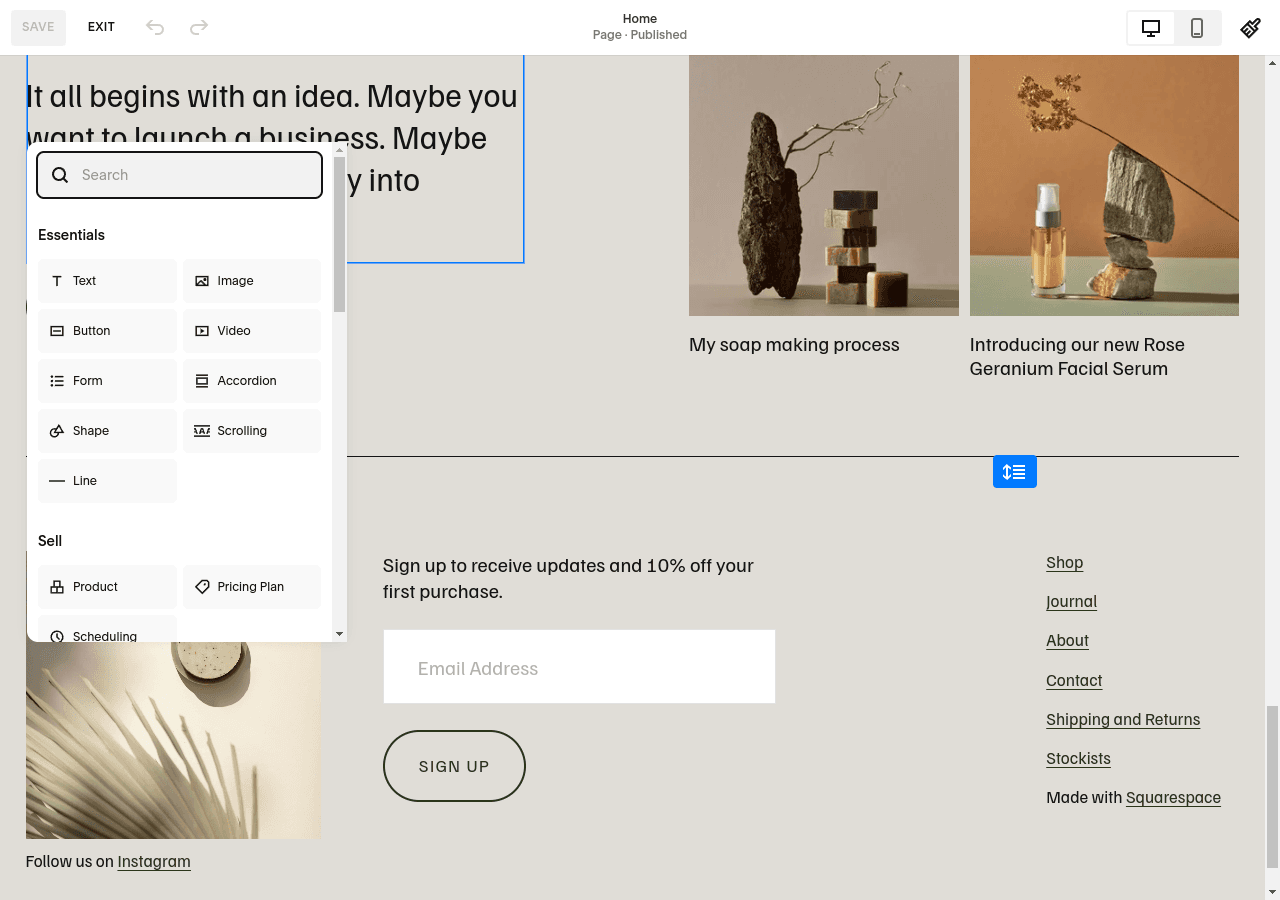
Add a Code Block
Click Add Block (+), scroll down to More, and select Code.
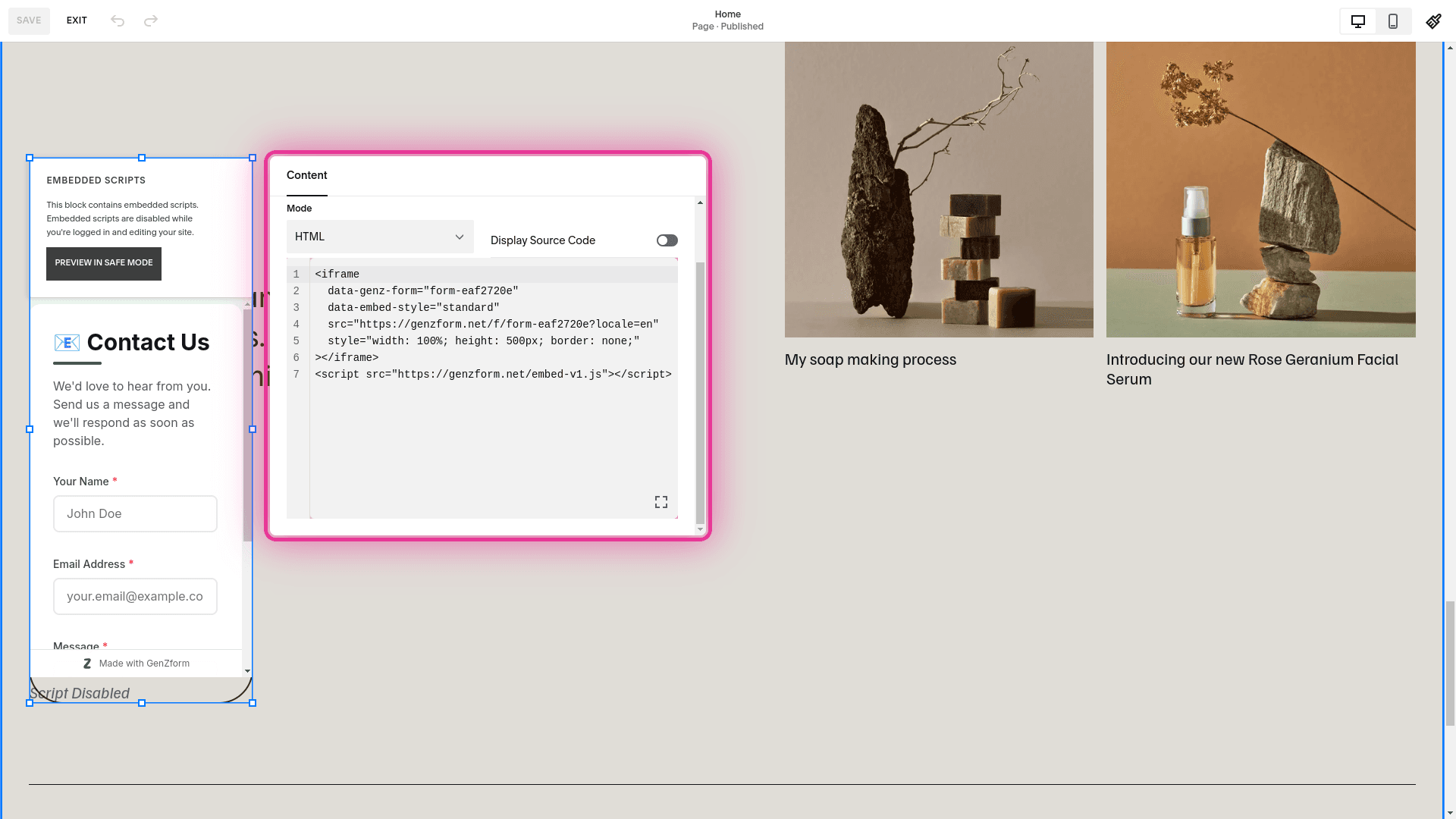
Paste the embed code
Paste your GenZform embed code into the Code Block:
<iframe
  data-genz-form="YOUR_FORM_ID"
  data-embed-style="standard"
  src="https://genzform.com/f/YOUR_FORM_ID"
  style="width: 100%; height: 500px; border: none;"
></iframe>
<script src="https://genzform.com/embed-v1.js"></script>
Make sure Display Source is turned off, then click Apply.
Save and view
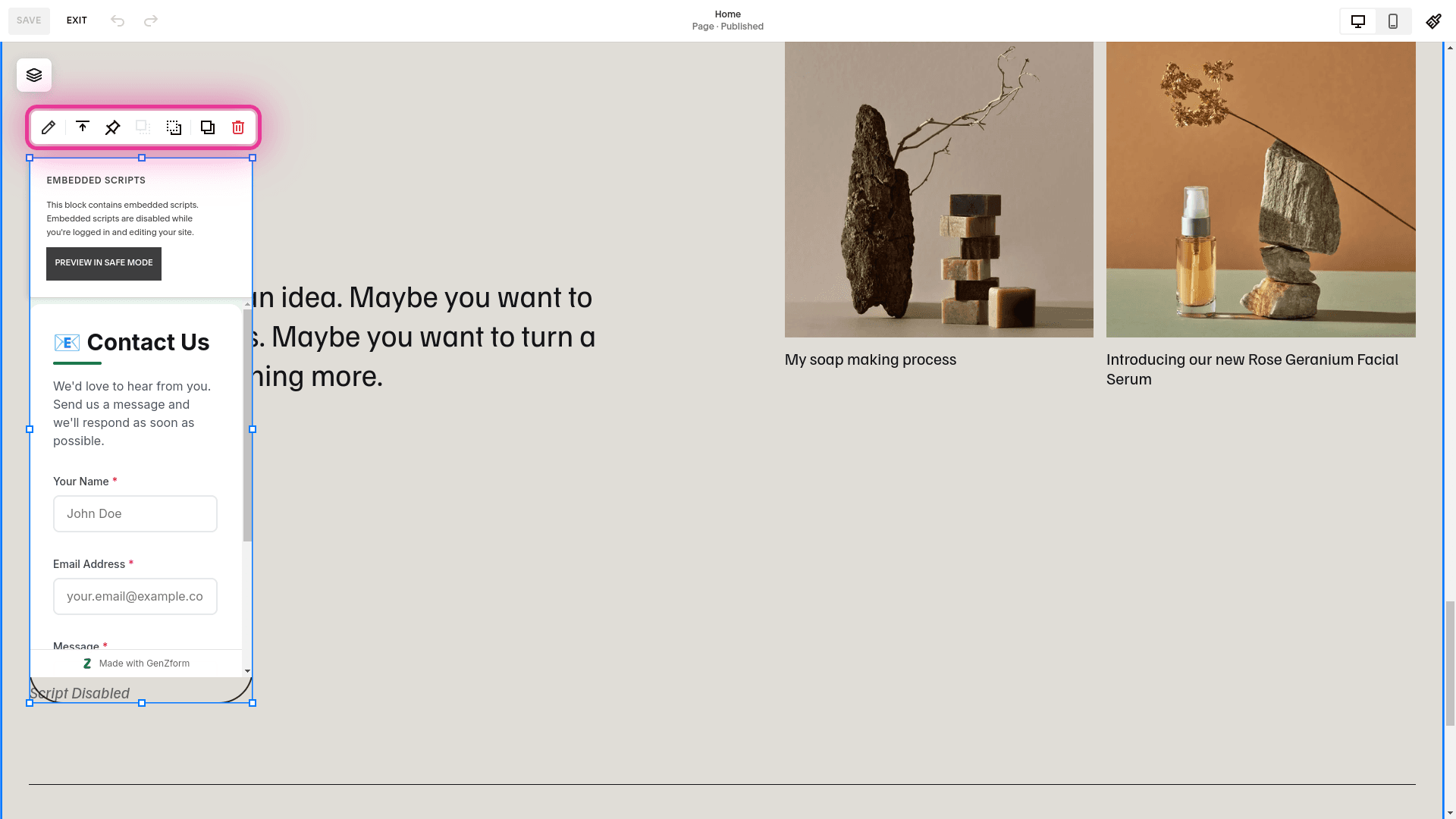
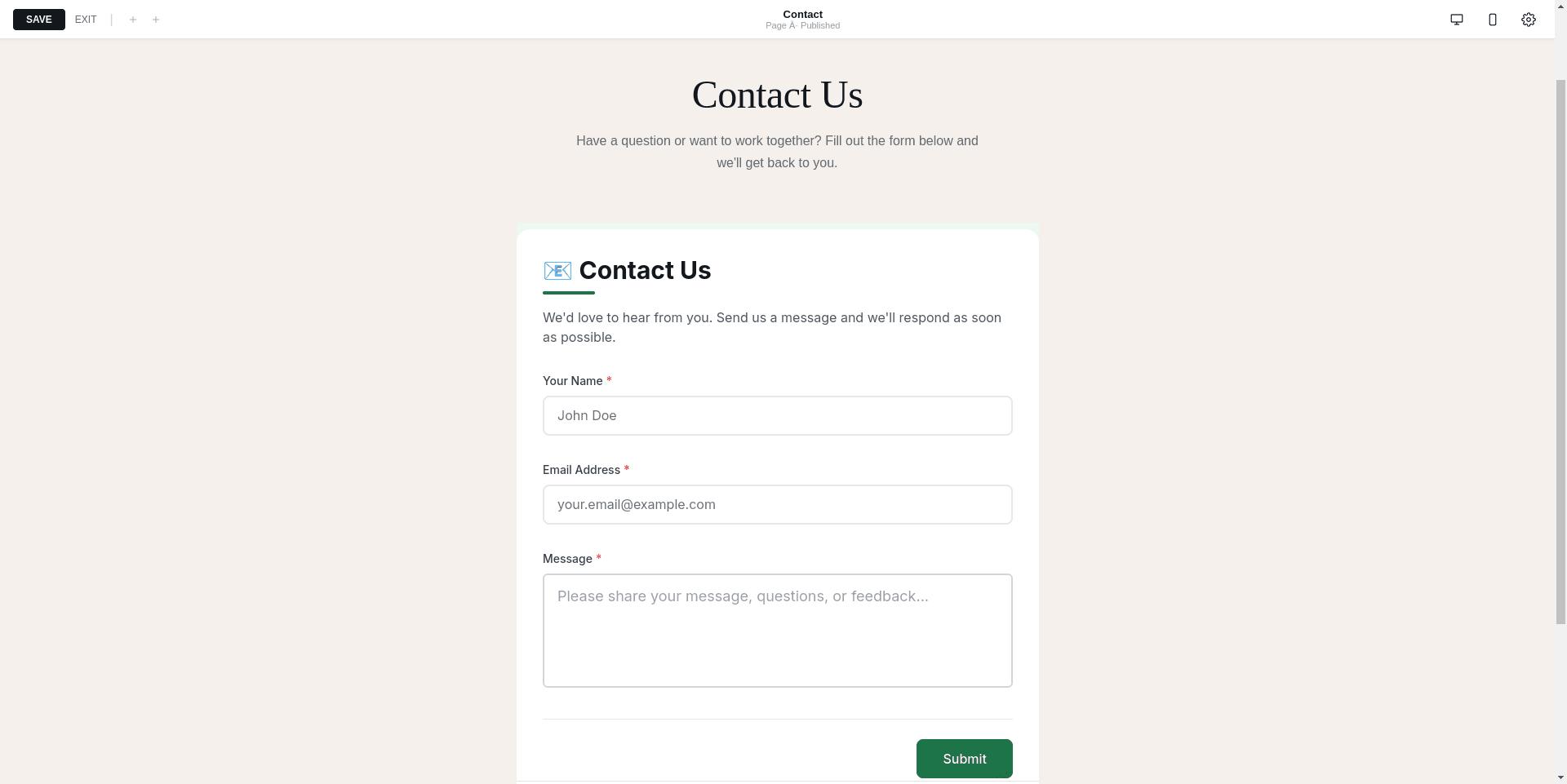
Click Done and then Save. Preview or view your page to see the form.
Popup Embed
Add a button that opens your form in a modal overlay:
- Add a Code Block to your page
- Paste the popup embed code:
<button
  data-genz-form="YOUR_FORM_ID"
  data-embed-style="popup"
  data-width="450"
  data-dark-overlay="true"
  class="sqs-block-button-element--medium sqs-button-element--primary"
>Get a Quote</button>
<script src="https://genzform.com/embed-v1.js"></script>- Turn off Display Source and click Apply
The sqs-block-button-element--medium and sqs-button-element--primary classes will style the button to match your Squarespace theme.
Popup Options
| Option | Description |
|---|---|
data-width | Width of the popup in pixels (default: 450) |
data-dark-overlay | Show dark background behind popup (true or false) |
data-popup-open-on-load | Auto-open popup when page loads (true or false) |
data-popup-delay | Delay in milliseconds before auto-opening |
Full Page Form
For a dedicated form page that fills the viewport:
- Create a new page for your form
- In Page Settings, choose Blank as the page layout (if available)
- Add a Code Block with the full page embed:
<style>
  .page-section { padding: 0 !important; }
  .content-wrapper { max-width: none !important; padding: 0 !important; }
</style>
<iframe
  data-genz-form="YOUR_FORM_ID"
  data-embed-style="full_page"
  src="https://genzform.com/f/YOUR_FORM_ID"
  style="width: 100vw; height: 100vh; border: none; position: fixed; top: 0; left: 0; z-index: 999;"
></iframe>
<script src="https://genzform.com/embed-v1.js"></script>- Consider hiding the navigation for this page in Page Settings
Code Injection (Site-Wide)
For popup buttons on every page or site-wide scripts:
- Go to Settings → Advanced → Code Injection
- Paste your embed code in the Footer section:
<!-- Site-wide popup that opens on load -->
<div style="display: none;">
  <button
    data-genz-form="YOUR_FORM_ID"
    data-embed-style="popup"
    data-popup-open-on-load="true"
    data-popup-delay="5000"
    data-dark-overlay="true"
  ></button>
</div>
<script src="https://genzform.com/embed-v1.js"></script>
This creates a popup that appears 5 seconds after any page loads.
Auto-Height Adjustment
The GenZform embed script automatically adjusts iframe height. To set a minimum height:
<iframe
  data-genz-form="YOUR_FORM_ID"
  data-embed-style="standard"
  data-min-height="600"
  src="https://genzform.com/f/YOUR_FORM_ID"
  style="width: 100%; height: 500px; border: none;"
></iframe>
<script src="https://genzform.com/embed-v1.js"></script>
Styling Tips
Add Spacing
Wrap the embed in a div with padding:
<div style="padding: 40px 20px;">
  <iframe
    data-genz-form="YOUR_FORM_ID"
    data-embed-style="standard"
    src="https://genzform.com/f/YOUR_FORM_ID"
    style="width: 100%; height: 500px; border: none;"
  ></iframe>
</div>
<script src="https://genzform.com/embed-v1.js"></script>
Limit Width
Center the form with a max width:
<div style="max-width: 700px; margin: 0 auto;">
  <iframe
    data-genz-form="YOUR_FORM_ID"
    data-embed-style="standard"
    src="https://genzform.com/f/YOUR_FORM_ID"
    style="width: 100%; height: 500px; border: none;"
  ></iframe>
</div>
<script src="https://genzform.com/embed-v1.js"></script>
Frequently Asked Questions
Why can't I add Code Blocks?
Code Blocks are only available on Business and Commerce plans. On Personal plans, use Settings → Advanced → Code Injection to add forms in the header or footer.
The form doesn't show in the editor
Squarespace doesn't render Code Blocks in the editor. Click Save and view your live page, or use the Preview function.
How do I make the form responsive?
The embed code uses width: 100% by default, which makes it responsive. The GenZform script also handles height adjustments automatically.
Can I style the form to match my Squarespace template?
Yes. Use the Customize tab in the GenZform editor to adjust colors, fonts, and styles to match your Squarespace theme.