
Embed in Wix
Add GenZform forms to your Wix website using the HTML iframe element or Wix Velo for advanced integrations.
Add GenZform forms to your Wix site using the HTML iframe app. This guide covers standard embeds, popup forms, and full page layouts.
Standard Embed
Get your embed code
- Open your form in the GenZform dashboard
- Go to the Share tab
- Select Standard embed style
- Click Copy to copy the embed code
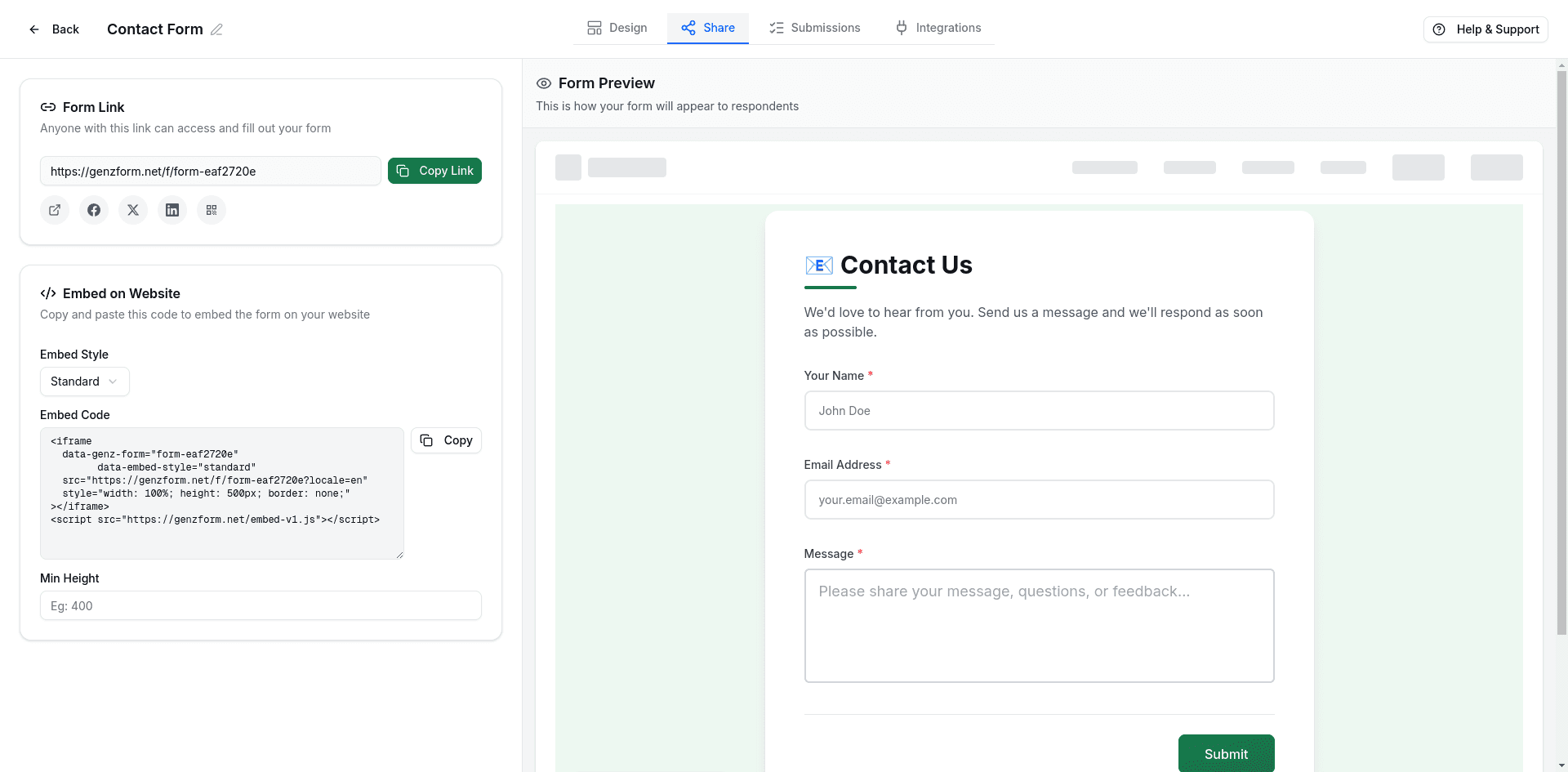
Open the Wix Editor
Go to your Wix site dashboard and click Edit Site to open the Editor.
Add an HTML iframe element
Click Add (+) in the left panel, then select Embed Code → Embed HTML.
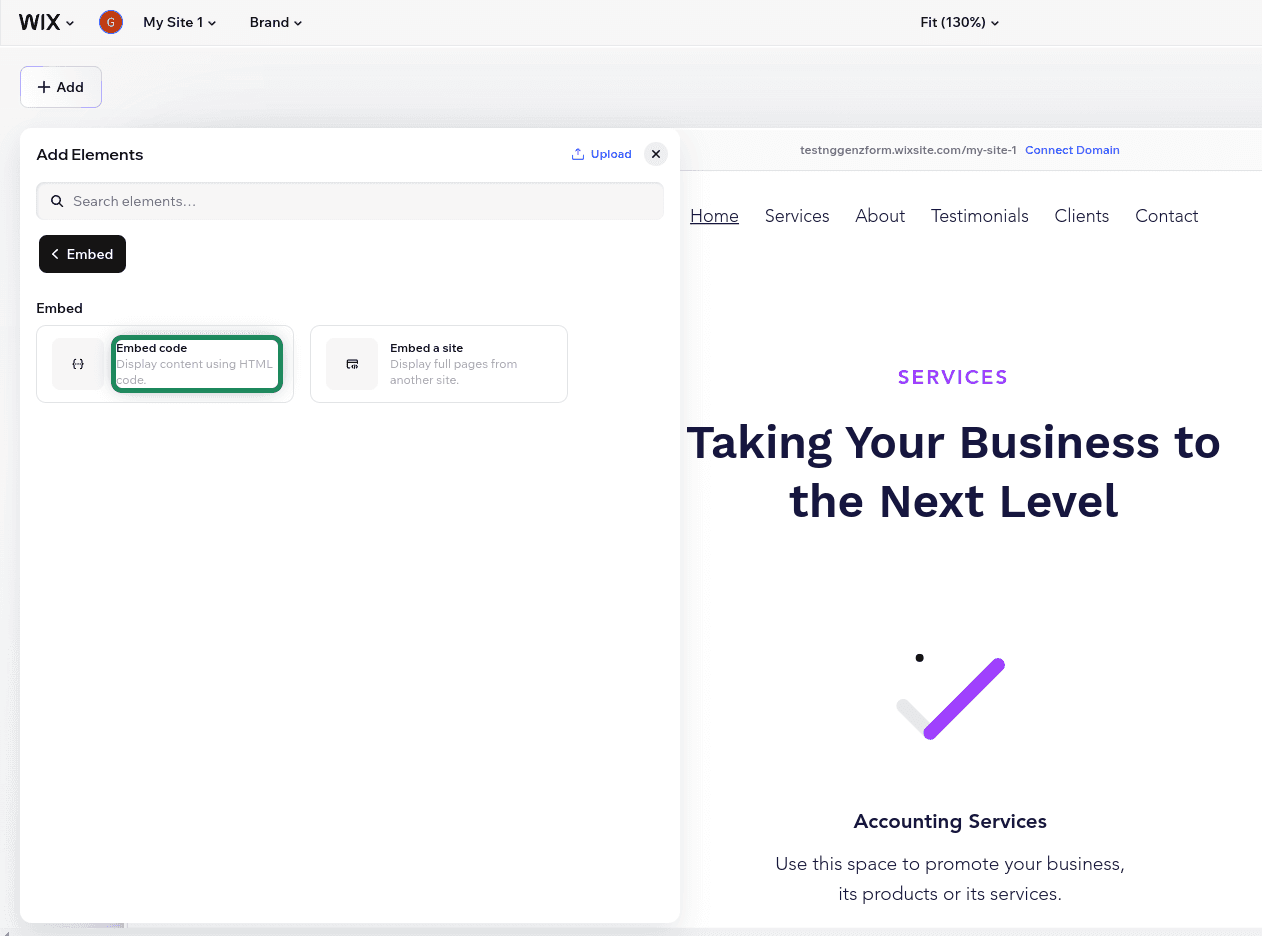
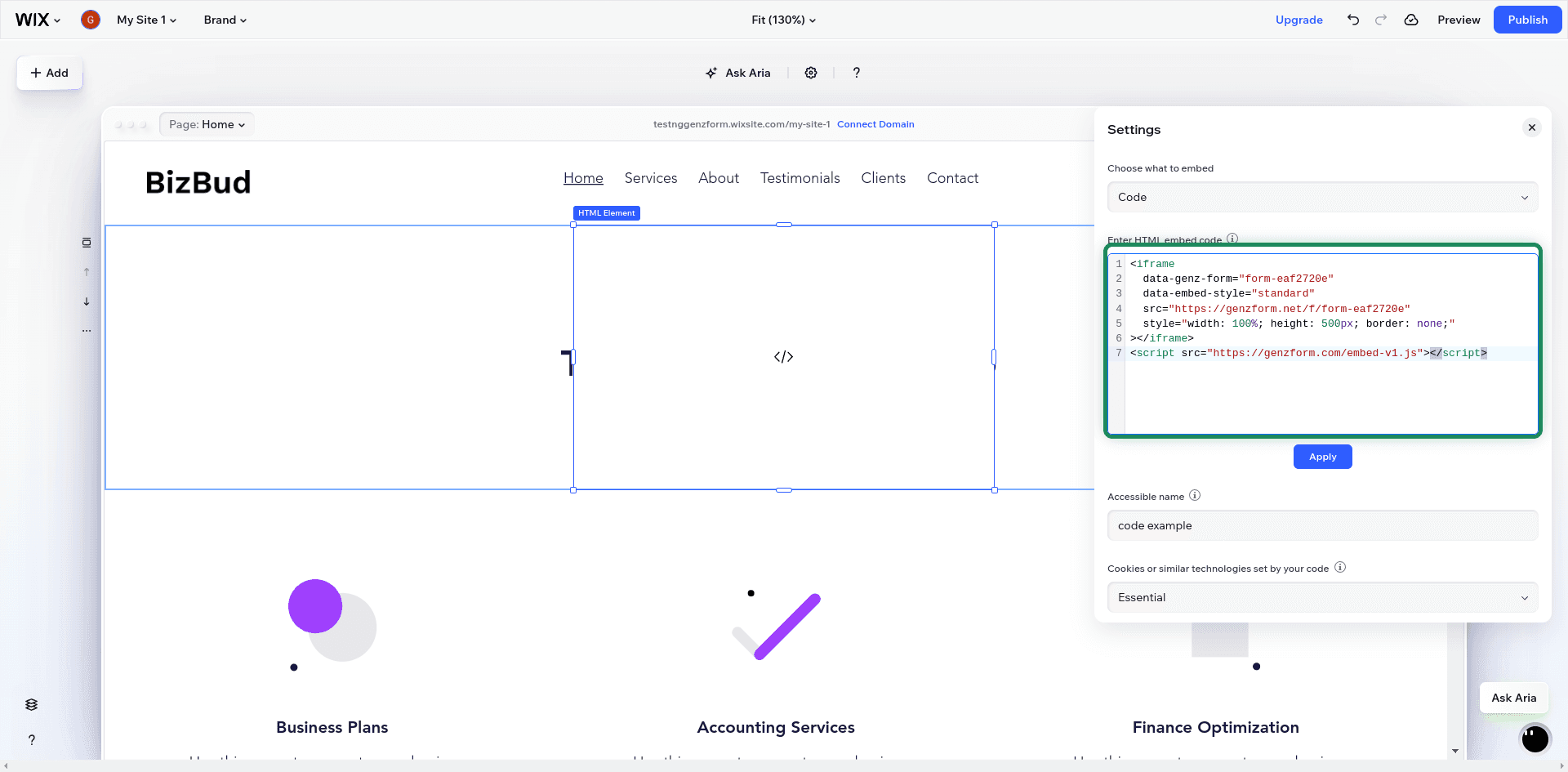
Paste the embed code
Click Enter Code in the HTML settings panel. Paste your GenZform embed code:
<iframe
  data-genz-form="YOUR_FORM_ID"
  data-embed-style="standard"
  src="https://genzform.com/f/YOUR_FORM_ID"
  style="width: 100%; height: 500px; border: none;"
></iframe>
<script src="https://genzform.com/embed-v1.js"></script>
Click Update.
Resize and position
Drag the corners of the HTML element to resize it. Position it on your page as needed.
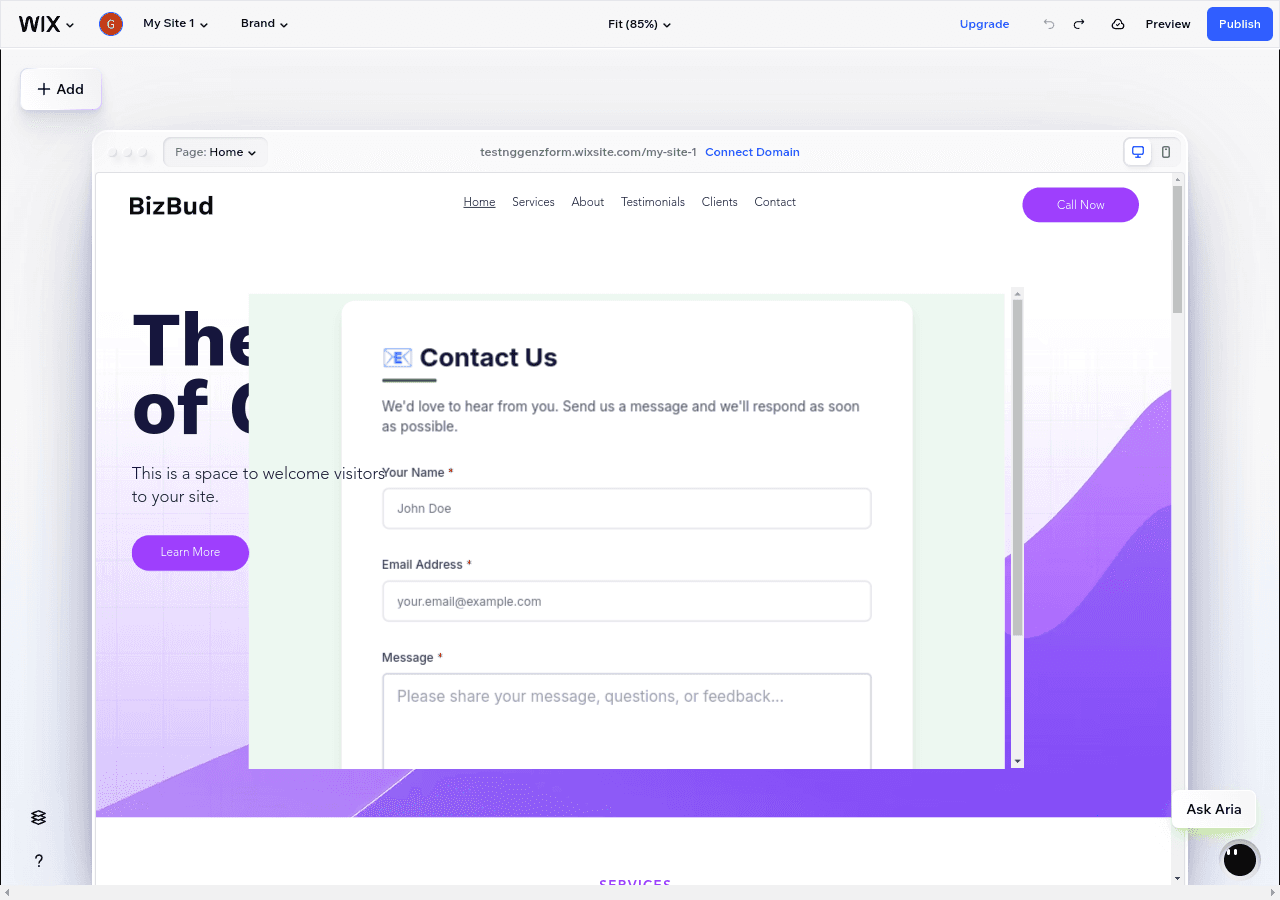
Publish
Click Publish to make your form live.
Making it Responsive
For better display on mobile devices:
- Click on the embedded HTML element
- Click the Stretch icon in the toolbar to stretch to full width
- In the HTML settings, set an appropriate height (e.g., 600px)
- Switch to Mobile Editor and adjust the height for mobile if needed
Popup Embed
Add a button that opens your form in a modal overlay:
- Add an Embed HTML element
- Paste the popup embed code:
<button
  data-genz-form="YOUR_FORM_ID"
  data-embed-style="popup"
  data-width="450"
  data-dark-overlay="true"
  style="background: #22c55e; color: white; padding: 12px 24px; border: none; border-radius: 8px; cursor: pointer; font-size: 16px;"
>Get Started</button>
<script src="https://genzform.com/embed-v1.js"></script>- Resize the HTML element to fit the button
Popup Options
| Option | Description |
|---|---|
data-width | Width of the popup in pixels (default: 450) |
data-dark-overlay | Show dark background behind popup (true or false) |
data-popup-open-on-load | Auto-open popup when page loads (true or false) |
data-popup-delay | Delay in milliseconds before auto-opening |
Full Page Form
For a dedicated form page:
- Create a new page in Wix
- Add an Embed HTML element
- Stretch it to fill the page
- Paste the full page embed code:
<iframe
  data-genz-form="YOUR_FORM_ID"
  data-embed-style="full_page"
  src="https://genzform.com/f/YOUR_FORM_ID"
  style="width: 100%; height: 100%; border: none;"
></iframe>
<script src="https://genzform.com/embed-v1.js"></script>- Set the HTML element to take up the full viewport height
- In Page Settings, consider hiding the header/footer for a cleaner look
Auto-Height Adjustment
The GenZform embed script automatically adjusts the iframe height based on form content. To set a minimum height:
<iframe
  data-genz-form="YOUR_FORM_ID"
  data-embed-style="standard"
  data-min-height="600"
  src="https://genzform.com/f/YOUR_FORM_ID"
  style="width: 100%; height: 500px; border: none;"
></iframe>
<script src="https://genzform.com/embed-v1.js"></script>
Frequently Asked Questions
Can I style the embed container in Wix?
Yes. Use Wix's design tools to add backgrounds, borders, or shadows to the HTML element container.
The form looks different on mobile. How do I fix it?
Switch to Wix's Mobile Editor and adjust the HTML element size separately for mobile view. You may need to increase the height for better mobile display.
Can I use popup forms with Wix buttons?
You can create a styled button inside the HTML embed. For Wix native buttons, you'd need to use Wix Velo to add click handlers that call window.GenZEmbed.createPopup().
Does the embed work on Wix's free plan?
Yes. The HTML iframe element is available on all Wix plans, including the free tier.