
Embed in Webflow
Add GenZform forms to your Webflow website using the Embed element with standard, popup, or full page layouts.
Webflow's Embed element makes it easy to add GenZform forms to your site. This guide covers embedding standard forms, popup triggers, and full page forms.
Standard Embed
Get your embed code
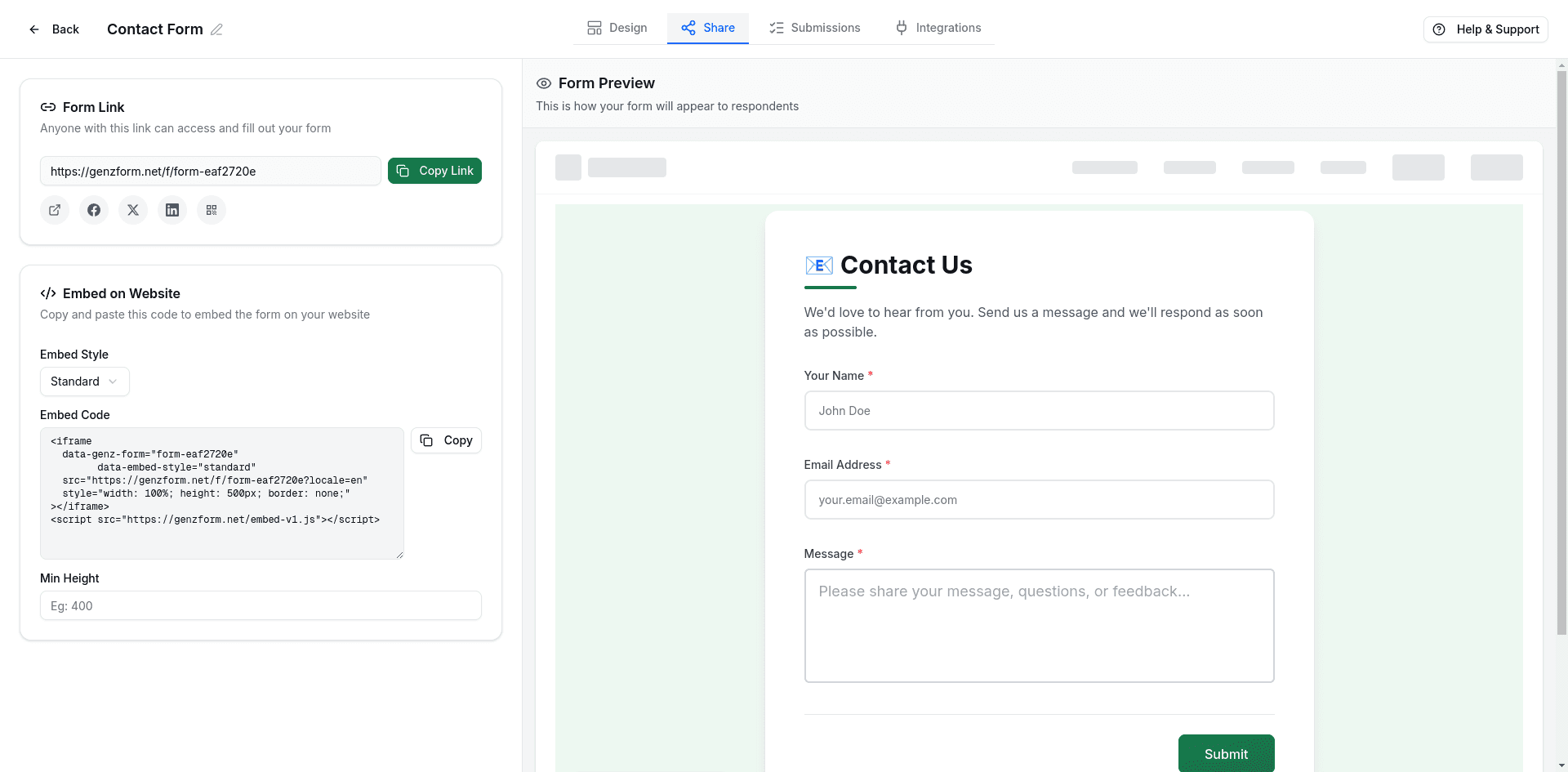
- Open your form in the GenZform dashboard
- Go to the Share tab
- Select Standard embed style
- Click Copy to copy the embed code
Add an Embed element
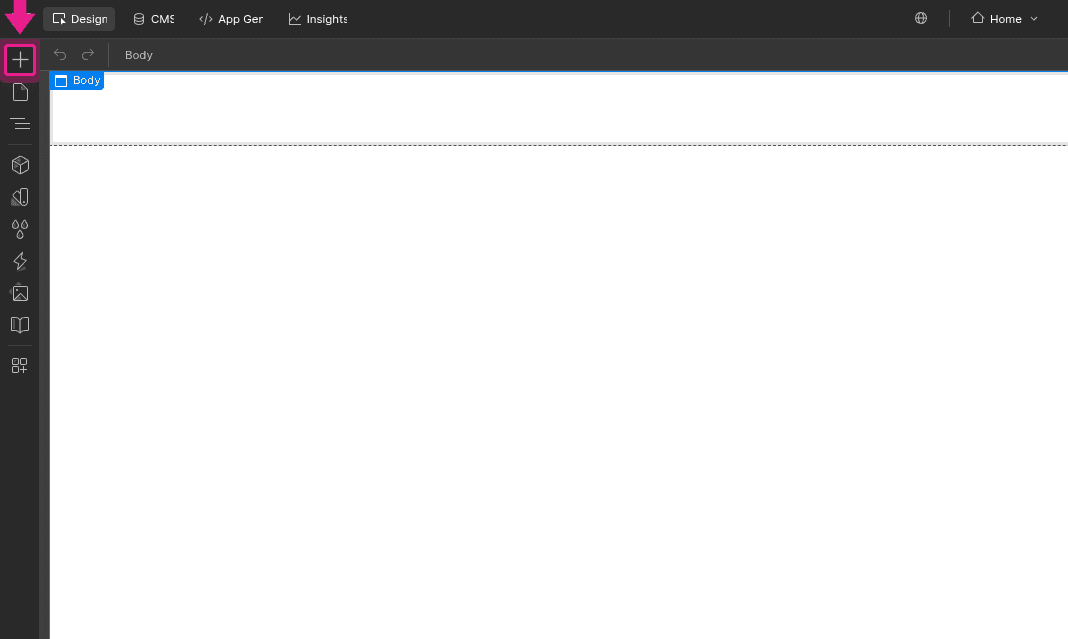
In the Webflow Designer, click the Add (+) button in the top-left toolbar to open the Add Elements panel.
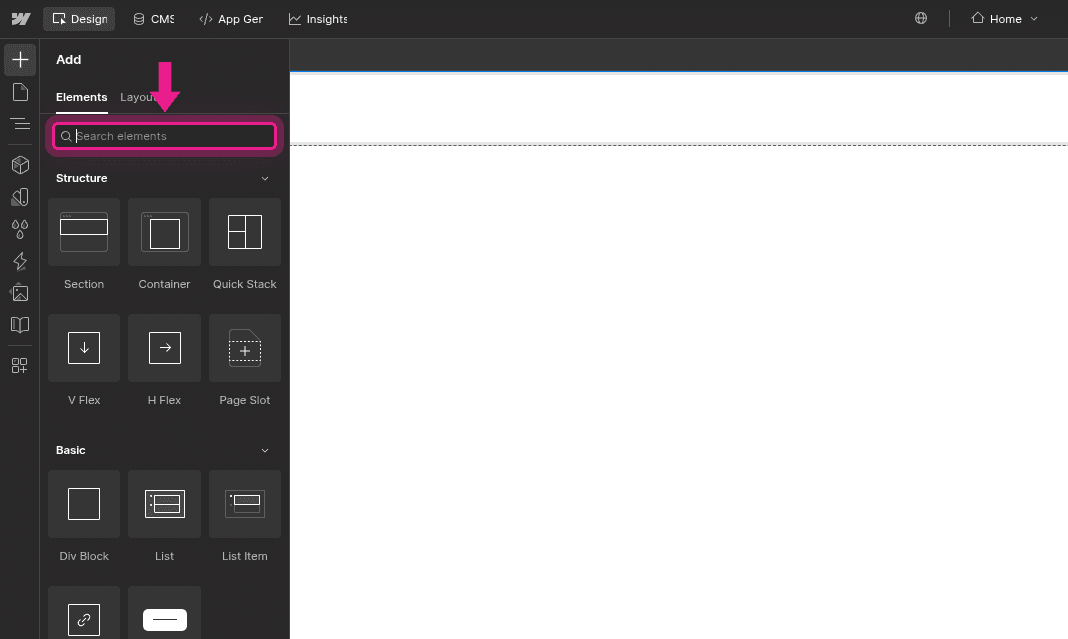
In the search bar, type embed to filter the elements.
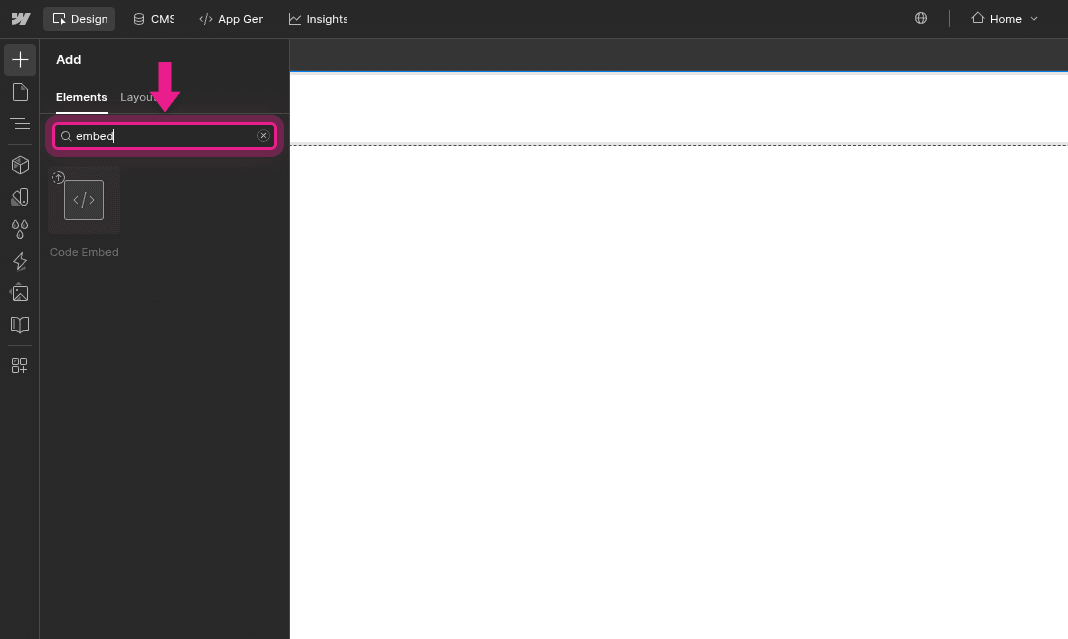
Click the Code Embed element to add it to your page.
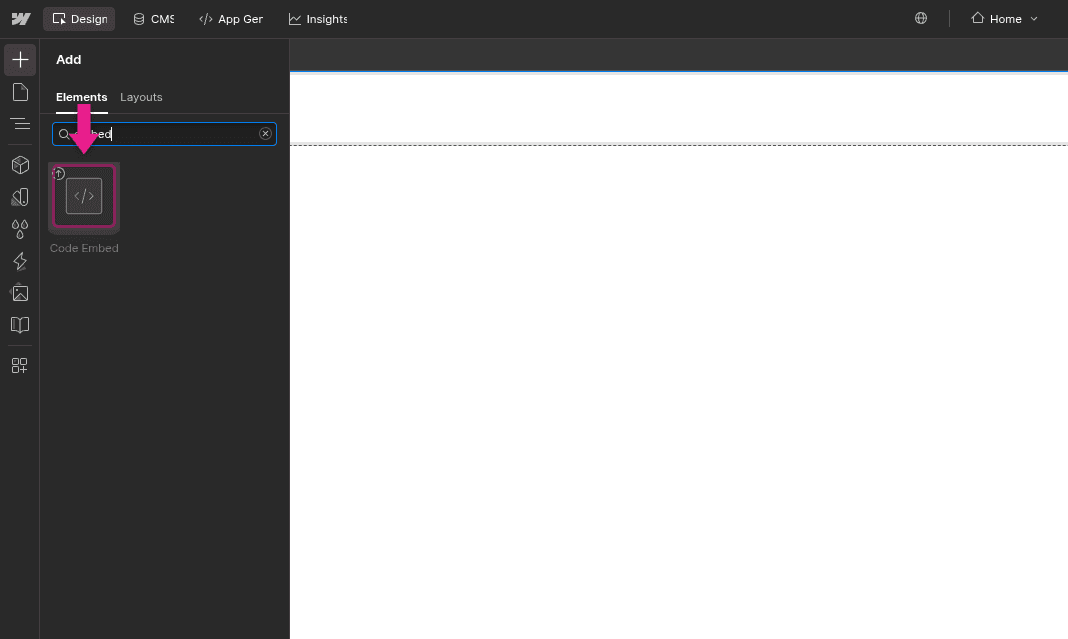
Paste the embed code
Double-click the Embed element to open the code editor. Paste your GenZform embed code:
<iframe
  data-genz-form="YOUR_FORM_ID"
  data-embed-style="standard"
  src="https://genzform.com/f/YOUR_FORM_ID"
  style="width: 100%; height: 500px; border: none;"
></iframe>
<script src="https://genzform.com/embed-v1.js"></script>
Click Save & Close.
Style the container
Select the Embed element and use Webflow's Style panel to:
- Set width to 100% for responsive sizing
- Add margins or padding as needed
- Optionally add a background or border radius
Publish
Click Publish to make your form live. The form won't display in the Designer—preview or publish to see it.
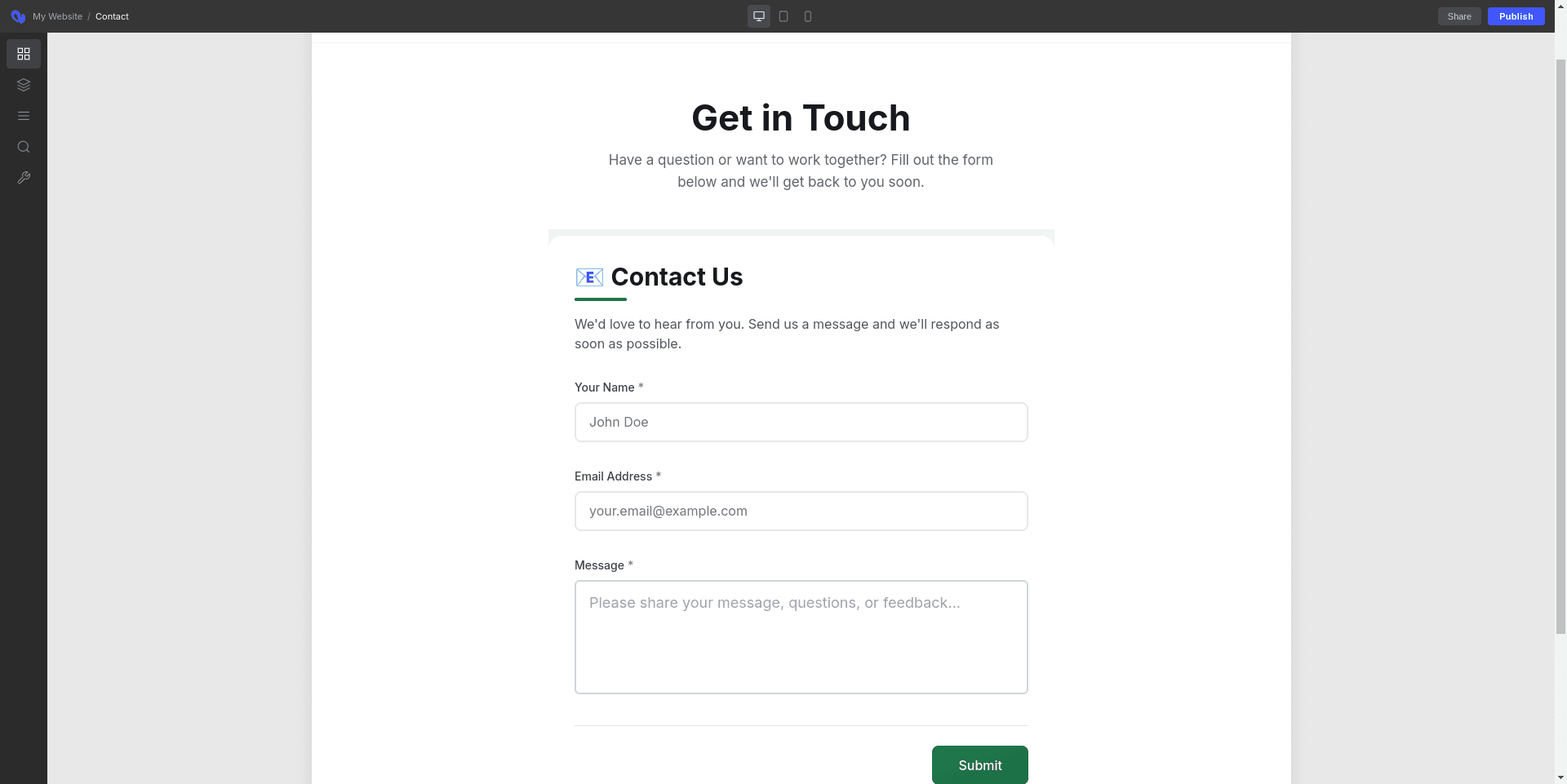
Webflow's Designer shows a placeholder for Embed elements. Use the Preview button or publish your site to see the actual form.
Popup Embed
Add a button that opens your form in a modal overlay:
- Add an Embed element to your page
- Paste the popup embed code:
<button
  data-genz-form="YOUR_FORM_ID"
  data-embed-style="popup"
  data-width="450"
  data-dark-overlay="true"
  class="w-button"
>
  Open Form
</button>
<script src="https://genzform.com/embed-v1.js"></script>- The button will inherit Webflow's default button styles with the
w-buttonclass
To use your own styled button, create the button in Webflow normally, then add an Embed element with just the data attributes as a custom attribute on your button using Webflow's custom attributes panel.
Popup Options
| Option | Description |
|---|---|
data-width | Width of the popup in pixels (default: 450) |
data-dark-overlay | Show dark background behind popup (true or false) |
data-popup-open-on-load | Auto-open popup when page loads (true or false) |
data-popup-delay | Delay in milliseconds before auto-opening |
Full Page Embed
For dedicated form pages that fill the entire viewport:
- Create a new page in Webflow
- Remove the default section/container
- Add an Embed element
- Paste the full page code:
<iframe
  data-genz-form="YOUR_FORM_ID"
  data-embed-style="full_page"
  src="https://genzform.com/f/YOUR_FORM_ID"
  style="width: 100vw; height: 100vh; border: none; position: fixed; top: 0; left: 0;"
></iframe>
<script src="https://genzform.com/embed-v1.js"></script>- In Page Settings, hide the navbar and footer if needed
Using Custom Code
For site-wide embeds or more control, use Webflow's Custom Code feature:
Page-Level Custom Code
- Select your page in the Pages panel
- Click the gear icon to open Page Settings
- Scroll to Custom Code
- Paste your embed code in the Before
</body>tag section
Site-Level Custom Code
For popup buttons that appear on every page:
- Go to Project Settings → Custom Code
- Paste your embed code in the Footer Code section
- Publish to apply site-wide
Responsive Sizing
The GenZform embed script automatically handles responsive sizing. For best results:
- Select the Embed container in Webflow
- Set width to 100%
- Use
data-min-heightattribute to set a minimum height:
<iframe
  data-genz-form="YOUR_FORM_ID"
  data-embed-style="standard"
  data-min-height="600"
  src="https://genzform.com/f/YOUR_FORM_ID"
  style="width: 100%; height: 500px; border: none;"
></iframe>
<script src="https://genzform.com/embed-v1.js"></script>
Frequently Asked Questions
Why can't I see the form in the Webflow Designer?
Webflow shows a placeholder for Embed elements. Click Preview or publish your site to see the actual form.
How do I match the form to my Webflow design?
Use the Customize tab in the GenZform editor to adjust colors, fonts, and styles to match your Webflow theme.
Can I use interactions with the popup button?
The popup is handled by the GenZform script. For custom interactions, you can trigger the popup programmatically using window.GenZEmbed.createPopup('YOUR_FORM_ID', { popupWidth: 450, isDarkOverlay: true }).
Does it work with Webflow's CMS?
Yes. Add the Embed element to your CMS template pages to display forms on dynamic pages.