
Embed in Shopify
Add GenZform forms to your Shopify store using theme customization, pages, or app embeds for contact forms, custom orders, and surveys.
Add GenZform forms to your Shopify store for contact requests, custom orders, feedback surveys, and more. This guide covers embedding in theme sections and using popup forms.
Embed in Theme (Custom Liquid Section)
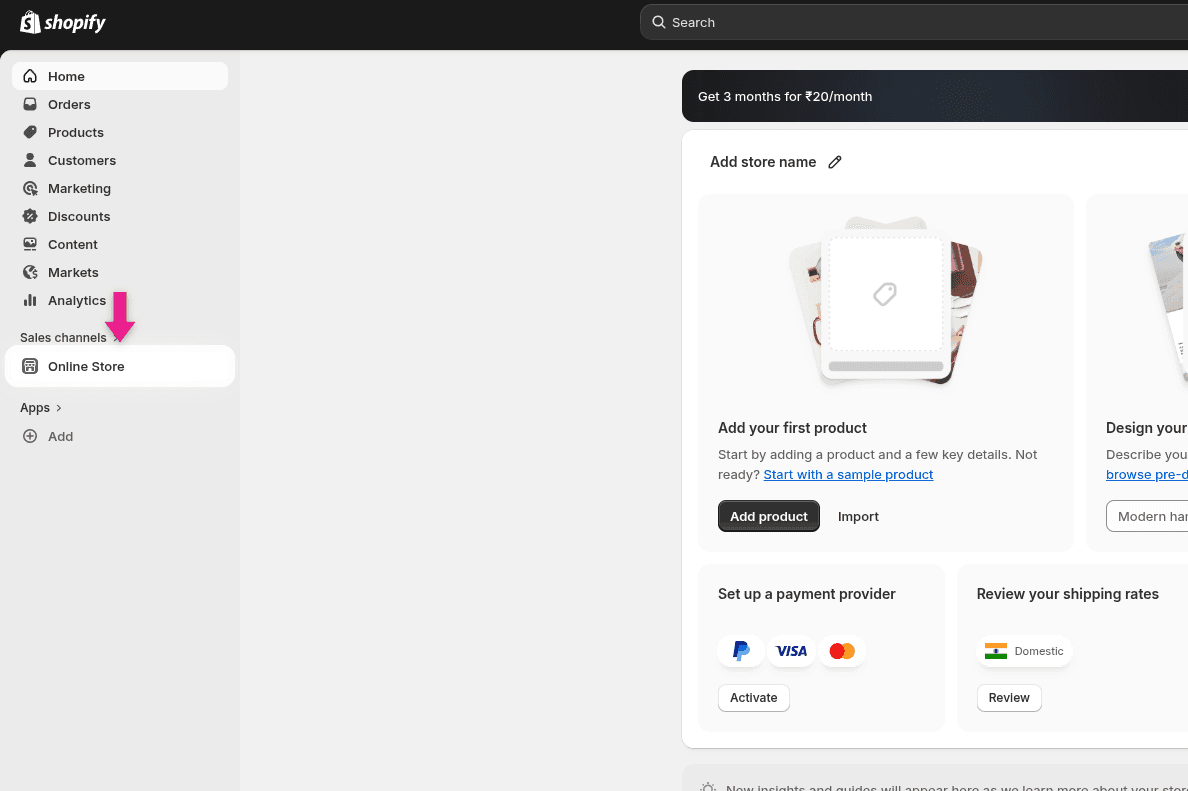
Go to Online Store
In your Shopify admin sidebar, click Online Store under Sales channels.
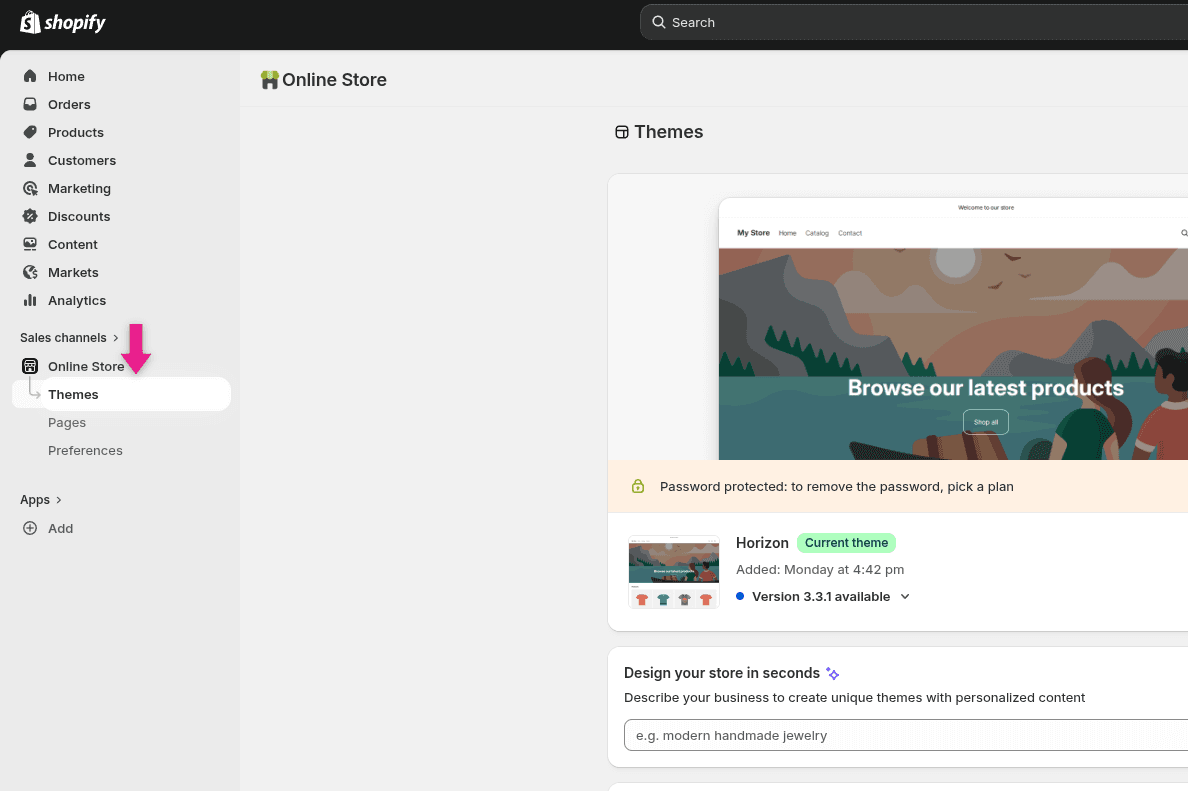
Open Themes
Click Themes to view your current theme.
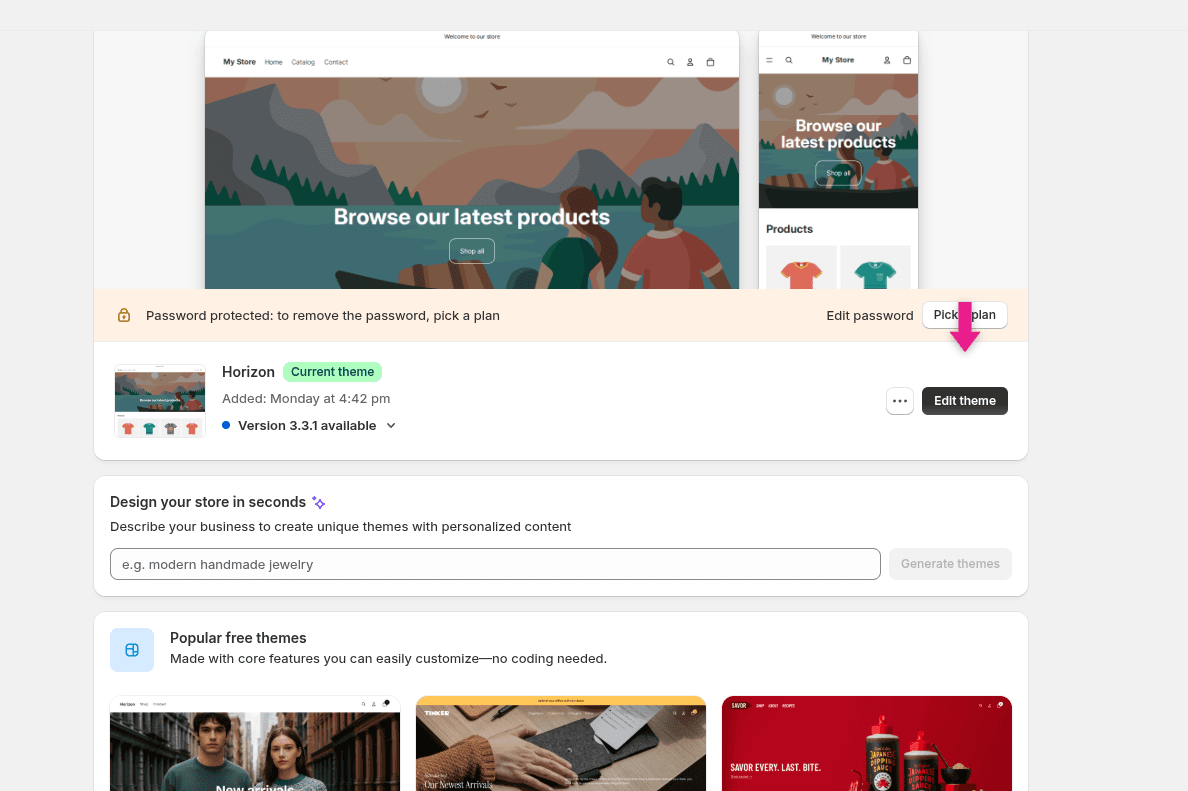
Customize your theme
Scroll down to your current theme and click the Edit theme button.
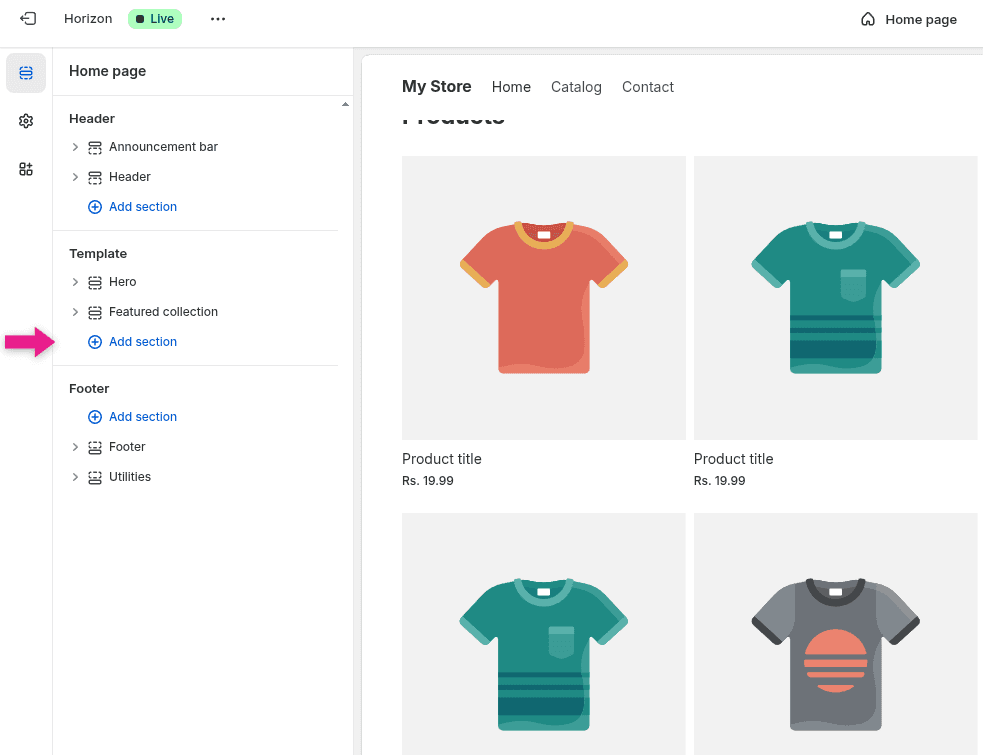
Add a section
In the theme editor sidebar, click Add section under the Template area where you want the form to appear.
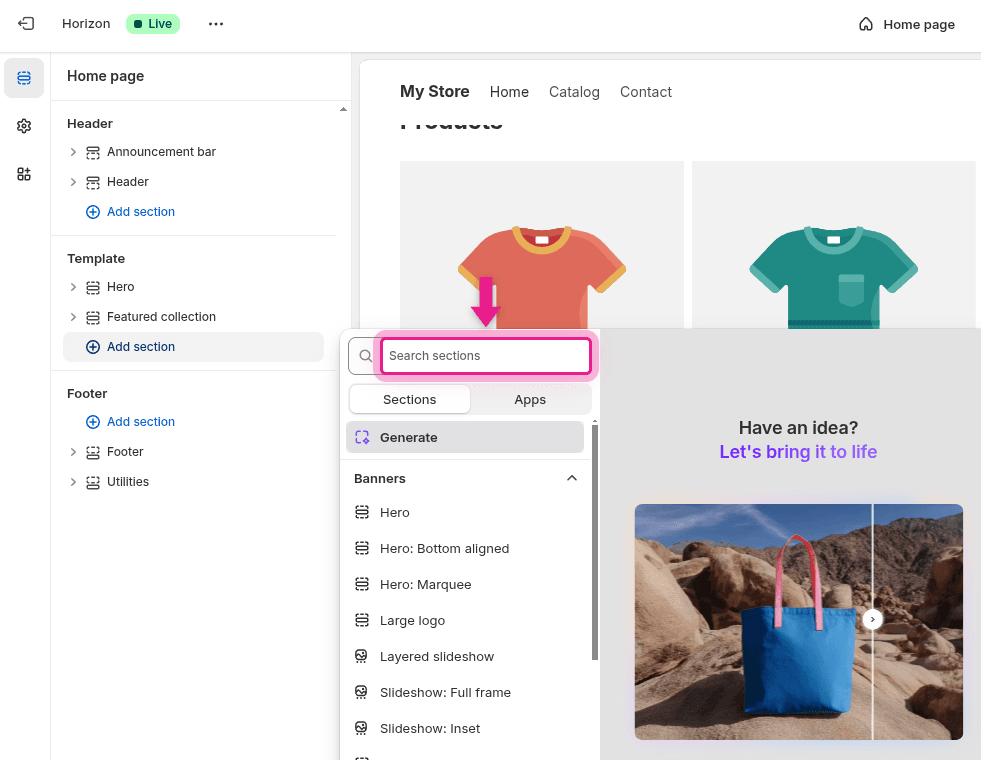
Search for sections
A search panel will appear. Click the Search sections field.
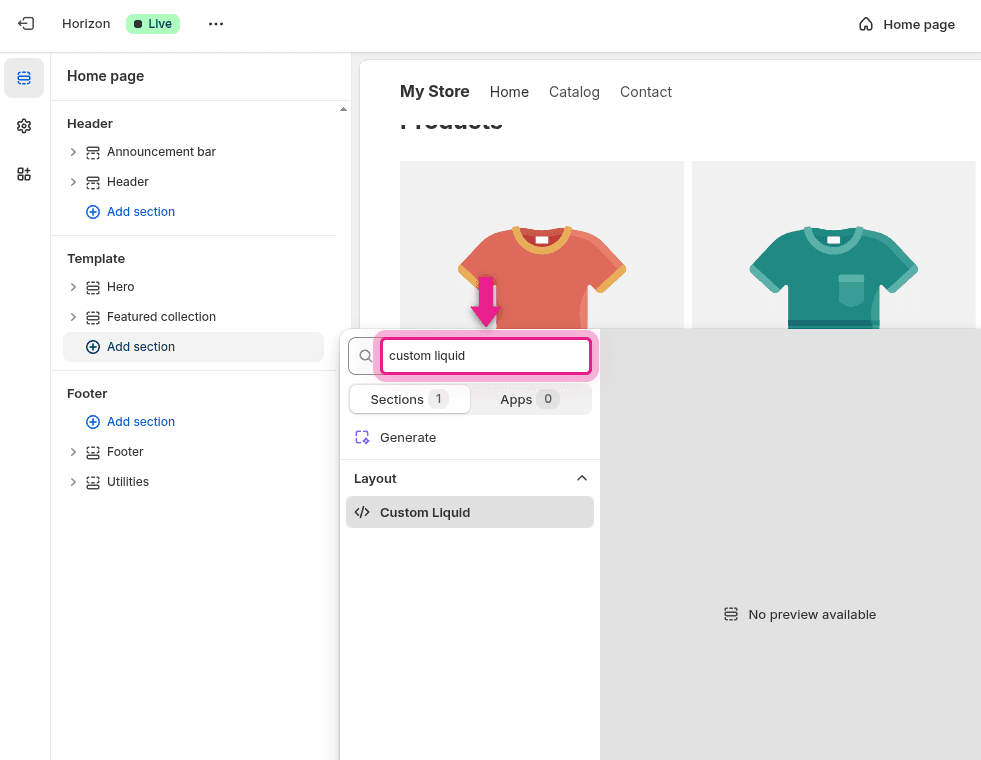
Find Custom Liquid
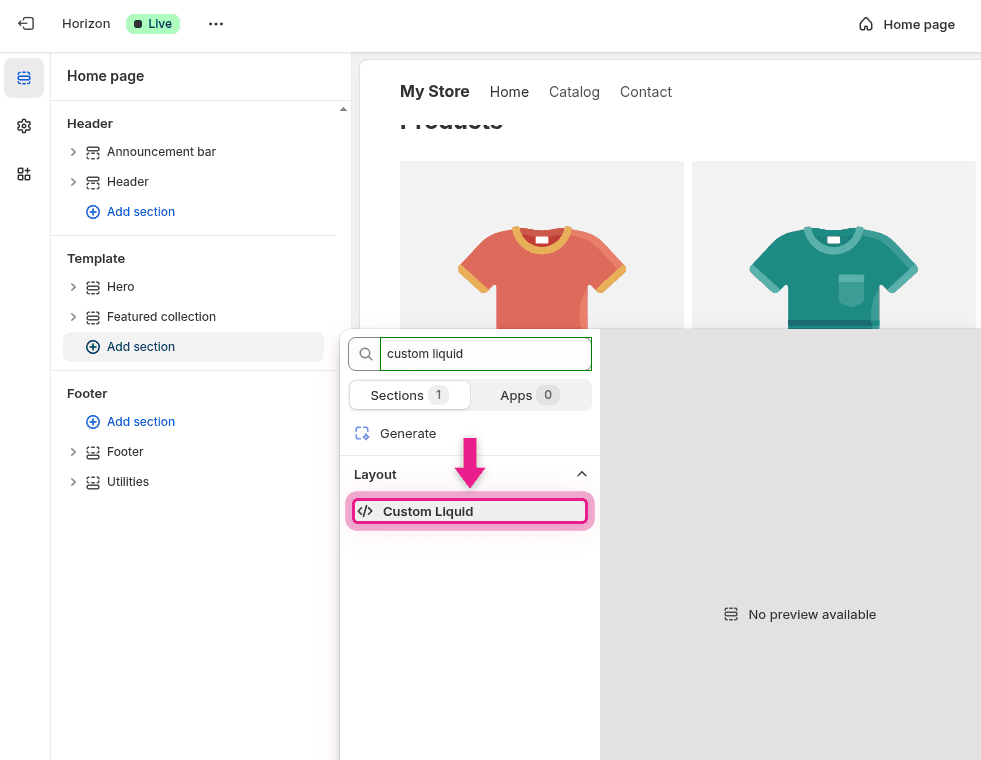
Type custom liquid in the search field. You'll see the Custom Liquid option appear under Layout. Click it to add it.
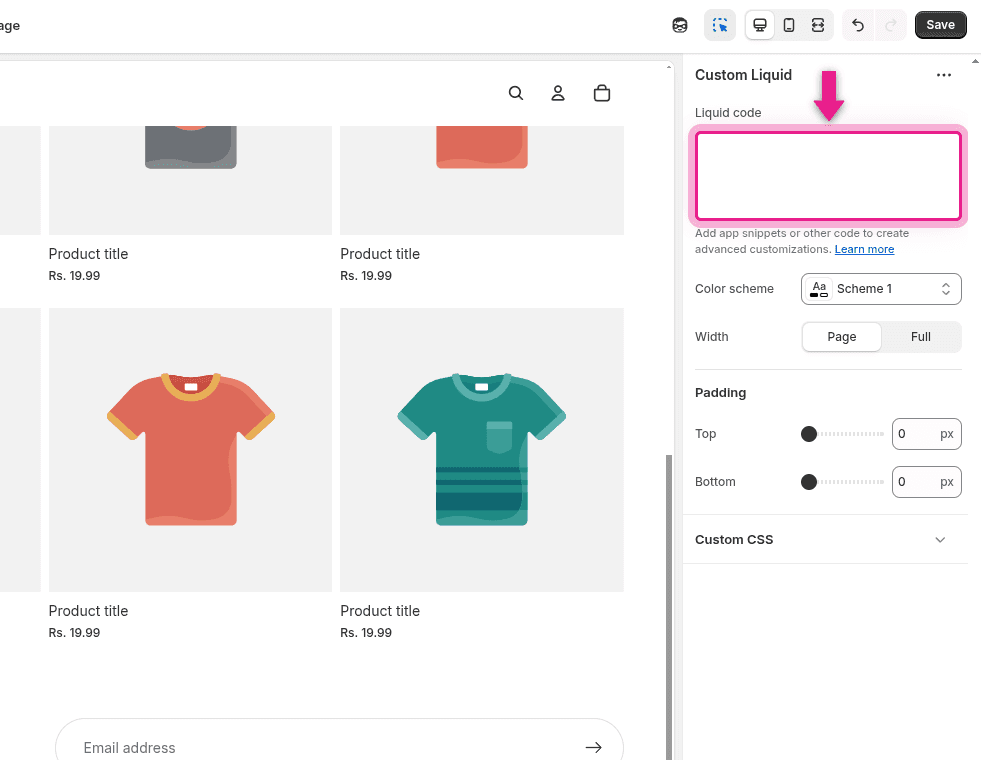
Paste your embed code
In the Liquid code text area on the right panel, paste your GenZform embed code:
<div style="max-width: 800px; margin: 40px auto; padding: 0 20px;">
  <iframe
    data-genz-form="YOUR_FORM_ID"
    data-embed-style="standard"
    data-min-height="600"
    src="https://genzform.com/f/YOUR_FORM_ID"
    style="width: 100%; height: 600px; border: none;"
  ></iframe>
</div>
<script src="https://genzform.com/embed-v1.js"></script>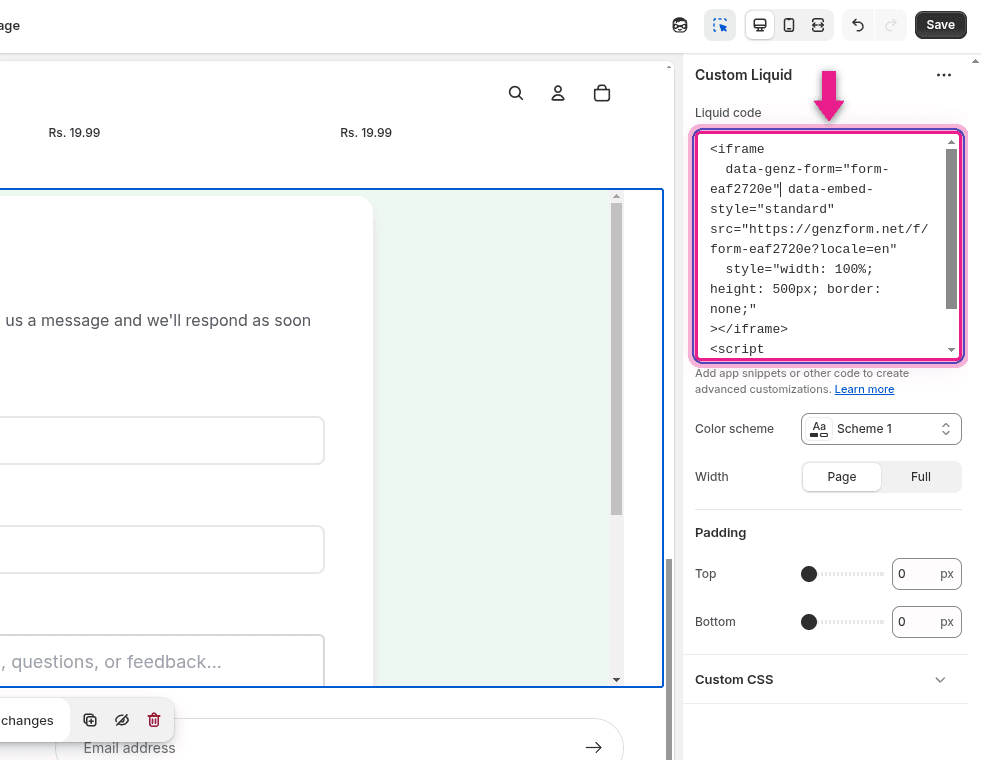
Save and preview
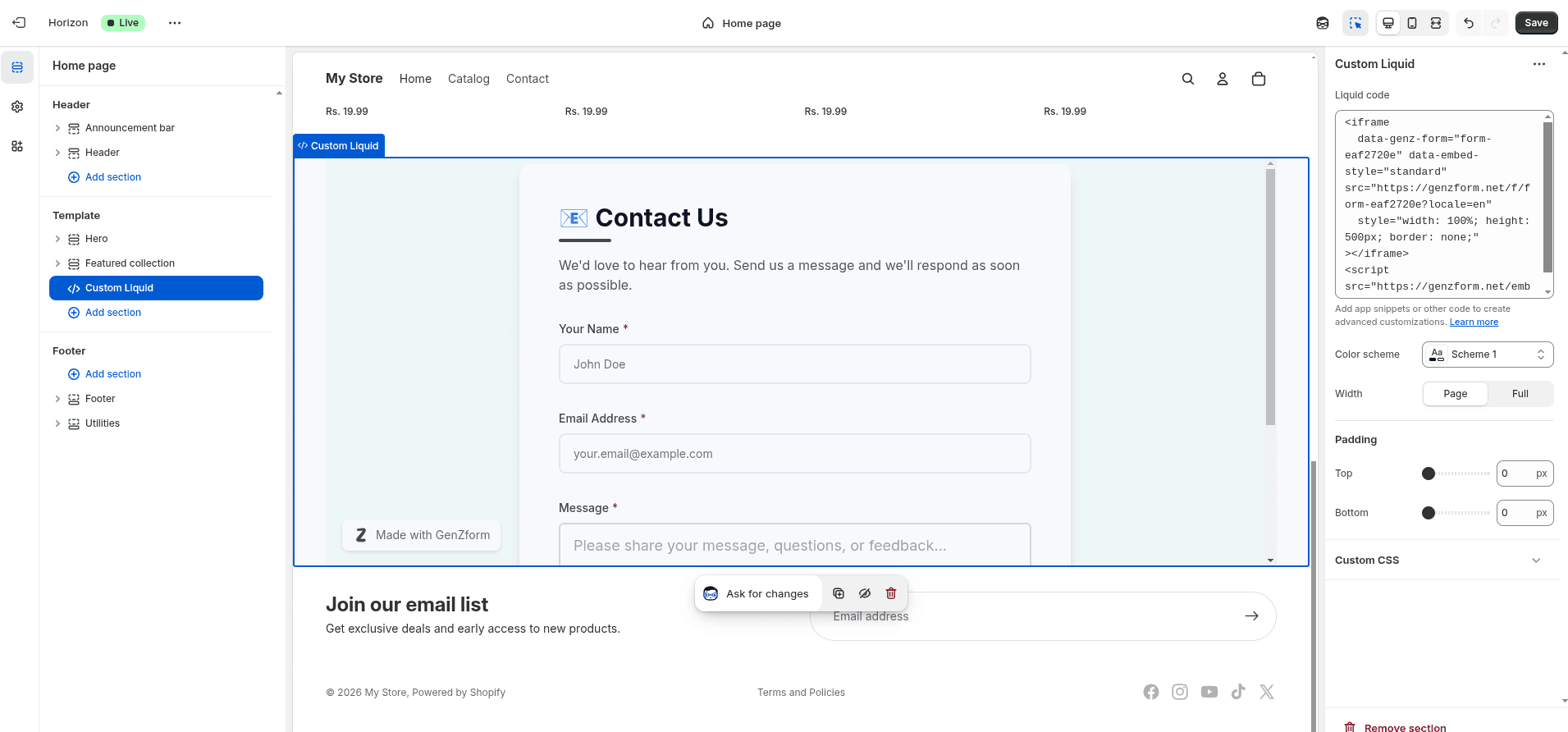
Click Save in the top right corner. Your form will now be embedded in your Shopify store.
Popup Form
Add a floating button or trigger that opens your form in a modal:
Site-Wide Popup (Theme Settings)
- Go to Online Store → Themes → Customize
- Click Theme settings (gear icon)
- Find Custom code or similar section
- Add the popup code:
<button
  data-genz-form="YOUR_FORM_ID"
  data-embed-style="popup"
  data-width="450"
  data-dark-overlay="true"
  style="position: fixed; bottom: 20px; right: 20px; background: #22c55e; color: white; padding: 16px 24px; border: none; border-radius: 8px; cursor: pointer; font-size: 16px; z-index: 999; box-shadow: 0 4px 12px rgba(0,0,0,0.15);"
>Contact Us</button>
<script src="https://genzform.com/embed-v1.js"></script>
Popup Options
| Option | Description |
|---|---|
data-width | Width of the popup in pixels (default: 450) |
data-dark-overlay | Show dark background behind popup (true or false) |
data-popup-open-on-load | Auto-open popup when page loads (true or false) |
data-popup-delay | Delay in milliseconds before auto-opening |
Product Page Forms
Add forms to product pages for custom orders or inquiries:
- Follow the theme embed steps above to add a Custom Liquid section
- Select a product page template instead of the home page
- Use Liquid variables to pass product info in your embed code:
<div class="product-inquiry-form" style="margin-top: 30px;">
  <h3>Request Custom Options</h3>
  <iframe
    data-genz-form="YOUR_FORM_ID"
    data-embed-style="standard"
    src="https://genzform.com/f/YOUR_FORM_ID?product={{ product.title | url_encode }}&sku={{ product.selected_or_first_available_variant.sku }}"
    style="width: 100%; height: 400px; border: none;"
  ></iframe>
</div>
<script src="https://genzform.com/embed-v1.js"></script>
The product title and SKU will be passed as URL parameters to your form.
Cart Page Popup
Show a survey or offer when customers are about to checkout:
- Edit your theme code: Themes → Actions → Edit code
- Find your cart template (usually
cart.liquidormain-cart.liquid) - Add a popup that opens on page load:
<div style="display: none;">
  <button
    data-genz-form="YOUR_FORM_ID"
    data-embed-style="popup"
    data-popup-open-on-load="true"
    data-popup-delay="2000"
    data-width="500"
    data-dark-overlay="true"
  ></button>
</div>
<script src="https://genzform.com/embed-v1.js"></script>
Use Cases for Shopify
- Contact forms - Customer inquiries and support requests
- Custom orders - Product customization requests with file uploads
- Wholesale inquiries - B2B order requests
- Feedback surveys - Post-purchase feedback collection
- Pre-orders - Interest and waitlist collection
- Quote requests - Custom pricing inquiries
Frequently Asked Questions
Can I add forms to product pages?
Yes. Use the Theme Customizer to add a Custom Liquid section to your product page template, or edit your product template directly in the theme code.
Will the embed work with all Shopify themes?
Yes. The iframe embed works with any Shopify theme. Some themes have built-in Custom Liquid sections, while others may require editing the theme code directly.
How do I send form data to Shopify?
Use the Zapier integration to automatically create customers, orders, or other records in Shopify from form submissions.
Can I style the form to match my store's theme?
Yes. Use the Customize tab in the GenZform editor to adjust colors, fonts, and styles to match your Shopify theme.