
Phone Number Field
Learn how to add phone number fields to your GenZform forms with built-in country code support and validation.
The phone number field makes it easy to collect phone numbers from respondents. It comes with a built-in country code selector, so it's ready for international use out of the box.
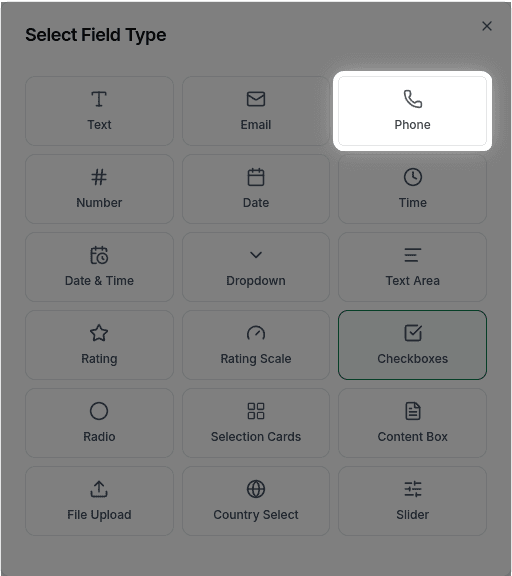
When to Use Phone Fields
Phone fields are ideal for:
- Contact forms
- Customer service requests
- Event registrations
- Lead generation forms
- Appointment bookings
The phone field always includes a country code selector by default. This cannot be removed, ensuring all collected phone numbers include the correct international dialing code.
How to Add a Phone Number Field
Ask the AI in the chat panel:
Example prompts:
- "Add a phone number field"
- "Include a required mobile number field"
- "Create a contact number input"
Phone Field Properties
| Property | Description | Example |
|---|---|---|
| Label | The text shown above the field | "Phone Number" |
| Placeholder | Hint text inside the field | "(555) 123-4567" |
| Required | Whether the field must be filled | Yes/No |
| Country Code | Built-in country selector | Always included |
Customization Options
Making it Required
"Make the phone number required"Custom Placeholder
"Set the phone placeholder to 'Enter your mobile number'"Frequently Asked Questions
Does it validate phone numbers?
The phone field accepts whatever format the user enters. There is no built-in format enforcement or custom format validation—users can enter phone numbers in any format they prefer.
Can I enforce a specific phone format?
Custom phone format validation (like (XXX) XXX-XXXX) is not currently supported. The field will accept any input the user provides.
Can I remove the country code selector?
No, the country code selector is always included with the phone field and cannot be removed. This ensures all phone numbers are collected with the correct international dialing code.
What format are phone numbers saved in?
Phone numbers are saved as entered by the user, along with the selected country code. You can view them in the Submissions tab.