
Email Field
Learn how to use email input fields in GenZform with automatic validation for collecting valid email addresses.
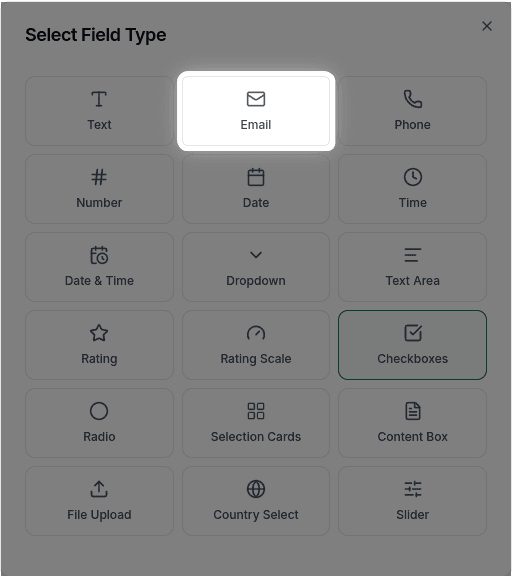
The email field is designed specifically for collecting email addresses. It includes built-in validation to ensure users enter a properly formatted email.
When to Use Email Fields
Email fields are perfect for:
- Contact forms
- Newsletter signups
- User registration
- Lead capture forms
- Any form where you need to follow up with respondents
Email fields automatically validate the format (e.g., requiring an @ symbol and domain). Invalid emails will show an error message.
How to Add an Email Field
Ask the AI in the chat panel:
Example prompts:
- "Add an email field"
- "Include a required email address field"
- "Add work email and personal email fields"
- "Create an email input with placeholder '[email protected]'"
Email Field Properties
| Property | Description | Example |
|---|---|---|
| Label | The text shown above the field | "Email Address" |
| Placeholder | Hint text inside the field | "[email protected]" |
| Required | Whether the field must be filled | Yes/No |
| Validation | Built-in email format check | Automatic |
Built-in Validation
Email fields automatically check for:
- The presence of an @ symbol
- A valid domain format (e.g., .com, .org, .net)
- No spaces or invalid characters
When a user enters an invalid email, they'll see an error message prompting them to correct it.
Customization Options
Making it Required
"Make the email field required"Custom Placeholder
"Set the email placeholder to '[email protected]'"Multiple Email Fields
"Add separate fields for work email and personal email"Frequently Asked Questions
How does email validation work?
GenZform automatically checks that the email has a valid format (contains @, has a domain, no invalid characters). Users cannot submit the form until they enter a valid email.
Can I restrict to specific email domains?
Domain restriction is not currently supported. The email field validates format only (e.g., contains @, valid domain structure) but does not filter by specific domains.
Will I get notified when someone submits?
Yes, you can set up Email Notifications to get notified for each submission.